aiCoder - Streamlining Your Coding Workflow
Ready to Revolutionize Your Coding?
Experience the power of AI-assisted coding and transform your workflow today!
Overview
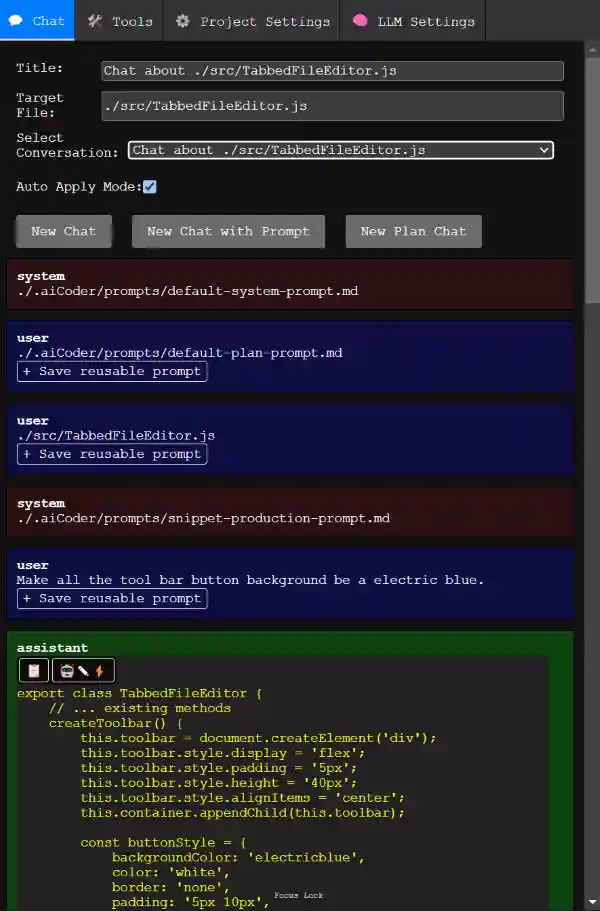
aiCoder is your AI-powered coding assistant, designed to revolutionize JavaScript development. With advanced merging logic and intelligent suggestions, aiCoder simplifies your workflow while maintaining your codebase's integrity.
Quick Start
You can just run it with npx without installing it globally.
Just cd myProject in to your project folder and launch aiCoder with npx.
Installation
Follow these simple steps to install and start aiCoder:
Step 1: Install aiCoder globally
Step 2: Start aiCoder in your project directory
Once started, open http://localhost:3000 in your browser to access the web UI and begin coding with AI assistance.
aiCoder is different leveraging ASTs
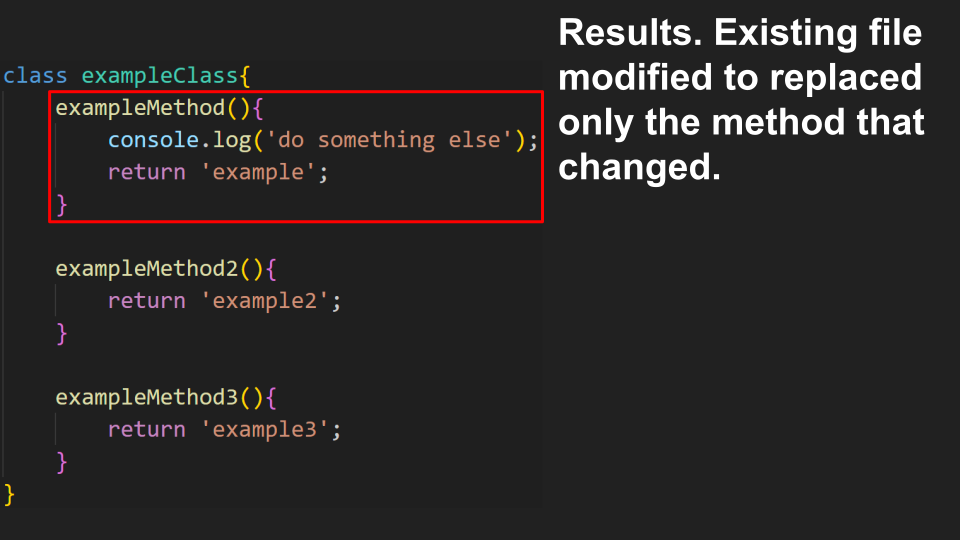
Using the power of ASTs (abstract syntax trees) we parse the code generated by the LLM and surgically replace sections that are modified in the original file.
This guarantees only syntactically correct code in merged and prevents code modifications that delete or mangle code unrelated to the edit.
Say goodby to copying and pasting code chucks between an LLM conversation and your existing editor.
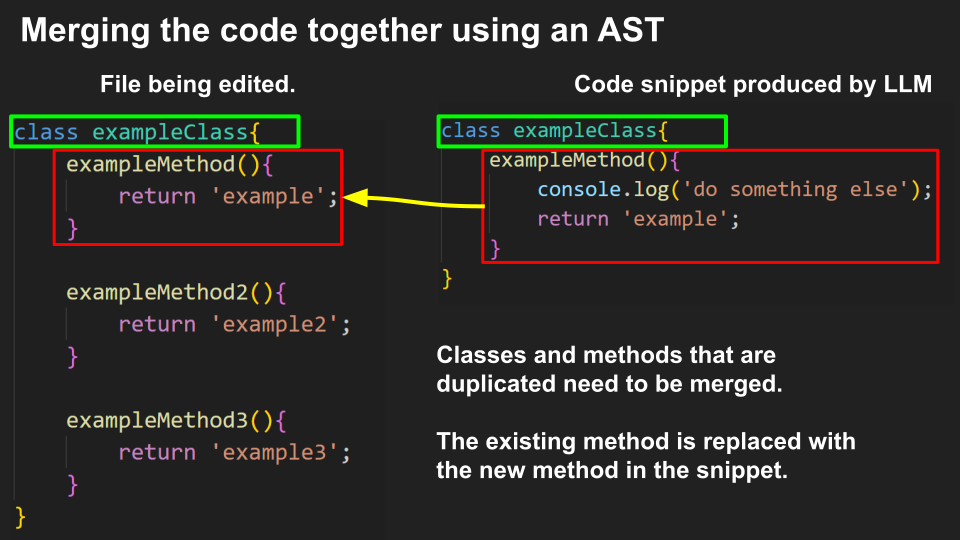
Live merging demo
Original code
snippet
Click me to do an Auto magic merge 🤖✎⚡
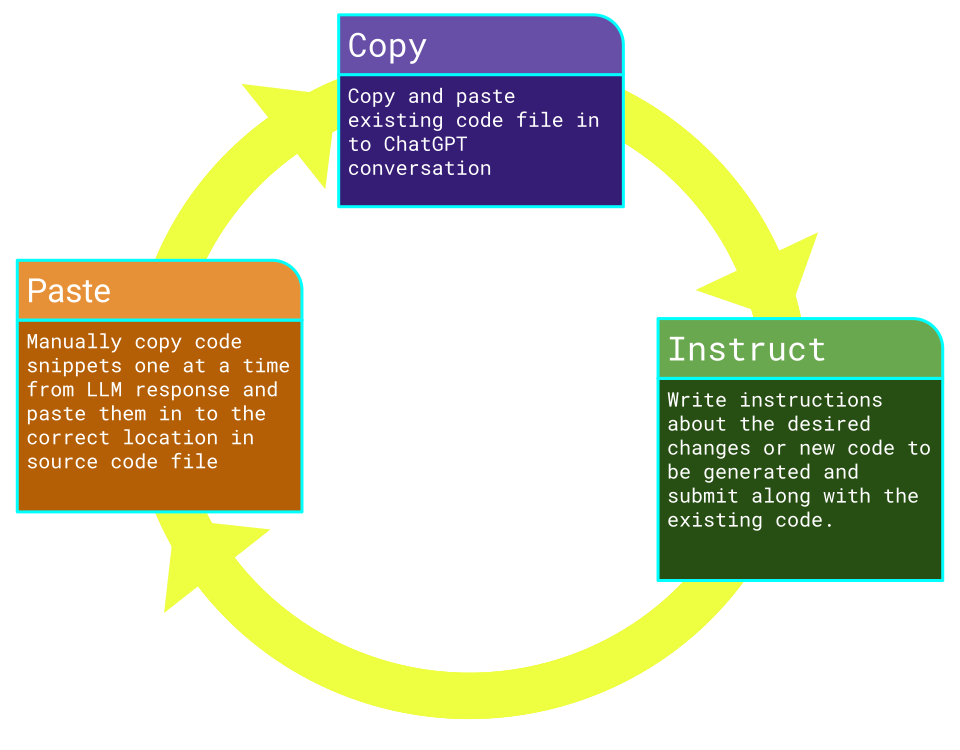
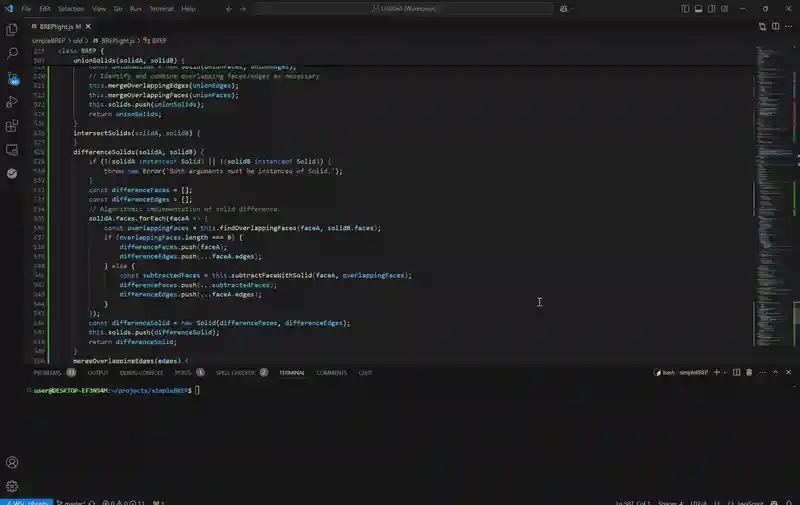
Classic LLM workflow
The classic workflow. You know you do it.
All that copying and pasting between chatGPT and your IDE.
Its time consuming and error prone.
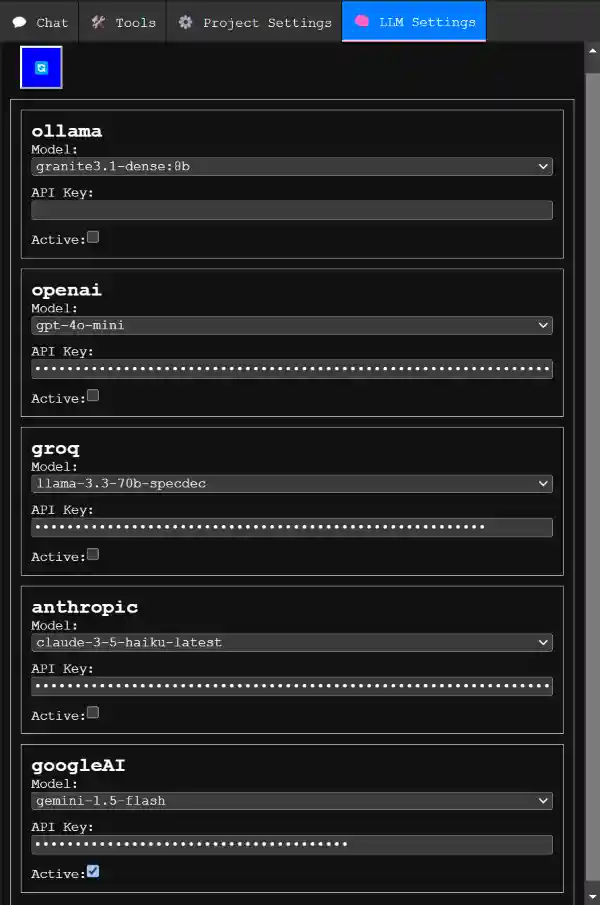
Use Any LLM You Want
aiCoder supports multiple LLM providers
- Ollama for completely local and private code generation suggested model is
granite3.1-dense. - OpenAI (Maker of chat GPT) providing high quality code and inexpensive
gpt-4o-minimodel. - Groq (Experimental support) with a small context window and free API key.
- Anthropics’s
claude-3-5-haikuworks rather well but is a bit expensive. - GoogleAI using the free
gemini-1.5-flashfor results similar togpt-4o-mini. You can get a free api key here.
Key Features
- Automated code snippet merging with AST analysis.
- Seamless integration of AI-suggested changes.
- Backup functionality to preserve original files.
- Interactive plan and chat modes to refine your project.
- Support for local and cloud-based LLMs.
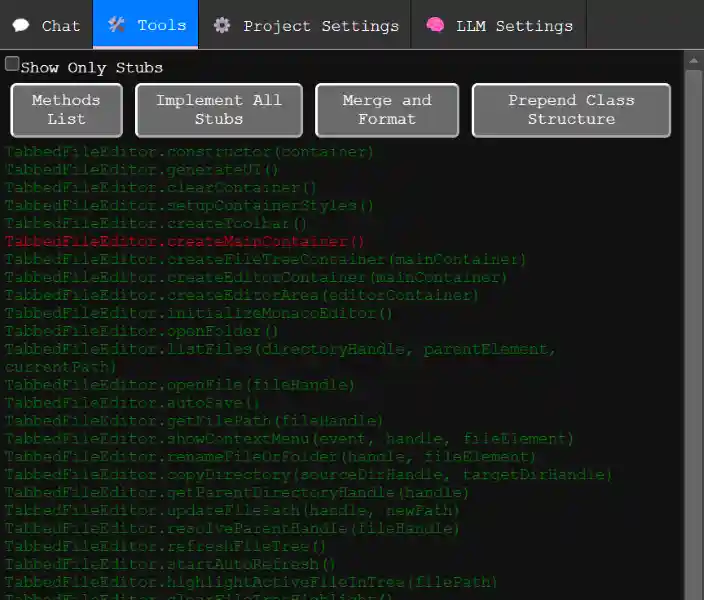
- Single click code generation for stub functions and methods
Usage
- Run
aiCoderorain your project directory. - Visit http://localhost:3000 to access the web UI.
- Define your project goals in the New Plan Chat.
- Select files to modify and request changes through natural language prompts.
- Review AI-generated snippets and merge them seamlessly with the
🤖✎⚡button.

FAQs
- How do I reset settings? Delete the
./.aiCoder/folder and restart aiCoder. - Can I use aiCoder with other languages? Currently, it supports only JavaScript.
- How do I update aiCoder? Run
npm update aicodertool -g. - Is it linux only or can I use it on windows? Windows support was recently added and is still experimental.
- Can I help? Sure. If folks are interested lets chat on discord. If you are knowledgeable about how LSPs and ASTs work it would be really great to chat.