Collaborative Calculation and Data Science

Collaborative Calculation and Data Science
by Sagemath, Inc.
Powerful Compute Servers with Optional GPUs
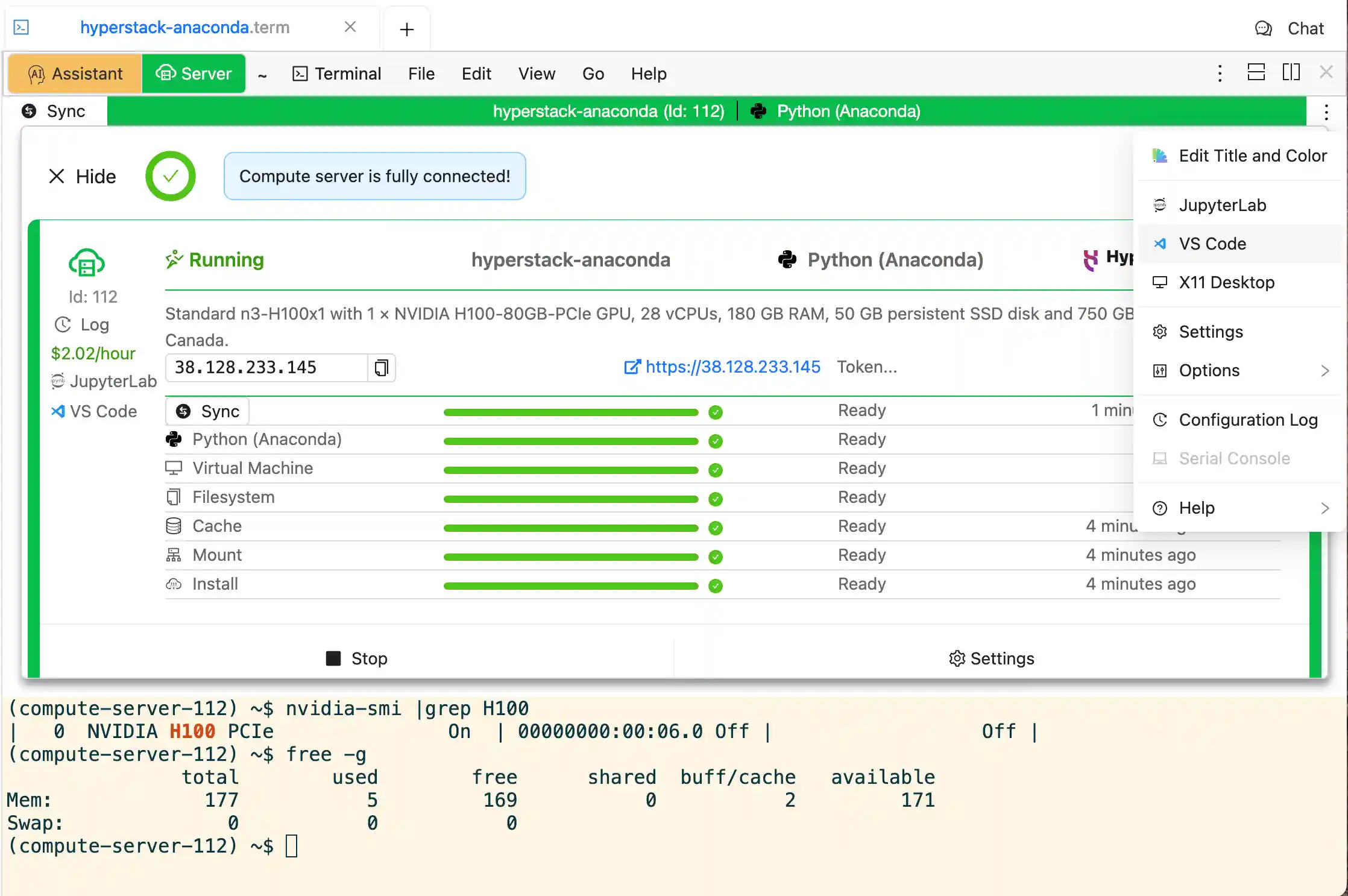
Extend your
CoCalc
projects with powerful
compute servers. They give you much more power, GPU options, and flexibility for your computations.
From within your
CoCalc
project, spin up and connect to a powerful machine. You simply
tell your terminals and Jupyter Notebooks to run on these machines, or with one click launch JupyterLab or VS Code. These compute servers open up new possibilities by utilizing enhanced computing resources, extending far beyond the bounds of what you can do in your local project.
These servers optionally come with
very competitively priced GPU support, from a single NVIDIA T4 to eight H100's, with many options in between, including L4 and L40, RTX-A4/5/6000, and A100 with 40GB and 80GB. The finely configured software images include
Google Colab, SageMath, Anaconda, Julia, PyTorch, Tensorflow and Open WebUI, accommodating a versatile range of uses. The pre-configured software environments make it very easy to make use of them, right out of the box. You can also run any command as
root, install anything you want, and use Docker and Kubernetes.
Your
files are synchronized. Therefore, you can seamlessly switch between different servers. You also have much more disk storage on the remote machine.
Usage of these machines is billed by the second. The pricing is highly competitive, starting at
under $0.01/hour and under $0.15/hour with a GPU!
Extensive Generative AI Integration
Many Programming Languages
print('Welcome to CoCalc from Sage!', factor(2024))
CoCalc
supports many
programming languages. Edit the demo cell on the left and evaluate it by pressing "Run". You can also select a different "kernel", i.e. the programming language that is used to evaluate the cell.
Realtime Collaboration Using Your Favorite Tools
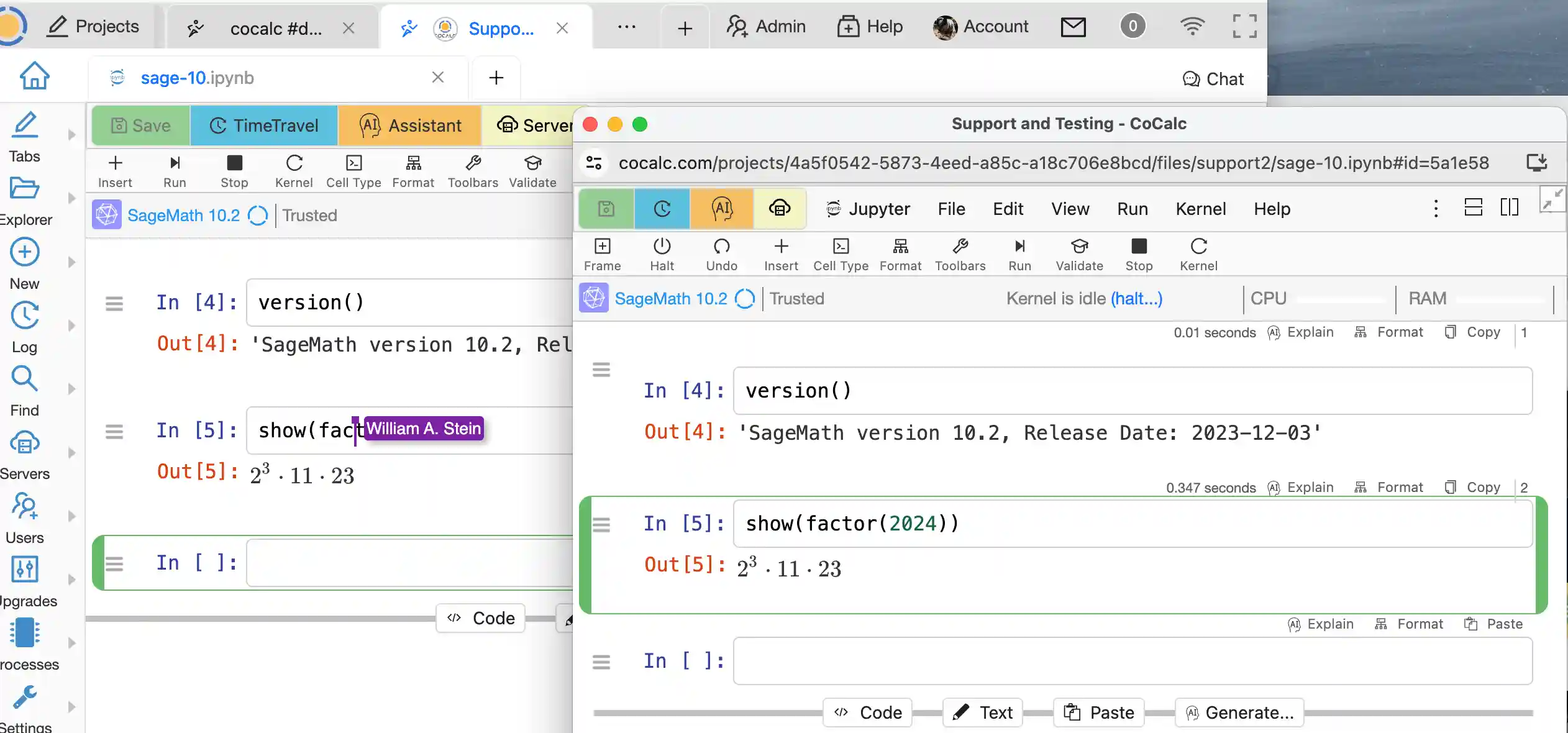
You and your collaborators use the same per-project environment, which provides consistent results, synchronized file changes, and automatic revision history so that you can go back in time when you need to discover what changed and when.
You can even publish your
CoCalc
creations to share with anyone via the built-in share server.
Forget the frustration of sending files back and forth between your collaborators, wasting time reviewing changes, and merging documents.
Get started with CoCalc today.
Sage Worksheets
Sage Worksheets are similar to Jupyter Notebooks, but made to work well with
SageMath. They offer a single-document model that scales to large documents and integrated 3d graphics.
Integrated Course Management System
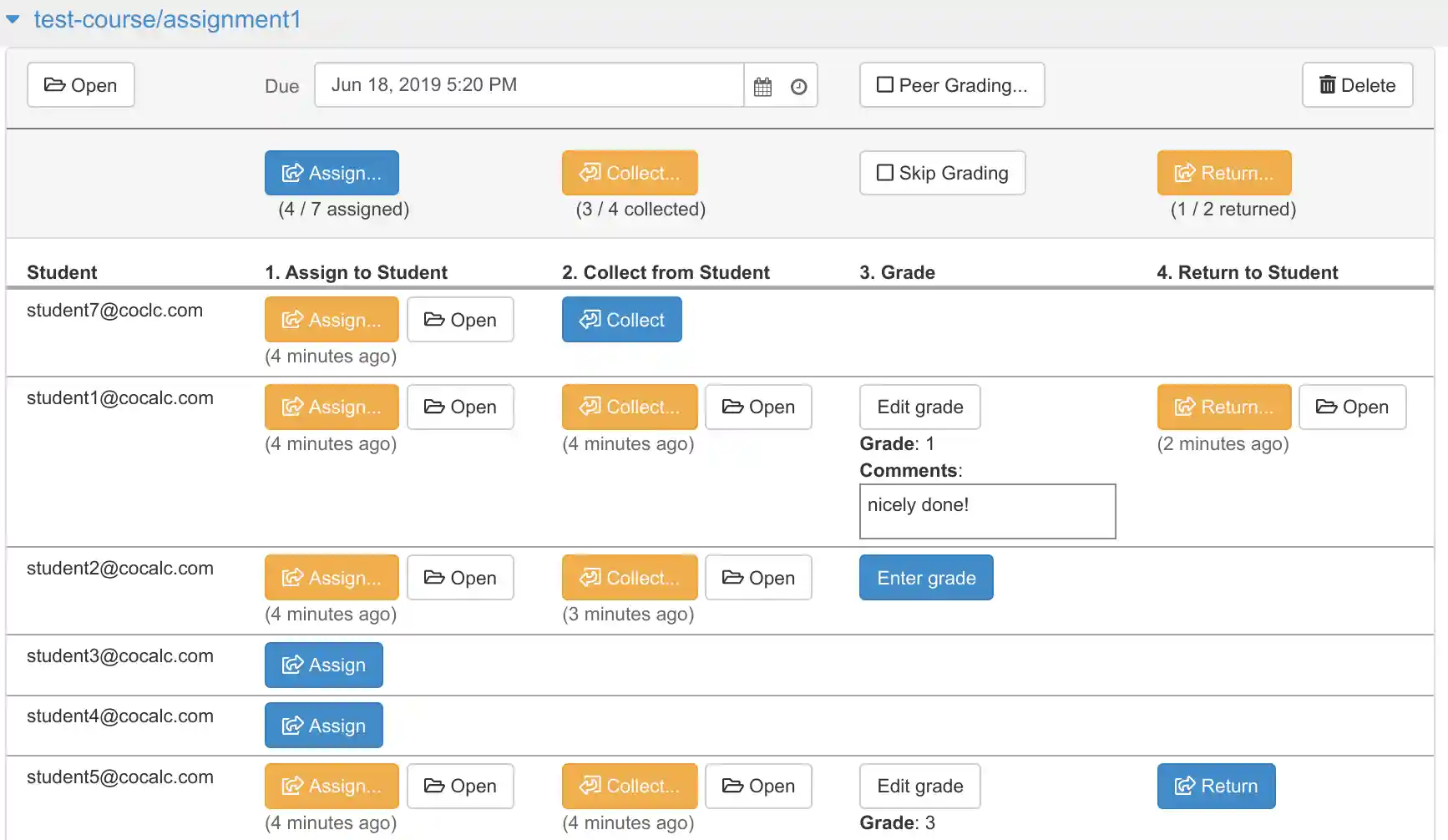
You can think of
CoCalc
as
virtual computer lab in the cloud. It takes away the pain of teaching scientific software.
Hassle-free assignments:
CoCalc
keeps all files well organized! Due to real-time synchronization you never have to deal with multiple versions of the same file. There is even support for
Pre-installed Software like in a computer lab,
all software you need is already installed and ready to use.
Real-time Collaboration allows you to virtually look students over their shoulders. You can check their work directly and help them by editing the file or using side-chat communication.
Much More …
Computational Whiteboard
Use a full featured collaborative whiteboard – with support for Jupyter notebook cells – to express and share your ideas.
Feature Overview
CoCalc
offers a variety of features to make your life easier. You can find a list of all features
here.
Solutions
Teach a Course
The
are very flexible: they range from small professional training up to large university courses. The students can pay
CoCalc
directly, or you can pay on their behalf, and it is easy to change a license at any time if you need more resources or the number of students changes.
On-Premises
It is very easy to run
CoCalc
on your own computer or cluster. The available options are:
- Make your computer available in a CoCalc project via an on-prem compute server.
- Deploy a highly scalable variant of CoCalc on your Kubernetes cluster via CoCalc OnPrem.