Python Full Stack Developer Course in Hyderabad with Placement

Integrated Python Full Stack with DSA and Generative AI Course in Hyderabad

The Integrated Python Full-Stack Development Program in Hyderabad is an intensive, industry-aligned training designed to transform learners into job-ready full-stack software developers.

This program delivers a strong combination of Python programming, Full-Stack Web Development, Data Structures & Algorithms (DSA), Aptitude training, and Professional Soft Skills, ensuring learners are not only technically strong but also interview-ready and workplace-ready for Hyderabad’s IT industry.

The curriculum emphasizes hands-on learning, real-time projects, problem-solving practice, and corporate coding standards, supported by expert mentors and structured career guidance with placement assistance in Hyderabad.

  • English
  • 100 Days
  • 70,000

(2,282 Rating)

4.8/5

  • 00Days

  • 00Hours

  • 00Minutes

  • 00Seconds

Become a Integrated Python Full Stack with DSA and Generative AI

Become a full-stack Python developer with expert-led training, real-time projects, certification, and placement support. Enquire now.

1250+ hiring partners choose Codegnan graduates

Overview of our Integrated Python Full Stack with DSA and Generative AI training in Hyderabad

Our Integrated Python Full Stack with DSA and Generative AI training in Hyderabad equips you with front-end and back-end skills using Python, Django, HTML, CSS, JavaScript, and MySQL. You’ll build real-world projects like e-commerce and blog apps under expert mentorship.

This intensive, job-oriented program transforms beginners into industry-ready full-stack
developers. It covers Python programming, Frontend & Backend development, Databases,
Data Structures & Algorithms (DSA), Generative AI basics, complemented by real-time
projects and placement assistance for modern software development careers.

The course includes both online and offline learning options, 1-on-1 doubt-clearing sessions, lifetime access, and a job assurance program. You’ll also earn HackerRank badges and become eligible for Microsoft certification. Whether you’re a student, fresher, or working professional, this course is designed to make you job-ready in just 100 days.
  • 100-day structured training program
  • Lifetime access to course materials
  • Online and offline class options
  • Placement assistance with top tech companies
  • 1-on-1 mentorship and expert doubt support
  • Authorized Microsoft and HackerRank certifications
  • Flexible schedules to suit students and professionals
  • Real-time projects: E-commerce app, DevBlog, Discussion Forum

Is Becoming a Integrated Python Full Stack with DSA and Generative AI in Hyderabad Worth It?

1. Excellent Job Opportunities

Hyderabad is home to major tech companies and fast-growing startups. With increasing demand for full stack developers, you'll find multiple openings in web development, automation, and data-driven roles.

2. Broad Career Scope

Python is widely used in trending fields like Data Science, AI, Web Development, and Machine Learning. With full stack skills, you can work as a backend developer, frontend engineer, or a complete full stack developer.

3. High Salary Potential

Freshers can earn up to ₹8.5 LPA in Hyderabad. Experienced professionals command even higher packages. Companies value developers with real project exposure and full stack capability.

4. Hands-on Projects

You’ll build real-time applications like e-commerce websites, blogs, and discussion forums. These practical projects boost your confidence and make your portfolio stand out.

5. Certifications That Add Value

Codegnan offers HackerRank badges and prepares you for Microsoft certification, giving you strong credentials to showcase in your resume.

6. Placement Support

With a dedicated job assistance program, Codegnan helps you prepare for interviews, create a strong portfolio, and get placed in top companies like Amazon, Google, and Deloitte.

Integrated Python Full Stack with DSA and Generative AI Training curriculum in Hyderabad

  • Aptitude: Number system basics
  • Tech: Computer basics, terminal, files
  • Lab: Install Python & Git, hello.py
  • Soft: Self introduction
  • DSA: Input-output basics
  • Build: Student Profile CLI
  • Aptitude: Percentages
  • Tech: Variables, data types
  • Lab: Fee Calculator CLI
  • Soft: Pronunciation practice
  • DSA: If-else problems
  • Build: Edge case handling
  • Aptitude: Ratio & proportion
  • Tech: Operators & conditions
  • Lab: Eligibility Checker
  • Soft: Daily routine speaking
  • DSA: Counting logic
  • Build: Git branching
  • Aptitude: Averages
  • Tech: for/while loops
  • Lab: Attendance Tracker
  • Soft: Listening skills
  • DSA: Loop patterns
  • Build: Menu-based tracker
  • Aptitude: Time & work
  • Tech: Strings & methods
  • Lab: Username generator
  • Soft: Structured self-intro
  • DSA: String problems
  • Build: Expense Tracker v1
  • Aptitude test
  • Soft skills mock
  • Python coding exam
  • Debugging
  • Review & corrections
  • Aptitude: Time & distance
  • Tech: Functions & return
  • Lab: Calculator with functions
  • Soft: Polite conversation
  • DSA: Function logic
  • Build: Expense Tracker finalize
  • Aptitude: Simple interest
  • Tech: Lists & operations
  • Lab: Marks Analyzer
  • Soft: Storytelling
  • DSA: Arrays
  • Build: Export data
  • Aptitude: Compound interest
  • Tech: Count/min/max
  • Lab: Rank list
  • Soft: Confidence drills
  • DSA: Frequency count
  • Build: GitHub profile
  • Aptitude: Profit & loss
  • Tech: Nested loops
  • Lab: Pattern programs
  • Soft: Phone roleplay
  • DSA: Optimization intro
  • Build: Quiz App
  • Aptitude: Discounts
  • Tech: AI for learning
  • Lab: Testcase generation
  • Soft: English basics
  • DSA: Two sum
  • Build: Quiz App v2
  • Aptitude test
  • Soft mock
  • Functions & lists exam
  • Review
  • Aptitude: Mixtures
  • Tech: Dictionaries
  • Lab: Phonebook
  • Soft: GD basics
  • DSA: Hashing
  • Build: CRUD phonebook
  • Aptitude: Pipes & cisterns
  • Tech: Sets
  • Lab: Duplicate remover
  • Soft: Vocabulary
  • DSA: Distinct elements
  • Build: Library CLI v1
  • Aptitude: DI basics
  • Tech: File handling
  • Lab: JSON storage
  • Soft: Professional writing
  • DSA: Prefix sums
  • Build: Library v2
  • Aptitude: Reasoning
  • Tech: Exception handling
  • Lab: Validations
  • Soft: HR mock
  • DSA: Sliding window
  • Build: Library v3
  • Aptitude: Puzzles
  • Tech: Clean code
  • Lab: Refactor
  • Soft: Listening
  • DSA: Two pointers
  • Build: Reports
  • Aptitude test
  • GD mock
  • Tech exam
  • Review
  • Aptitude: Algebra
  • Tech: Classes & objects
  • Lab: Student class
  • Soft: Project explanation
  • DSA: Recursion
  • Build: OOP conversion
  • Aptitude: Linear equations
  • Tech: Inheritance
  • Lab: User/Admin roles
  • Soft: Tech explanation
  • DSA: Sorting
  • Build: Role logic
  • Aptitude: Permutations
  • Tech: Modules
  • Lab: Project structure
  • Soft: Self intro v2
  • DSA: Binary search
  • Build: venv setup
  • Aptitude: Probability
  • Tech: Pytest
  • Lab: Test cases
  • Soft: Resume bullets
  • DSA: Stack
  • Build: Logging
  • Aptitude: Verbal
  • Tech: CSV/JSON
  • Lab: Import/export
  • Soft: HR mock
  • DSA: Queue
  • Build: DSA toolkit
  • OOP exam
  • HR round
  • Code review
  • DB concepts
  • MySQL setup
  • Create tables
  • Soft: Teamwork
  • DSA: Hashing
  • Build: Query notebook
  • WHERE, ORDER BY
  • 30 query drills
  • Soft: Explaining data
  • DSA: Two pointers
  • Build: SQL pack
  • Aggregations
  • Practice queries
  • Soft: GD
  • DSA: Sliding window
  • Build: Reports
  • Inner & left joins
  • Join drills
  • Soft: Cold calling
  • DSA: Sorting
  • Build: Job schema
  • Keys & constraints
  • Schema fixes
  • Soft: Resume build
  • DSA: Stack
  • Build: Query pack
  • SQL exam
  • Resume review
  • Optimization
  • Python DB connect
  • CRUD basics
  • Soft: Interview Q
  • DSA: Linked list
  • Build: CRUD CLI
  • SQLAlchemy basics
  • Models & sessions
  • Soft: Grammar
  • DSA: Linked list
  • Build: ORM CRUD
  • Commit & rollback
  • Lab practice
  • Soft: STAR method
  • DSA: Trees
  • Build: Audit logs
  • Index usage
  • Explain plans
  • Soft: HR mock
  • DSA: Trees
  • Build: Course DB
  • REST concepts
  • Endpoint design
  • Soft: Speaking
  • DSA: Graph BFS
  • Build: FastAPI prep
  • Python + DB exam
  • GD
  • Review
  • Aptitude: Synonyms & antonyms
  • Tech: Internet, HTTP, HTML structure
  • Lab: Basic HTML page
  • Soft: Pronunciation & reading
  • DSA: Greedy basics
  • Build: Portfolio site start
  • Aptitude: Direction sense
  • Tech: Forms & validations
  • Lab: Admission form UI
  • Soft: Self intro v3
  • DSA: Graph practice
  • Build: Contact form UI
  • Aptitude: Percentages revision
  • Tech: CSS fundamentals
  • Lab: Styling portfolio
  • Soft: Email writing
  • DSA: DP intro
  • Build: Responsive layout
  • Aptitude: Averages revision
  • Tech: Flexbox & Grid
  • Lab: Landing page clone
  • Soft: Impromptu speaking
  • DSA: DP practice
  • Build: Publish portfolio
  • Aptitude: DI practice
  • Tech: DevTools
  • Lab: Fix layout bugs
  • Soft: HR mock
  • DSA: Stack & queue
  • Build: College event page
  • Aptitude test
  • Soft speaking mock
  • HTML/CSS practical exam
  • Review
  • Aptitude: Time & distance
  • Tech: JS basics, DOM
  • Lab: DOM manipulation tasks
  • Soft: Workplace phrases
  • DSA: Binary search
  • Build: Notes App v1
  • Aptitude: Coding-decoding
  • Tech: Events & functions
  • Lab: Notes CRUD
  • Soft: GD (tech topic)
  • DSA: Sliding window
  • Build: Notes App v2
  • Aptitude: Profit & loss
  • Tech: Fetch API & JSON
  • Lab: Public API integration
  • Soft: Resume improvement
  • DSA: Hashing
  • Build: Weather App
  • Aptitude: DI
  • Tech: JS error handling
  • Lab: Loading & error UI
  • Soft: Behavioral interview
  • DSA: Linked list
  • Build: Mini dashboard
  • Aptitude: Algebra
  • Tech: Async/await
  • Lab: Refactor API code
  • Soft: HR mock
  • DSA: Trees
  • Build: FastAPI prep
  • Aptitude test
  • Soft HR mock
  • JS DOM + API build exam
  • Review
  • Aptitude: Speed math
  • Tech: Django vs DRF
  • Lab: First API endpoint
  • Soft: Explain REST API
  • DSA: Graph BFS
  • Build: Hello DRF API
  • Aptitude: Reasoning puzzles
  • Tech: Serializers
  • Lab: POST & GET APIs
  • Soft: Professional intro
  • DSA: Greedy
  • Build: Student CRUD (no DB)
  • Aptitude: DI
  • Tech: SQLAlchemy architecture
  • Lab: ORM models
  • Soft: Resume bullets
  • DSA: DP intro
  • Build: DRF + ORM connect
  • Aptitude: Verbal
  • Tech: ORM CRUD
  • Lab: DB-connected APIs
  • Soft: Interview Q (ORM)
  • DSA: Stack
  • Build: Student CRUD API
  • Aptitude: Mixed
  • Tech: Error handling
  • Lab: Validations & logging
  • Soft: HR mock
  • DSA: Queue
  • Build: API polish
  • Aptitude test
  • Soft mock
  • DRF + SQLAlchemy exam
  • Review
  • Aptitude: Percentages
  • Tech: Token vs JWT
  • Lab: JWT auth setup
  • Soft: Explain auth flow
  • DSA: Binary search
  • Build: Secure APIs
  • Aptitude: Reasoning
  • Tech: Permission classes
  • Lab: Admin vs user APIs
  • Soft: Email follow-ups
  • DSA: Trees
  • Build: Role-based access
  • Aptitude: DI
  • Tech: File upload APIs
  • Lab: Resume upload
  • Soft: HR mock
  • DSA: Graph BFS
  • Build: Metadata storage
  • Aptitude: Algebra
  • Tech: Pagination & filtering
  • Lab: Paginated APIs
  • Soft: GD
  • DSA: DP practice
  • Build: Optimized listing
  • Aptitude: Mixed
  • Tech: Index usage
  • Lab: Query optimization
  • Soft: Interview Qs
  • DSA: Mixed
  • Build: Course API start
  • Aptitude test
  • Soft mock
  • Auth-enabled API exam
  • Review
  • Aptitude: Profit & loss
  • Tech: Django Admin with APIs
  • Lab: Admin panel setup
  • Soft: HR round patterns
  • DSA: Recursion
  • Build: Admin-controlled APIs
  • Aptitude: Reasoning
  • Tech: Service layer architecture
  • Lab: Separate business logic
  • Soft: Fluency drills
  • DSA: Sorting
  • Build: Clean architecture refactor
  • Aptitude: DI
  • Tech: API versioning
  • Lab: v1 & v2 APIs
  • Soft: Resume update
  • DSA: Hashing
  • Build: Backward compatibility
  • Aptitude: Verbal
  • Tech: Swagger & API docs
  • Lab: Generate API schema
  • Soft: HR mock
  • DSA: Two pointers
  • Build: Publish API docs
  • Aptitude: Mixed
  • Tech: DRF deployment checklist
  • Lab: Production settings
  • Soft: GD
  • DSA: Sliding window
  • Build: Deploy backend
  • Aptitude test
  • Soft mock
  • Full DRF project exam
  • Review
  • Aptitude: Algebra
  • Tech: DRF core concepts
  • Lab: Build simple APIs
  • Soft: Behavioral interview
  • DSA: Linked list
  • Build: Placement Tracker v1
  • Aptitude: Reasoning
  • Tech: Permissions & pagination
  • Lab: Secure APIs
  • Soft: Email writing
  • DSA: Trees
  • Build: Reports endpoints
  • Aptitude: DI
  • Tech: File uploads
  • Lab: Resume upload API
  • Soft: HR mock
  • DSA: Graphs
  • Build: Dashboard page
  • Aptitude: Verbal
  • Tech: Django deployment basics
  • Lab: Static & media config
  • Soft: Portfolio review
  • DSA: DP practice
  • Build: Tracker final
  • Aptitude: Mixed
  • Tech: Django debugging
  • Lab: Bug hunt challenge
  • Soft: GD
  • DSA: Mixed revision
  • Build: React prep
  • Aptitude test
  • Soft mock
  • Django + API exam
  • Review
  • Aptitude: Percentages
  • Tech: React setup & components
  • Lab: Basic UI pages
  • Soft: Clear communication
  • DSA: Stack
  • Build: React portfolio v2
  • Aptitude: Reasoning
  • Tech: State & props
  • Lab: Todo app
  • Soft: HR mock
  • DSA: Queue
  • Build: Form validation
  • Aptitude: DI
  • Tech: React Router
  • Lab: Multi-page app
  • Soft: Resume polish
  • DSA: Binary search
  • Build: Backend integration plan
  • Aptitude: Verbal
  • Tech: Axios & fetch
  • Lab: Fetch & render data
  • Soft: GD
  • DSA: Hashing
  • Build: Loading & error UI
  • Aptitude: Mixed
  • Tech: Reusable components
  • Lab: Refactor UI
  • Soft: Project walkthrough
  • DSA: Two pointers
  • Build: Course API frontend
  • Aptitude test
  • Soft mock
  • React build exam
  • Review
  • Aptitude: Algebra mixed
  • Tech: JWT flow
  • Lab: Login API
  • Soft: HR calling script
  • DSA: Sliding window
  • Build: React login UI
  • Aptitude: Logical reasoning
  • Tech: Role-based access
  • Lab: Protected APIs
  • Soft: HR mock
  • DSA: Trees
  • Build: Route guards
  • Aptitude: Data interpretation
  • Tech: ViewSets
  • Lab: End-to-end CRUD
  • Soft: GD
  • DSA: Graph BFS
  • Build: React CRUD screens
  • Aptitude: Verbal
  • Tech: Upload APIs
  • Lab: Resume upload
  • Soft: Behavioral interview
  • DSA: DP
  • Build: Upload UI
  • Aptitude: Mixed
  • Tech: CORS & auth bugs
  • Lab: Integration bug fixes
  • Soft: Presentation practice
  • DSA: Mixed revision
  • Build: Placement Tracker v1
  • Aptitude test
  • Soft mock
  • Full-stack build exam
  • Review
  • Aptitude: Mixed
  • Tech: LLM basics & prompt patterns
  • Lab: AI Debug Assistant CLI
  • Soft: Explain AI feature simply
  • DSA: DP practice
  • Build: Integrate AI feature
  • Aptitude: Reasoning
  • Tech: Prompt + template design
  • Lab: Resume bullet generator API
  • Soft: Resume review
  • DSA: Graph practice
  • Build: React integration
  • Aptitude: DI
  • Tech: Basic RAG concept
  • Lab: FAQ search system
  • Soft: HR mock
  • DSA: Sliding window
  • Build: Improve UX
  • Aptitude: Verbal
  • Tech: Docker fundamentals
  • Lab: Dockerize backend
  • Soft: Handling pressure
  • DSA: Trees
  • Build: Backend deployment
  • Aptitude: Mixed
  • Tech: Frontend deployment
  • Lab: Netlify/Vercel deploy
  • Soft: LinkedIn profile build
  • DSA: Mixed revision
  • Build: Full stack publish
  • Aptitude test
  • Soft mock
  • AI + deployment exam
  • Review
  • Aptitude: Mixed
  • Tech: Feature planning & schema
  • Lab: Repo setup & milestones
  • Soft: Team communication rules
  • DSA: Interview mixed set
  • Build: Base layout + auth
  • Aptitude: Reasoning
  • Tech: Core API development
  • Lab: Build endpoints
  • Soft: HR mock
  • DSA: DP practice
  • Build: React screens
  • Aptitude: DI
  • Tech: Constraints & validations
  • Lab: Add tests
  • Soft: GD
  • DSA: Graph practice
  • Build: Integration fixes
  • Aptitude: Verbal
  • Tech: AI feature integration
  • Lab: Build AI endpoint
  • Soft: Presentation practice
  • DSA: Trees
  • Build: UI integration
  • Aptitude: Mixed
  • Tech: Performance & bug fixing
  • Lab: Fix 10 bugs challenge
  • Soft: Resume finalization
  • DSA: Mixed revision
  • Build: Final deployment
  • Aptitude test
  • Soft mock
  • Capstone build + viva
  • Review
  • Aptitude: Full-length test
  • Tech: DSA revision (top patterns)
  • Lab: Coding round problems
  • Soft: HR mock
  • DSA: Mixed medium problems
  • Build: Resume & portfolio polish
  • Aptitude: DI heavy
  • Tech: SQL & API interview Qs
  • Lab: Debug backend assignment
  • Soft: HR mock 2
  • DSA: Mixed set
  • Build: Demo video recording
  • Aptitude: Reasoning heavy
  • Tech: System design basics
  • Lab: Full-stack timed task
  • Soft: Technical mock
  • DSA: Mixed set
  • Build: Capstone improvement
  • Aptitude: Formula revision
  • Tech: Deployment checks
  • Lab: Mock viva
  • Soft: Confidence building
  • DSA: Light practice
  • Build: Final GitHub push
  • Capstone presentation
  • Project walkthrough
  • Technical Q&A
  • HR discussion
  • Feedback session
  • Placement roadmap
  • Individual feedback
  • Next steps planning
  • Certification discussion

Become a Integrated Python Full Stack with DSA and Generative AI developer

Talk to our expert Python mentors and learn how our training programs in Hyderabad can help you become a Integrated Python Full Stack with DSA and Generative AI and get a high-paying job.

Course Outcome

By the end of this program,learners will

  • Become job-ready Python full-stack developer
  • Gain strong DSA & problem-solving skills
  • Clear aptitude and technical interview rounds confidently
  • Build complete web applications
  • Follow industry-standard coding practices Be prepared for real-world software roles

Integrated Python Full Stack with DSA and Generative AI Projects You’ll Build

Building real applications is the best way to learn. At Codegnan, you’ll work on industry-relevant projects that mirror real development scenarios. From designing user interfaces to writing backend logic, each project is crafted to improve your coding confidence. These examples are just the beginning—we ensure every learner gets hands-on experience beyond the basics.

Expense Tracker (CLI)

Week 1–2 Beginner to Intermediate Python CLI

Build a comprehensive command-line expense tracking application that helps users manage their personal finances. This project introduces fundamental Python concepts while creating a practical, real-world tool for budget management and expense analysis.

  • Python Basics
  • File I/O
  • JSON
  • CRUD Operations
  • Data Validation

Hover to see more →

Key Features

  • Add, edit, and delete expense entries
  • Categorize expenses (Food, Transport, Entertainment, etc.)
  • Set monthly budgets and track spending
  • Generate expense reports by category and date range
  • Search and filter expenses
  • Data persistence using JSON file storage
  • Input validation and error handling

Skills You’ll Learn

  • Python fundamentals (variables, data types, operators)
  • Functions and modular programming
  • Lists and dictionaries for data management
  • File I/O operations
  • JSON data handling
  • Exception handling and error management
  • User input validation
  • Basic algorithm implementation

Quiz Application

Week 2–3 Beginner to Intermediate Python CLI

Develop an interactive quiz system that presents questions, validates answers, tracks scores, and provides feedback. This project enhances your understanding of data structures and program flow control while creating an engaging learning tool.

  • Control Flow
  • Data Structures
  • Logic Building

Hover to see more →

Key Features

  • Multiple question types (multiple choice, true/false, short answer)
  • Question randomization for varied quiz experiences
  • Timer functionality for timed quizzes
  • Score calculation and percentage tracking
  • Immediate feedback after each question
  • Quiz history and performance tracking
  • Category-based quizzes
  • Difficulty levels (Easy, Medium, Hard)

Skills You’ll Learn

  • Advanced list and dictionary manipulation
  • Control flow (if/else, loops)
  • Random module for shuffling
  • Time management using datetime module
  • String manipulation and comparison
  • Complex data structure design
  • Logic building and algorithm development

Phonebook Manager

Week 3–4 Intermediate Python CLI

Create a robust contact management system that stores, retrieves, updates, and deletes contact information with advanced search capabilities and data validation.

  • CRUD Operations
  • Regex Validation
  • Search Algorithms

Hover to see more →

Key Features

  • Add contacts with multiple fields (name, phone, email, address, birthday)
  • Update existing contact information
  • Delete contacts with confirmation
  • Search contacts by name, phone, or email
  • Display all contacts in formatted view
  • Sort contacts alphabetically or by criteria
  • Export contacts to CSV format
  • Import contacts from external files
  • Duplicate detection and prevention

Skills You’ll Learn

  • Complex dictionary operations
  • Regular expressions for validation
  • CSV file handling
  • Advanced search algorithms
  • Data sorting and filtering
  • Exception handling for various scenarios
  • Input sanitization

Library Manager

Week 4–5 Intermediate to Advanced Python CLI

Build a comprehensive library management system that handles book inventory, member management, borrowing and returning operations, and generates reports.

  • Business Logic
  • Multi-Entity Data
  • Date Handling

Hover to see more →

Key Features

  • Book inventory management (add, edit, delete, search)
  • Member registration and management
  • Book borrowing and return functionality
  • Due date tracking and overdue notifications
  • Fine calculation for late returns
  • Book availability status tracking
  • Search by title, author, ISBN, or genre
  • Generate reports (popular books, member activity, overdue)
  • Handle multiple copies of same book
  • Book reservation system

Skills You’ll Learn

  • Multi-entity data management
  • Relationship handling between data entities
  • Date and time operations
  • Advanced algorithm implementation
  • Business logic programming
  • Comprehensive exception handling
  • Report generation
  • Data aggregation and analysis

Text Analyzer

Week 5–6 Intermediate to Advanced Python CLI

Develop a powerful text analysis tool that processes text files and provides detailed statistics, insights, and metrics about the content.

  • Text Processing
  • Frequency Analysis
  • NLP Basics

Hover to see more →

Key Features

  • Word count, character count, and line count
  • Frequency analysis of words and characters
  • Identify most common and rare words
  • Sentence analysis and average sentence length
  • Readability score calculation
  • Basic sentiment analysis
  • Keyword extraction
  • Text summary generation
  • Compare multiple text files
  • Generate text-based visual reports

Skills You’ll Learn

  • File reading and text processing
  • String manipulation and parsing
  • Dictionary and Counter for frequency analysis
  • Algorithm development for text analysis
  • Mathematical calculations for metrics
  • Regular expressions for pattern matching
  • Natural language processing basics

Portfolio Website

Week 6–7 Beginner to Intermediate HTML / CSS / JavaScript

Design and build a professional, responsive portfolio website to showcase your projects, skills, experience, and contact information. This project teaches modern web design principles, responsive layouts, and personal branding.

  • Responsive Design
  • Modern UI
  • Personal Branding

Hover to see more →

Key Features

  • Hero section with introduction and call-to-action
  • About Me section with bio and photo
  • Skills section with visual representation
  • Projects showcase with images and descriptions
  • Work experience timeline
  • Education section
  • Testimonials slider
  • Contact form with validation
  • Social media integration
  • Downloadable resume or CV
  • Responsive navigation menu
  • Smooth scrolling and animations
  • Mobile-first responsive design

Skills You’ll Learn

  • HTML5 semantic elements
  • CSS3 Flexbox and Grid layouts
  • Responsive design principles
  • Media queries for different devices
  • CSS animations and transitions
  • Typography and color theory
  • Layout composition
  • Cross-browser compatibility

Landing Page

Week 7–8 Beginner to Intermediate HTML / CSS / JavaScript

Create a high-converting landing page for a product or service with modern design, engaging visuals, and persuasive copy. Learn conversion-focused design principles and marketing strategies.

  • UI/UX Design
  • Conversion Optimization
  • Modern Layouts

Hover to see more →

Key Features

  • Attention-grabbing hero section with headline and CTA
  • Benefits and features section with icons
  • Product or service showcase
  • Testimonials and social proof
  • Pricing tables if applicable
  • FAQ section with accordion
  • Newsletter signup form
  • Footer with links and information
  • Sticky header navigation
  • Scroll-triggered animations
  • Video background or hero image
  • Trust badges and certifications

Skills You’ll Learn

  • UI and UX design principles
  • Conversion rate optimization (CRO)
  • Advanced CSS styling
  • Custom form styling
  • Interactive elements using CSS
  • Viewport units and modern CSS
  • CSS variables for theming
  • Image optimization techniques

To-Do Application

Week 8–9 Intermediate JavaScript

Build a feature-rich, interactive task management application using vanilla JavaScript. Master DOM manipulation, event handling, and browser storage for persistent data.

  • DOM Manipulation
  • Local Storage
  • Task Management

Hover to see more →

Key Features

  • Add new tasks with title and description
  • Edit existing tasks inline
  • Delete tasks with confirmation
  • Mark tasks as complete or incomplete
  • Filter tasks (All, Active, Completed)
  • Search tasks by keyword
  • Sort tasks by date, priority, or alphabetically
  • Due date and time for tasks
  • Priority levels with color coding
  • Task categories or tags
  • Local storage for data persistence
  • Task counter and progress indicator
  • Clear all completed tasks
  • Export tasks to JSON

Skills You’ll Learn

  • JavaScript fundamentals
  • DOM manipulation and traversal
  • Event listeners and event delegation
  • Local storage API
  • Array methods (map, filter, reduce, sort)
  • Date and time handling
  • ES6 and modern JavaScript features
  • Debugging with browser developer tools

Form Validation System

Week 9–10 Intermediate JavaScript

Create a comprehensive form validation framework with real-time feedback, custom error messages, and user-friendly validation rules. Learn client-side validation best practices and security considerations.

  • Form Validation
  • Regex
  • User Experience

Hover to see more →

Key Features

  • Multiple input types validation (text, email, password, number, date)
  • Real-time validation as user types
  • Custom validation rules
  • Pattern matching using regular expressions
  • Password strength indicator
  • Confirm password matching
  • Email format validation
  • Phone number validation
  • Required field validation
  • Minimum and maximum length validation
  • Numeric range validation
  • Date range validation
  • Custom error messages
  • Success and error state styling
  • Form submission handling
  • Reset form functionality

Skills You’ll Learn

  • Advanced JavaScript event handling
  • Regular expressions (regex)
  • Input validation techniques
  • Error handling and user feedback
  • Accessibility in forms
  • Form API and validation API
  • Dynamic CSS class manipulation
  • User experience optimization

Expense Tracker UI

Week 10–11 Intermediate to Advanced JavaScript

Design a beautiful, interactive frontend interface for expense tracking with dashboard views, charts, filters, and data visualization. Prepare the groundwork for backend integration in Django projects.

  • Dashboard Design
  • Charts
  • Data Visualization

Hover to see more →

Key Features

  • Dashboard overview with summary cards
  • Add, edit, delete expense interface
  • Category-based expense breakdown
  • Date range filters
  • Search and filter functionality
  • Interactive charts (pie, bar, line)
  • Expense list view with sorting
  • Budget tracking with progress bars
  • Monthly, weekly, yearly view toggle
  • Category color coding
  • Responsive card layouts
  • Data export to CSV
  • Print-friendly reports
  • Dark and light theme toggle

Skills You’ll Learn

  • Advanced JavaScript and DOM manipulation
  • Chart.js for data visualization
  • Complex state management
  • Data filtering and aggregation
  • Chart creation and customization
  • Responsive dashboard design
  • CSS Grid for complex layouts
  • Date manipulation using JavaScript

CRUD Systems

Week 11–12 Intermediate Django

Build foundational Create, Read, Update, Delete applications using Django framework. Master the MVT (Model-View-Template) pattern and Django ORM for efficient database operations.

  • Django ORM
  • MVT Pattern
  • Forms & Validation

Hover to see more →

Key Features

  • Create new records through web forms
  • Display records in list and detail views
  • Update existing records
  • Delete records with confirmation
  • Form validation and error handling
  • Search functionality
  • Pagination for large datasets
  • Sorting and filtering
  • Success and error messages
  • Responsive templates

Skills You’ll Learn

  • Django framework fundamentals
  • Models, Views, Templates (MVT)
  • Django ORM
  • URL routing and patterns
  • Template inheritance
  • Form handling with Django Forms
  • Database migrations
  • Admin panel customization

Authentication Modules

Week 12–13 Intermediate Django

Implement secure user authentication and authorization systems including registration, login, logout, password management, and user profiles. Learn Django security best practices.

  • Authentication
  • Authorization
  • Security

Hover to see more →

Key Features

  • User registration with email verification
  • Login and logout functionality
  • Password strength validation
  • Password reset via email
  • Change password for logged-in users
  • User profile management
  • Profile picture upload
  • Remember me functionality
  • Session management
  • User roles and permissions
  • Protected routes and views

Skills You’ll Learn

  • Django authentication system
  • Custom user models
  • Password hashing and security
  • Email configuration
  • Session and cookie management
  • Permissions and authorization
  • Middleware concepts
  • CSRF protection

Student Management System

Week 13–15 Advanced Django Full-Stack

Develop a comprehensive academic management platform handling student records, courses, grades, attendance, and reporting. Learn complex relationships and business logic implementation.

  • Complex Models
  • RBAC
  • Reporting

Hover to see more →

Key Features

  • Student registration and profile management
  • Course enrollment and management
  • Teacher and instructor management
  • Grade entry and calculation
  • Attendance tracking
  • Class schedules
  • Report card generation
  • Parent portal for student progress
  • Department and subject management
  • Semester and academic year handling
  • Fee management
  • Notice board
  • Multiple user roles (Admin, Teacher, Student, Parent)

Skills You’ll Learn

  • Complex database modeling
  • Foreign key relationships
  • Many-to-many relationships
  • Aggregate queries
  • Custom model managers
  • Business logic implementation
  • PDF generation
  • Advanced Django querying

Expense Management System

Week 15–16 Advanced Django Full-Stack

Build a complete full-stack expense tracking application integrating frontend UI with Django backend, authentication, database persistence, and analytics.

  • Full-Stack Integration
  • Analytics
  • Charts

Hover to see more →

Key Features

  • User authentication and authorization
  • Multi-user support
  • Add, edit, delete expenses
  • Category management
  • Budget setting and tracking
  • Expense analytics and insights
  • Monthly and yearly reports
  • Data visualization with charts
  • Expense trends over time
  • Category-wise spending analysis
  • Budget alerts and notifications
  • Export data to CSV and Excel
  • Receipt upload
  • Recurring expenses

Skills You’ll Learn

  • Full-stack workflow
  • REST API concepts
  • File upload handling
  • Advanced querying
  • Chart integration
  • Email notifications
  • Deployment preparation

Complete Expense Tracker & Management System

Week 17–19 Advanced Full-Stack Production

Integrate all learned skills to build a production-ready, enterprise-grade expense management system. This capstone combines Python backend logic, modern frontend UI, Django framework, database design, and professional development practices into one comprehensive application.

  • Production Ready
  • Enterprise Architecture
  • End-to-End System

Hover to see more →

Key Features

  • Multi-user registration and authentication with email verification
  • User roles (Admin, Manager, User) with permissions
  • Comprehensive expense management (add, edit, delete with categories)
  • Multiple expense categories and sub-categories
  • Receipt upload and attachment system
  • Recurring expenses automation
  • Split expenses among users or groups
  • Monthly and yearly budget setting and tracking
  • Category-wise budgets with alerts
  • Spending forecasts and savings goals
  • Interactive dashboard with real-time data
  • Expense trends (daily, weekly, monthly, yearly)
  • Visual charts (pie, bar, line, area)
  • Comparison charts (current vs previous periods)
  • Income vs expense tracking
  • Multi-currency support with conversion
  • Export data (CSV, Excel, PDF)
  • Email notifications and reminders
  • Advanced search with filters
  • REST API for mobile or third-party integration

Skills You’ll Learn

  • Complete full-stack workflow
  • System architecture and planning
  • Advanced database schema design
  • Django REST Framework
  • Background task handling
  • Caching and performance optimization
  • Authentication and authorization best practices
  • Production deployment strategies
  • Security best practices
  • Code optimization and scalability

Domain-Specific Management System

Week 19–21 Advanced Custom Full-Stack Application

Build a custom management system tailored to a specific industry or domain. Apply all learned skills to create a unique, production-ready application solving real-world business problems with professional architecture and development practices.

  • Custom Architecture
  • Scalable Design
  • Industry-Grade System

Hover to see more →

Key Features

  • Hospital Management: patient records, appointments, billing, lab reports
  • School Management: student records, attendance, grades, fees, parent portal
  • Inventory Management: stock tracking, suppliers, purchase orders, warehouses
  • Hotel Reservation System: room booking, guest management, billing
  • Project Management Tool: task tracking, collaboration, reports
  • E-commerce Platform: product catalog, cart, payments, order tracking
  • Real Estate Platform: property listings, agents, clients, virtual tours
  • Fitness or Gym Management: member tracking, workout plans, billing
  • Role-based access control (RBAC)
  • Advanced search and filtering
  • Dashboards with customizable widgets
  • Data import and export (CSV, Excel, PDF)
  • Audit logs and activity tracking
  • Notifications via email or SMS
  • Multi-language support (i18n)
  • Progressive Web App (PWA) features (optional)

Skills You’ll Learn

  • System design and architecture
  • Scalable database modeling
  • RESTful API architecture
  • Modular and reusable code design
  • Performance optimization
  • Security and compliance
  • DevOps fundamentals
  • CI/CD workflows
  • Testing strategies
  • Production maintenance and monitoring

1. Fully Functional E-commerce Application

Build a real-world online shopping platform with features like user login, product catalog, shopping cart, admin panel, payment gateway, and invoice generation. This project gives you full-stack experience, from frontend design to backend processing and database management.

2. Custom DevBlog Application

Create your own blog website where users can register, log in, write posts, edit, delete, and search blogs. Includes password recovery and social sharing features. This project strengthens your skills in web development, user authentication, and content management.

3. Discussion Board Application

Develop a peer-to-peer discussion platform like a web forum. Learn how to implement user roles, threaded comments, replies, and shareable discussion links. This project improves your backend logic, database structuring, and frontend responsiveness.

4. Personal Portfolio Website

Build a dynamic portfolio site to showcase your skills, projects, resume, and contact form. Add sections like About Me, Services, Testimonials, and GitHub integration. This project helps you build a personal brand and apply HTML, CSS, JavaScript, and Python for real-world use.

Is this Integrated Python Full Stack with DSA and Generative AI training in Hyderabad right for you?

Final Year Students

If you're in your final semester of computer science, IT, or even electronics, this course prepares you for real-world jobs with full stack skills. Build practical projects and strengthen your resume before campus placements begin. It's ideal for those looking to land internships or entry-level developer roles right after graduation.

Fresh Graduates

Just graduated and unsure how to start your IT career? This course bridges the gap between theory and practice. Whether you’re from engineering, B.Com, or arts, we teach you everything from scratch and help you build a strong portfolio to confidently apply for software developer roles.

Beginners Who Want to Become Python Professionals

Even with zero coding experience, you can start here. We teach Python programming, frontend design, backend logic, and database handling in a simple, step-by-step way. You’ll go from basic print statements to building complete applications—perfect for absolute beginners who want to enter the tech world.

IT Professionals Looking to Switch Roles

Stuck in support or testing jobs? This course helps you transition into high-demand full stack roles. Learn how to build web apps, manage databases, and create scalable backend systems—so you can apply for software engineer or backend developer roles with real skills and confidence.

Automation Enthusiasts

If you enjoy writing scripts or automating tasks, this course takes your skills to the next level. You’ll learn to build complete automation tools, web-based workflows, and dashboards using Python, Django, and REST APIs—giving you more control and visibility in your projects or job role.

Data Science Enthusiasts

Already learning Python for data science? Add full stack skills to your toolkit so you can deploy your models, build custom dashboards, and create data-driven applications. This helps you stand out in analytics roles and enhances your ability to solve end-to-end business problems.

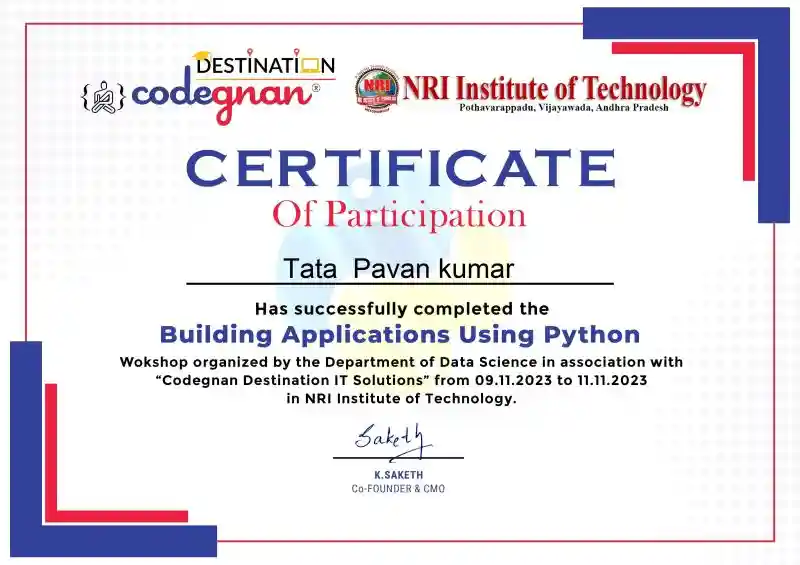
Become a Certified Integrated Python Full Stack with DSA and Generative AI in Hyderabad

python course certification in Hyderabad

At Codegnan, we offer expert-led training with a strong focus on real-world projects and job readiness.

You’ll earn Bronze and Silver Level Badges from HackerRank and become eligible for the Microsoft Python certification exam. With blended classroom and online sessions, flexible schedules, and 1-on-1 mentorship, our program ensures you’re ready to build full-stack applications and step confidently into high-paying tech roles. Over 30,000 students trained globally.

Train with top Integrated Python Full Stack with DSA and Generative AI experts in Hyderabad

Saketh Kallepu codegnan

Saketh Kallepu is the Chief Management Officer and Data Science Mentor at Codegnan IT Solutions. With a Master’s in Computational Intelligence and 7+ years of experience, he specializes in Python programming, data analysis, and machine learning.

As a Microsoft-certified trainer and APSSDC consultant, Saketh empowers learners through hands-on Python projects, real-world datasets, and tools like TensorFlow, Pandas, and Flask. He co-founded Codegnan to build a tech-driven learning platform for future-ready talent.

LinkedIn

What is the Integrated Python Full Stack with DSA and Generative AI course fee in Hyderabad?

The Integrated Python Full Stack with DSA and Generative AIcourse fee at Codegnan is ₹70,000, but you can get it at a discounted price on a first-come, first-served basis. This includes expert training, real-world projects, certifications, and full placement support.

Our students have been placed at top tech companies like Google, Amazon, Deloitte, and Accenture. Reserve your seat now and start your journey toward a high-paying tech career!

For scholarships or discounted fees, contact Codegnan by messaging 9642988788 or sending an email to info@codegnan.com

Integrated Python Full Stack with DSA and Generative AI Course in Hyderabad

The Integrated Python Full Stack with DSA and Generative AI course sits in a well connected part of Hyderabad. Students can easily access major transport hubs like JNTUH Metro, KPHB Bus Stop, and nearby main roads.

After classes, you can relax at popular spots like Paradise Biryani, Kritunga, and Cafe Coffee Day. With nearby PGs and hostels, you get a comfortable student setup while preparing for a strong tech career.

The Codegnan Hyderabad branch is close to Hitech City and Madhapur, where companies like Microsoft, Meta (formerly Facebook), and Deloitte operate.

📢 కోడ్‌జ్ఞాన్ హైదరాబాద్ బ్రాంచ్‌లో ఇంటిగ్రేటెడ్ పైథాన్ ఫుల్ స్టాక్ విత్ DSA మరియు జనరేటివ్ AI కోర్సులో చేరండి!

హైటెక్ సిటీ, మాధాపూర్ వంటి ఐటీ హబ్‌లకు సమీపంలో రియల్ టైమ్ ప్రాజెక్ట్స్, అనుభవజ్ఞులైన ట్రైనర్లు, మరియు ప్లేస్మెంట్ సపోర్ట్‌తో పూర్తి స్థాయి ట్రైనింగ్ పొందండి.
ఇంటర్వ్యూలకు సిద్ధం అయ్యి, టాప్ కంపెనీల్లో హై పేయింగ్ జాబ్స్ సాధించేందుకు ఇదే సరైన అవకాశం.
ఇప్పుడే నమోదు చేసుకుని హైదరాబాద్‌లో మీ టెక్ కెరీర్‌కు బలమైన పునాది వేయండి!

Integrated Python Full Stack with DSA and Generative AI Course Training Options at Hyderabad

Address 1

Kothwal Madhava Reddy Plaza, Beside Indian Oil Petrol Bunk, JNTUH Metro Station, Nizampet X Roads, Hyderabad - 500072

Address 2

First Floor, 101, PANCOM Business Center, opp. to Chennai Shopping Mall, Nagarjuna Nagar colony, Ameerpet, Hyderabad, Telangana, 500073

Our other full-stack Python training location(s)

codegnan's other training courses in Hyderabad

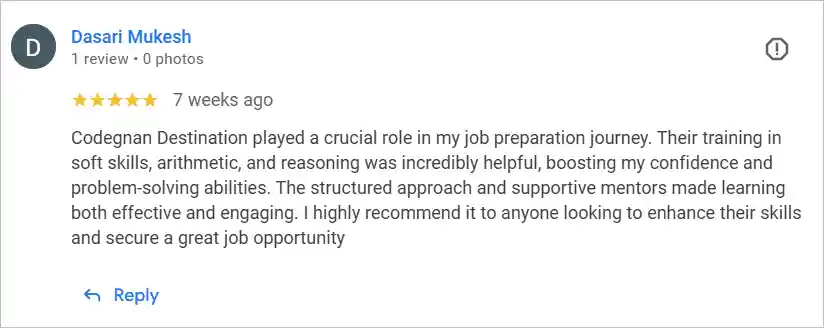
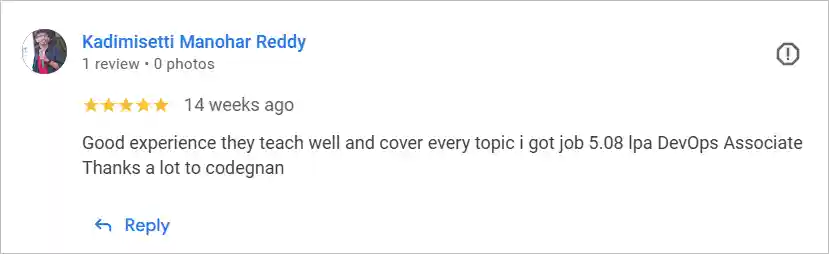
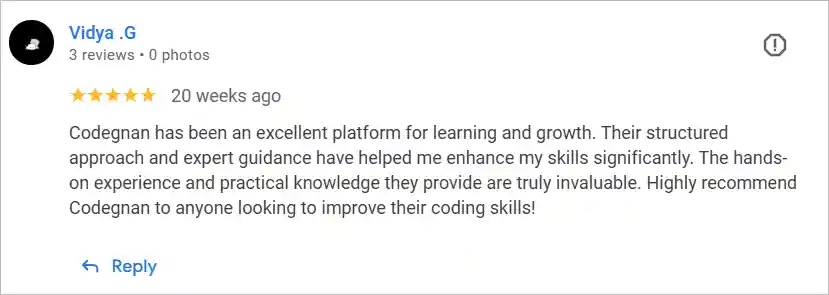
Our Student reviews for Integrated Python Full Stack with DSA and Generative AI course in Hyderabad

codegnan hyderabad student review

reviews for hyderabad codegnan

codegnan hyderabad review

codegann hyderabad course testimonials

codegann hyderabad course review

student reviews for codegnan hyderabad

Integrated Python Full Stack with DSA and Generative AI certification in Hyderabad FAQs

Anyone interested in programming can join. Codegnan’s Python full stack training institute accepts college students, IT professionals, freshers, and beginners. The course suits all experience levels and prepares you for a web developer course with placement.

The standard Python full stack course fee at Codegnan is ₹70,000. Discounts are available on a first-come, first-served basis. You can also contact the institute for scholarship opportunities related to their full stack development training in Hyderabad.

Yes, learning Python can increase your salary. Skilled Python full stack developers in Hyderabad earn up to ₹8.5 LPA or more. Demand is high for professionals with web development and backend expertise from reputed training institutes.

You can learn the basics of Python in 4 weeks, but becoming job-ready as a full stack developer takes 10–14 weeks. Codegnan’s 100-day program includes real-time projects and prepares you for a web developer course with placement.