C++ program to write data into a file
In this article, you will learn and get code to write some data entered by a user into a file using a C++ program. In this article, we've created two programs on the same topic. The first program is the simplest one to write data into a file. The second program, on the other hand, is a modified version of the first.
To write some content in a file using C++ programming, you have to ask the user to enter the name of the file along with its extension, say, codescracker.txt or codescracker.html, etc.
Now we must open the file in writing mode. As a result, if the file does not exist, it is created within the current directory.
The current directory is the directory where you are saving your C++ source code. because I'm saving my C++ source code in the cpp programs folder. Here is a snapshot of the folder before executing the program given below:
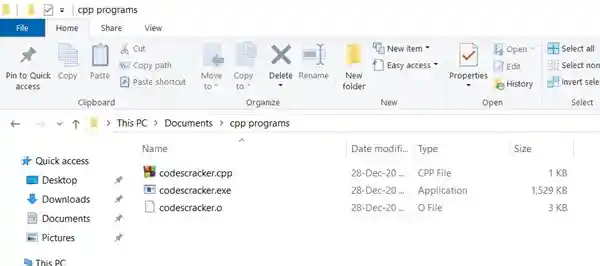
Write Content in a File in C++
Now let's go through the program given below that shows how a file gets created and data entered by the user at run-time gets written into the file. The program is created in such a way that the user can write as much data as they want into the file:
#include<iostream>
#include<stdio.h>
#include<fstream>
#include<string.h>
using namespace std;
int main()
{
    char fname[20], str[200];
    fstream fp;
    cout<<"Enter the Name of File: ";
    gets(fname);
    fp.open(fname, fstream::out);
    if(!fp)
    {
        cout<<"\nError Occurred!";
        return 0;
    }
    cout<<"Enter the Data: ";
    gets(str);
    while(strlen(str)>0)
    {
        fp<<str;
        fp<<"\n";
        gets(str);
    }
    fp.close();
    cout<<endl;
    return 0;
}
This program was built and runs under the Code::Blocks IDE. Here is the initial output produced by this C++ program:
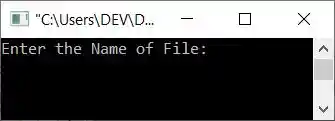
Now type the filename, for example, codescracker.txt, and press the ENTER key, as shown in the screenshot below:
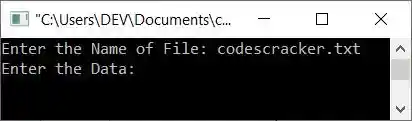
Here is a screenshot of the cpp programs folder:
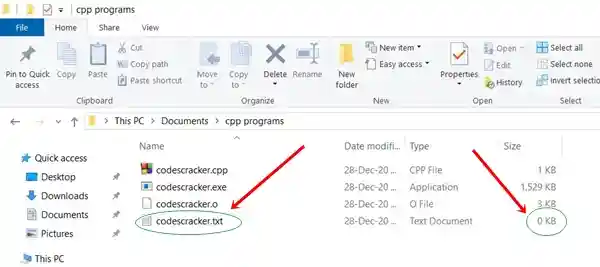
As you can see, the file "codescracker.txt" gets created. It is a newly created file with empty content. Therefore, its size is shown as 0 KB. Let's put some content into it through the program given below. Now supply the following data:
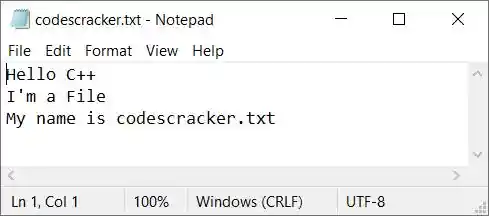
Hello C++
I'm a File
My name is codescracker.txt
as shown in the snapshot given below:
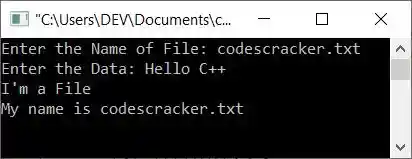
After you've written these three lines of data, hit the ENTER key twice to save them to the file codescracker.txt. Here is the output shown after pressing the ENTER key:
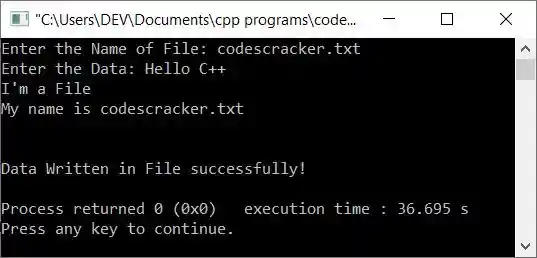
Here is a snapshot of the current directory:
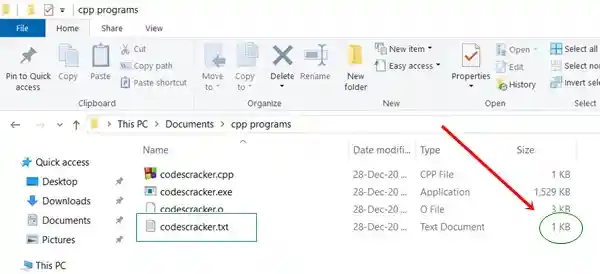
As you can see, the file's size grows. Here's a screenshot of the opened file codescracker.txt:
Note: The open() function is used to open the file. It takes two arguments: the filename and its opening mode. The first argument (filename) is compulsory. We've opened the file in writing mode using fstream::out.
Note: Don't forgot to close the file using the close() function.
The while loop condition strlen(str)>0 determines whether the length of the string entered by the user is greater than 0. If it is greater than 0, it indicates that the user has entered some information.As a result, the condition evaluates to true, and the content or data is written into the file using the fp<<str statement.
And a newline also gets written to the file. Then again, we've received the string and checked whether its length is greater than 0 or not. Data is received by the user in this manner and is continuously written into the file until the user presses the ENTER key without entering anything.
Modified Version of the Previous Program
This is a modified version of the previous program. For each step inside the program, this program prints a message:
#include<iostream>
#include<stdio.h>
#include<fstream>
#include<string.h>
using namespace std;
int main()
{
    char fname[20], str[200];
    fstream fp;
    cout<<"Enter the Name of File: ";
    gets(fname);
    fp.open(fname, fstream::in);
    if(!fp)
    {
        cout<<"\nFile Doesn't Exist!\n";
        cout<<"\nCreating the File...\n";
        fp.open(fname, fstream::out);
        if(!fp)
        {
            cout<<"\nError Occurred while Creating the File!";
            cout<<"\nExiting...";
            return 0;
        }
        else
            cout<<"\nFile Created Successfully!";
    }
    fp.close();
    fp.open(fname, fstream::out);
    if(!fp)
    {
        cout<<"\nError Occurred while Opening the File!";
        cout<<"\nExiting...";
        return 0;
    }
    cout<<"\nEnter the Data: ";
    gets(str);
    while(strlen(str)>0)
    {
        fp<<str;
        fp<<"\n";
        gets(str);
    }
    cout<<"\nData Written in File successfully!";
    fp.close();
    cout<<endl;
    return 0;
}
Here is the initial output produced by this C++ program:
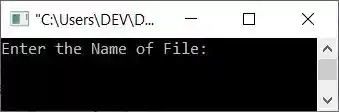
Enter the file's name, say codescracker.html, and press the ENTER key. Here is the sample output after doing this:
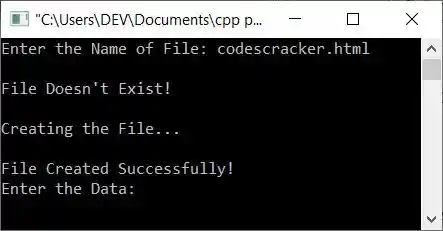
Now enter the following data:
<h1>About</h1>
<p>This article is created to write data into a File.</p>
<p>This is an <u>HTML</u> document.</p>
<p>The name of this file is <b>codescracker.html</b>.</p>
After supplying these inputs one by one, press the ENTER key twice. Here is the output you will see:
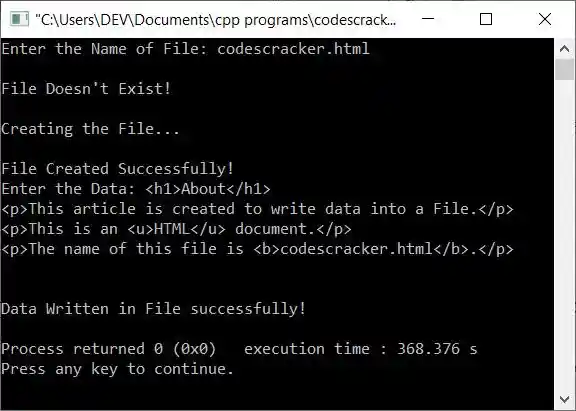
If you see the folder "cpp programs," then the file "codescracker.html" will be available there, as shown in the snapshot given below:
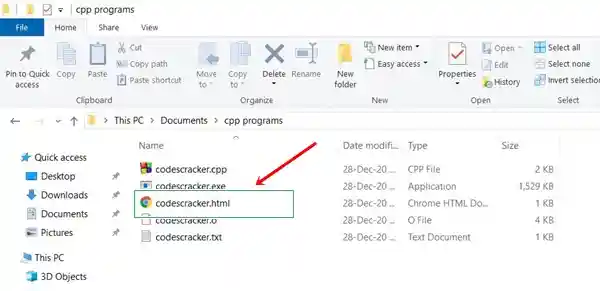
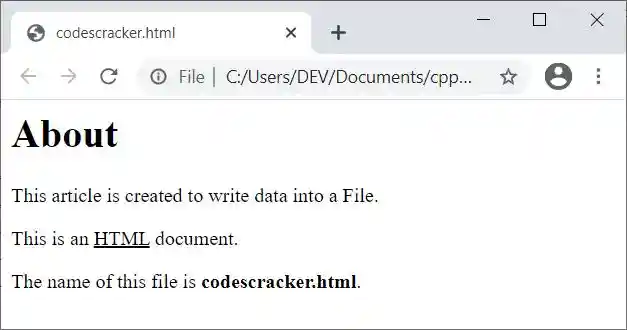
And if you open this file in a browser, say, Google Chrome, then it looks like this:
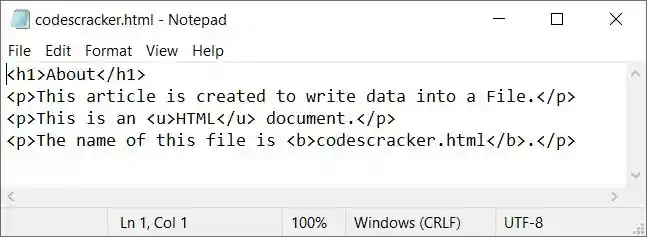
But if you open the same file in a text editor like Notepad, then it looks like this:
Note: To learn about HTML and how it works, refer to its separate tutorial in the HTML Tutorial article.
The same program in different languages
« Previous Program Next Program »
Liked this post? Share it!