Java Program to Print String
This article covers a program in Java that shows how the string can be printed in Java.
Print String in Java
The question is, write a Java program to print string entered by user at run-time of the program. The program given below is its answer.
This program receives a string from user. The received string is placed inside a String variable say str, and the variable str is placed inside System.out.println() to output the same string on output screen as shown in the program and its output given below:
import java.util.Scanner;

public class CodesCracker
{
   public static void main(String[] args)
   {
      String str;
      Scanner scan = new Scanner(System.in);

      System.out.print("Enter the String: ");
      str = scan.nextLine();

      System.out.println(str);
   }
}
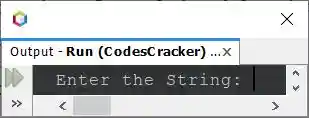
The snapshot given below shows the initial output produced by above Java program, on printing of a string entered by user:
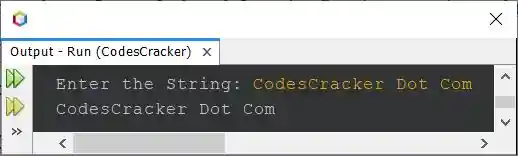
Now type any string say CodesCracker Dot Com and press ENTER key to print the string back on the
screen, like shown in the snapshot of the sample run, given below:
Here is another program, created after modifying the above program, to provide good user-experience on the same program.
import java.util.Scanner;

public class CodesCracker
{
   public static void main(String[] args)
   {
      Scanner scan = new Scanner(System.in);

      System.out.print("Enter any String: ");
      String str = scan.nextLine();

      System.out.println("\nYou've entered: " +str);
   }
}
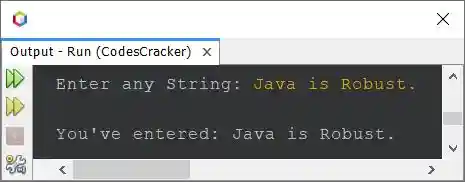
Here is its sample run with user input Java is Robust. as string:
You can also replace the following statement from above program:
System.out.println("\nYou've entered: " +str);
with the statement given below:
System.out.println("\nYou've entered: \"" +str+ "\"");
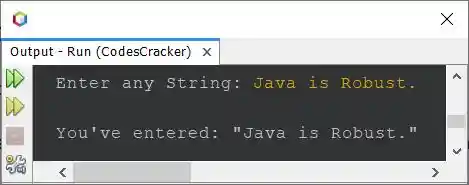
to provide even better output than previous one. Here is the output with same user input, you'll get this time, after modifying that statement:
Here is the last program of this article:
public class CodesCracker
{
   public static void main(String[] args)
   {
      String myStringOne = "Java";
      String myStringTwo = new String("Java");

      System.out.println(myStringOne);
      System.out.println(myStringTwo);
   }
}
The output of above program is:
Same Program in Other Languages
« Previous Program Next Program »
Liked this post? Share it!