Python Program to Check Alphabet or Not
In this article, we've created some programs in Python, to check whether a character entered by user is an alphabet or not. Here are the list of programs:
- Simple Program to Check Alphabet or Not
- Check Alphabet using user-defined Function
- Using class
Check Alphabet or Not
To check whether a given character is an alphabet or not in Python, you have to ask from user to enter a character, then check and print whether it is an alphabet or not as shown in the program given below:
print("Enter a Character: ")
c = input()
if c>='a' and c<='z':
    print("\nIt is an alphabet")
elif c>='A' and c<='z':
    print("\nIt is an alphabet")
else:
    print("\nIt is not an alphabet!")
The snapshot given below shows the initial output produced by this Python program:
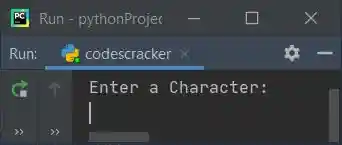
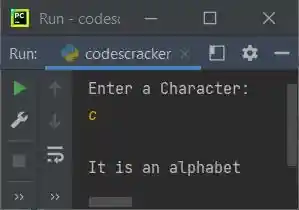
Now supply the input say c and press ENTER key to check whether it is an alphabet or not, and
print the message accordingly as shown in the following snapshot:
Modified Version of Previous Program
In this program, we've used end to skip printing of an automatic newline using print(). And \" is used to print " on output screen. Rest of the things are similar to previous program.
print("Enter a Character: ", end="")
c = input()
if len(c)>1:
    print("\nInvalid Input!")
else:
    if c>='a' and c<='z':
        print("\n\"" +c+ "\" is an alphabet.")
    elif c>='A' and c<='z':
        print("\n\"" +c+ "\" is an alphabet.")
    else:
        print("\n\"" +c+ "\" is not an alphabet!")
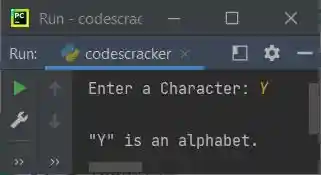
Here is its sample run with user input, Y:
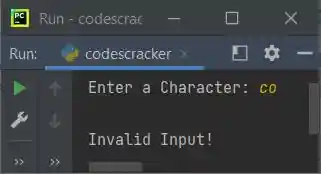
Here is another sample run with user input, co:
Check Alphabet using Function
This program does the same job as of previous program, but using a user-defined function named checkAlphabet(). This function receives the character entered by user as its argument and returns 1, if it is an alphabet, otherwise returns 2. The third case is 0, that is, this function returns 0 when the length of input is greater than 1.
def checkAlphabet(x):
    if len(x) > 1:
        return 0
    else:
        if c >= 'a' and c <= 'z':
            return 1
        elif c >= 'A' and c <= 'z':
            return 1
        else:
            return 2

print("Enter a Character: ", end="")
c = input()

chk = checkAlphabet(c)
if chk==1:
    print("\n\"" +c+ "\" is an alphabet.")
elif chk==2:
    print("\n\"" +c+ "\" is not an alphabet!")
else:
    print("\nInvalid Input!")
This program produces similar output as of previous program.
Check Alphabet using Class
This is the last program to check whether an entered character by user is an alphabet or not, using class, an object-oriented feature of Python.
class CodesCracker:
    def checkAlphabet(self, x):
        if len(x) > 1:
            return 0
        else:
            if c >= 'a' and c <= 'z':
                return 1
            elif c >= 'A' and c <= 'z':
                return 1
            else:
                return 2

print("Enter a Character: ", end="")
c = input()

obj = CodesCracker()
chk = obj.checkAlphabet(c)

if chk==1:
    print("\n\"" +c+ "\" is an alphabet.")
elif chk==2:
    print("\n\"" +c+ "\" is not an alphabet!")
else:
    print("\nInvalid Input!")
Before accessing to the member function (checkAlphabet()) of the class CodesCracker, we must have to create an object. Therefore we've created an object named obj, and through this object, we've accessed the member function using dot (.) operator.
Same Program in Other Languages
« Previous Program Next Program »
Liked this post? Share it!