Python Program to Print Floyd's Triangle
In this article, I've included a program in Python that prints Floyd's triangle. A Floyd's triangle is a right-angled triangle formed with natural numbers.
Print Floyd's Triangle in Python
The question is, write a Python program to print Floyd's triangle. The program given below is its answer:
num = 1
for i in range(5):
    for j in range(i+1):
        print(num, end=" ")
        num = num+1
    print()
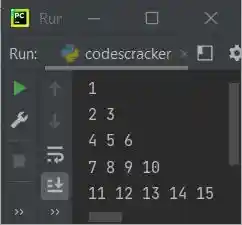
The snapshot given below shows the sample output produced by above Python program, that prints Floyd's triangle of 5 rows:
Print Floyd's Triangle of n Rows in Python
To print Floyd's triangle of n rows in Python, you need to ask from user to enter the number of rows or lines up to which, he/she wants to print the desired Floyd's triangle as shown in the program given below.
print("Enter the Number of Rows: ", end="")
row = int(input())

num = 1
for i in range(row):
    for j in range(i+1):
        print(num, end=" ")
        num = num+1
    print()
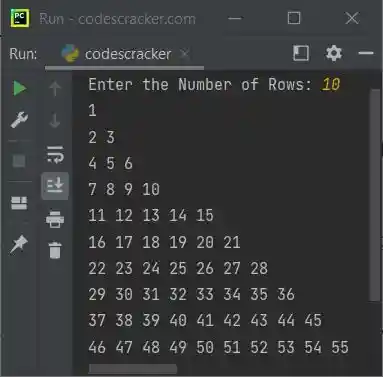
Sample run of above program, with user input 10 as number of rows, is shown in the snapshot given below:
Print Floyd's Triangle using while Loop in Python
Let me create the same program as of previous, using while loop, instead of for loop.
print("Enter the Number of Rows: ", end="")
row = int(input())

num = 1
i = 0
while i < row:
    j = 0
    while j < i+1:
        print(num, end=" ")
        num = num+1
        j = j+1
    print()
    i = i+1
Same Program in Other Languages
« Previous Program Next Program »
Liked this post? Share it!