Python enumerate() Function
The enumerate() function in Python, adds the counter to an iterable like list, tuple etc. and return the enumerate object. For example:
a = ["codes", "cracker", "dot", "com"]
x = enumerate(a)
print(x)
print(list(x))

b = ("Python", "Programming")
y = enumerate(b)
print(y)
print(list(y))
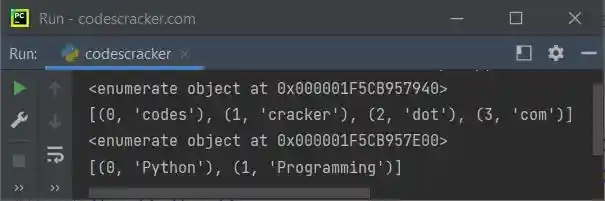
The snapshot given below shows the sample output produced by this program, demonstrating the enumerate() function in Python:
Note: To learn about Python Enumeration in detail. Refer to its separate tutorial.
Python enumerate() Function Syntax
The syntax of enumerate() function in Python, is:
enumerate(iterable, start)
where iterable is an iterable object like list, tuple etc. Whereas the start parameter is used when we need to define the number to start the counter with, instead of starting with 0.
Note: The second parameter, that is, the start parameter is optional. The default value of this parameter is 0
Python enumerate() Function Example
This is a simple example of enumerate() function in Python. This program converts a list to an enumerate object. The items available in enumerate object is further gets printed using the for loop:
a = ["Python", "Django", "Flask", "Numpy"]

x = enumerate(a)
for v in x:
    print(v)
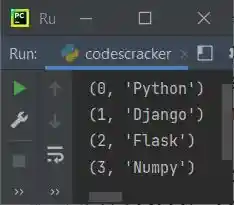
The sample output is shown in the snapshot given below:
If you want to change the counter value with specified number, instead of 0, then you need to use the second parameter for enumerate(), to do the job, like shown in the program given below:
a = ["Python", "Django", "Flask", "Numpy"]

x = enumerate(a, 100)
for count, item in x:
    print(count, item)
Now the output would be:
100 Python
101 Django
102 Flask
103 Numpy
« Previous Function Next Function »
Liked this post? Share it!