Python memoryview() Function
The memoryview() function in Python returns the memoryview object from a specified object (byte or bytearray). For example:
x = memoryview(bytes("Python", "utf-8"))
print(x)

x = memoryview(bytearray("Python", "utf-8"))
print(x)
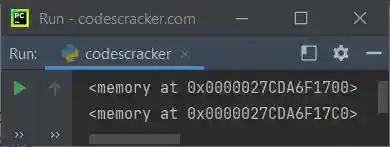
The snapshot given below shows the sample output produced by above Python program, demonstrating the memoryview() function:
Note: To learn about memoryview object, refer to its separate tutorial.
Python memoryview() Function Syntax
The syntax of memoryview() function in Python is:
where obj is an object of either bytes type or bytearray type.
Python memoryview() Function Example
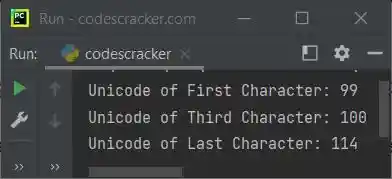
Here is a simple example of memoryview() function in Python. This program initializes a bytes type to a variable x, then the variable gets converted into memoryview, to print the Unicode of particular character using index:
x = bytes("codescracker", "utf-8")
x = memoryview(x)
print("Unicode of First Character:", x[0])
print("Unicode of Third Character:", x[2])
print("Unicode of Last Character:", x[len(x)-1])
Here is its sample output:
Here is the actual example, that shows why memoryview is useful to optimize the program in Python:
import time

n = 400000
data = b'a' * n
start = time.time()
while data:
    data = data[1:]
tm = time.time() - start
print("Time taken for", n, "iterations (without memoryview):", tm, "sec")

n = 400000
data = b'a' * n
data = memoryview(data)
start = time.time()
while data:
    data = data[1:]
tm = time.time() - start
print("Time taken for", n, "iterations (with memoryview):", tm, "sec")
The sample output of this program, is shown in the snapshot given below:

« Previous Function Next Function »
Liked this post? Share it!