Python popitem() function
The popitem() function is used to remove the last item from a specified dictionary. For example:
x = {"Date": "02", "Day": "Thu", "Month": "Dec", "Year": "2021"}
print(x)

x.popitem()
print(x)
The output will be:
{'Date': '02', 'Day': 'Thu', 'Month': 'Dec', 'Year': '2021'}
{'Date': '02', 'Day': 'Thu', 'Month': 'Dec'}
Note: If you heard about popitem(), it removes an item from a specified dictionary, randomly, instead of the last one. Then let me tell you, yes, it was true, but before Python Version 3.7.
Python popitem() function syntax
The syntax of the popitem() function in Python is:
It returns the removed item.
Python popitem() function example
Here is an example of popitem() in Python:
x = {"Date": "02", "Day": "Thu", "Month": "Dec", "Year": "2021"}
print(x)

print("\nThe item that is going to remove is:", x.popitem())
print("\nNow the dictionary is:")
print(x)
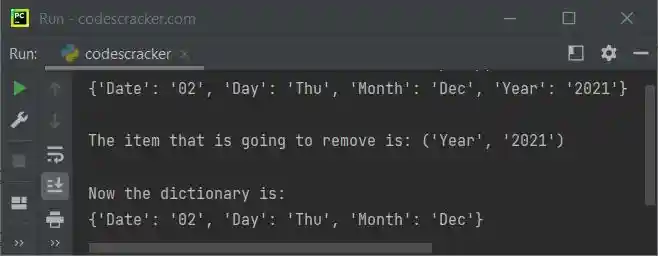
The snapshot given below shows the sample output produced by this Python program, demonstrating the popitem() function:
Advantages of the popitem() function in Python
- Because the "popitem()" function is built into Python, it is readily available to all Python programmers.
- The "popitem()" function can remove and return any (key, value) item from a dictionary, which is useful in situations where the order of the items in the dictionary is unimportant.
- Regardless of the size of the dictionary, the "popitem()" function can remove and return an item from it in constant time.
Disadvantages of the popitem() function in Python
- The "popitem()" function eliminates a random (key, value) item from the dictionary, which in some circumstances may not be what is wanted. This might cause the program to act in an unexpected way.
- When specific items need to be deleted from the dictionary, the "popitem()" function might not be appropriate. Other dictionary methods like "pop()" or "del" may be more appropriate in such circumstances.
- If the dictionary is empty, the "popitem()" function may raise a KeyError, which may result in programming errors. It is crucial to appropriately handle these exceptions as a result.
« Previous Function Next Function »
Liked this post? Share it!