Today we're going to show you how to set up code coverage in your Angular project.
If you set up code coverage you will have a realistic understanding of how solid your code is.
And when you test right... you will sleep tight.
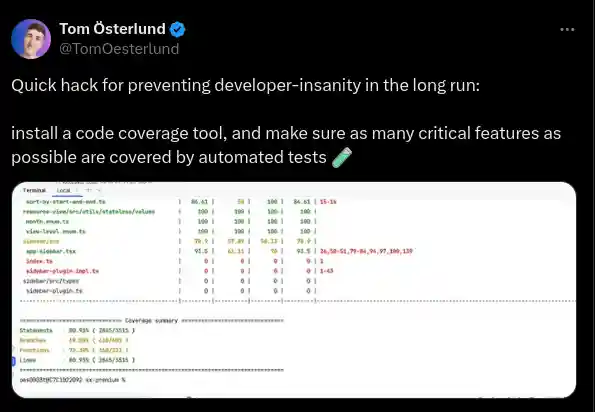
By configuring and using the Angular code coverage tool you will consistently ship a stable product.
First of all, code coverage is a percentage of the code that gets tested when we run our suite of Angular tests.
The higher the code coverage result suggests your code base has a lower chance of undetected software bugs - compared to a program with low code coverage.
Some of the benefits of code coverage are:
- Catch bugs before they catch you.
- Refactor your code with confidence.
- A badge of professionalism and quality work.
So let's learn how to use Angular's code coverage tools.
Step 1: Run the code coverage
For a quick start we'll use the code coverage option when running the test.
Like this.
ng test --no-watch --code-coverageAnd you should see a code coverage summary when the testing is finished.

You will notice that the summary has 4 main parts.
- Statements
- Branches
- Functions
- Lines
Here’s what the four metrics mean:
- Statements: These are individual instructions in your code that perform an action. Like assigning a variable. Calling a function. And so forth.
- Branches: These are the conditional branches (e.g.,
if,else,switch) tested. - Functions: The percentage of functions or methods tested.
- Lines: The percentage of individual lines of code tested.
In my case:
- Most statements are tested (85.71%).
- All branches are tested (100%).
- No functions are tested (0%).
- Most lines are tested (83.33%).
Step 2: Inspect the coverage folder
You'll notice that the --code-coverage flag also generated a folder coverage/project-name.
Inside this folder is an index.html file that we'll open in the browser for a deeper understanding of what parts of our code is being tested.
You should see a report like this in the browser.
👇 👇 👇

You can click on a file to get detailed information about how much of a specific code file is being tested or not.

Step 3: Configure automated code coverage reports
Now that we've looked at our code coverage reports how about we set up a way to be able to quickly see a code coverage report?
To do this, we're going to set up a code coverage badge in our README file. This will let us see at a quick glance how much of the code in our repository is currently tested.
ng generate config karmaWe will add a JSON reporter to the reporters array.
reporters: [
    { type: 'html' },
    { type: 'text-summary' },
    { type: 'json' }
]
Then install the badge generator
npm i coverage-badges-cli --save-devAnd then, we'll generate our badge using an NPM test script.
"test": "ng test --no-watch --code-coverage && coverage-badges --output ./badges/coverage-badge.svg --source ./coverage/<project-name>/coverage-final.json" And there you have it.
When we use npm run test we automatically get a generated badge of the test results.
Till next time,

Daniel Kreider - Angular Consultant & Developer