Unity - Scripting API: EditorDialog.DisplayAlertDialog
Success!
Thank you for helping us improve the quality of Unity Documentation. Although we cannot accept all submissions, we do read each suggested change from our users and will make updates where applicable.
Submission failed
For some reason your suggested change could not be submitted. Please <a>try again</a> in a few minutes. And thank you for taking the time to help us improve the quality of Unity Documentation.
Declaration
public static void DisplayAlertDialog(string titleText, string messageText, string buttonText, DialogIconType iconType);
Parameters
| Parameter | Description |
|---|---|
| titleText | The title of the dialog box. If left null, defaults to "Unity". |
| messageText | The message to display in the dialog box. |
| buttonText | The text to display on the button. If left null, defaults to "OK". |
| iconType | The icon to display in the dialog box. Defaults to DialogIconType.Warning. |
Description
Displays a simple alert dialog box with a title, an icon, a message, and a single button.
If messageText is null or whitespace, an ArgumentNullException is thrown.
If messageText is longer than 512 characters, it is truncated and the full message is logged to the console in markdown format.
If buttonText is longer than 64 characters, an ArgumentException is thrown. The following example demonstrates how to display a simple alert dialog box with a warning icon, a title, a message, and an OK button.
Produces the following dialog boxes on Windows 11:
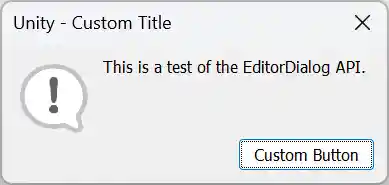
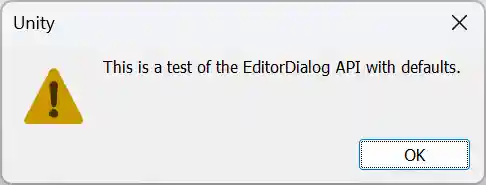 .
.