Index buffer :: Vulkan Documentation Project
Using an index buffer for drawing involves two changes to recordCommandBuffer.
We first need to bind the index buffer, just like we did for the vertex buffer.
The difference is that you can only have a single index buffer.
It’s unfortunately not possible to use different indices for each vertex attribute, so we do still have to completely duplicate vertex data even if just one attribute varies.
commandBuffers[frameIndex].bindVertexBuffers(0, *vertexBuffer, {0});
commandBuffers[frameIndex].bindIndexBuffer( *indexBuffer, 0, vk::IndexType::eUint16 );
An index buffer is bound with vkCmdBindIndexBuffer which has the index buffer, a byte offset into it, and the type of index data as parameters.
As mentioned before, the possible types are VK_INDEX_TYPE_UINT16 and VK_INDEX_TYPE_UINT32.
Just binding an index buffer doesn’t change anything yet, we also need to change the drawing command to tell Vulkan to use the index buffer.
Remove the vkCmdDraw line and replace it with vkCmdDrawIndexed:
commandBuffers[frameIndex].drawIndexed(indices.size(), 1, 0, 0, 0);A call to this function is very similar to vkCmdDraw.
The first two parameters specify the number of indices and the number of instances.
We’re not using instancing, so just specify 1 instance.
The number of indices represents the number of vertices that will be passed to the vertex shader.
The next parameter specifies an offset into the index buffer, using a value of 1 would cause the graphics card to start reading at the second index.
The second to last parameter specifies an offset to add to the vertex index before indexing into the vertex buffer.
The final parameter specifies an offset for instancing, which we’re not using.
Now run your program, and you should see the following:
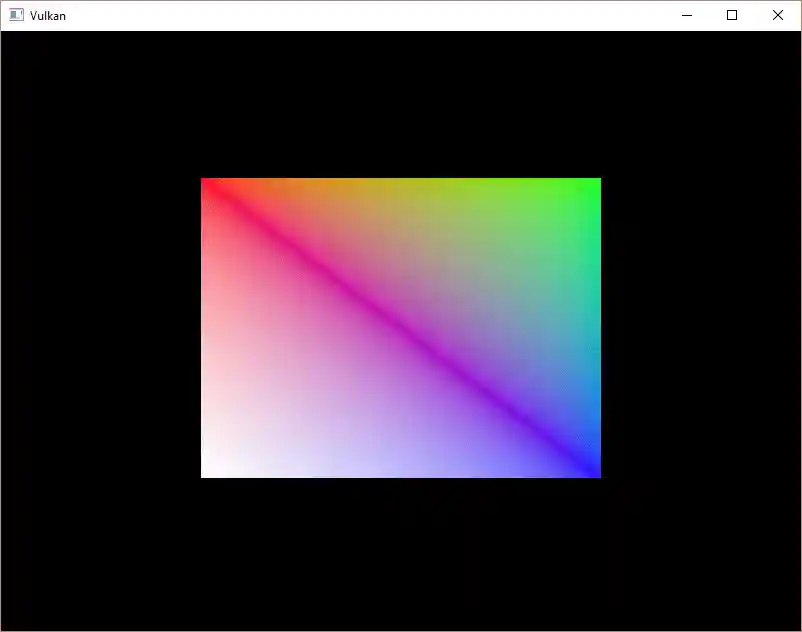
You now know how to save memory by reusing vertices with index buffers. This will become especially important in a future chapter where we’re going to load complex 3D models.
The previous chapter already mentioned that you should allocate multiple resources like buffers from a single memory allocation, but in fact you should go a step further.
Driver developers recommend that you also store multiple buffers, like the vertex and index buffer, into a single VkBuffer and use offsets in commands like vkCmdBindVertexBuffers.
The advantage is that your data is more cache friendly in that case, because it’s closer together.
It is even possible to reuse the same chunk of memory for multiple resources if they are not used during the same render operations, provided that their data is refreshed, of course.
This is known as aliasing and some Vulkan functions have explicit flags to specify that you want to do this.
The next chapter we’ll learn how to pass frequently changing parameters to the GPU.