Paint.NET - Features
Features
| Simple, intuitive, and innovative user interface Every feature and user interface element was designed to be immediately intuitive and quickly learnable without assistance. In order to handle multiple 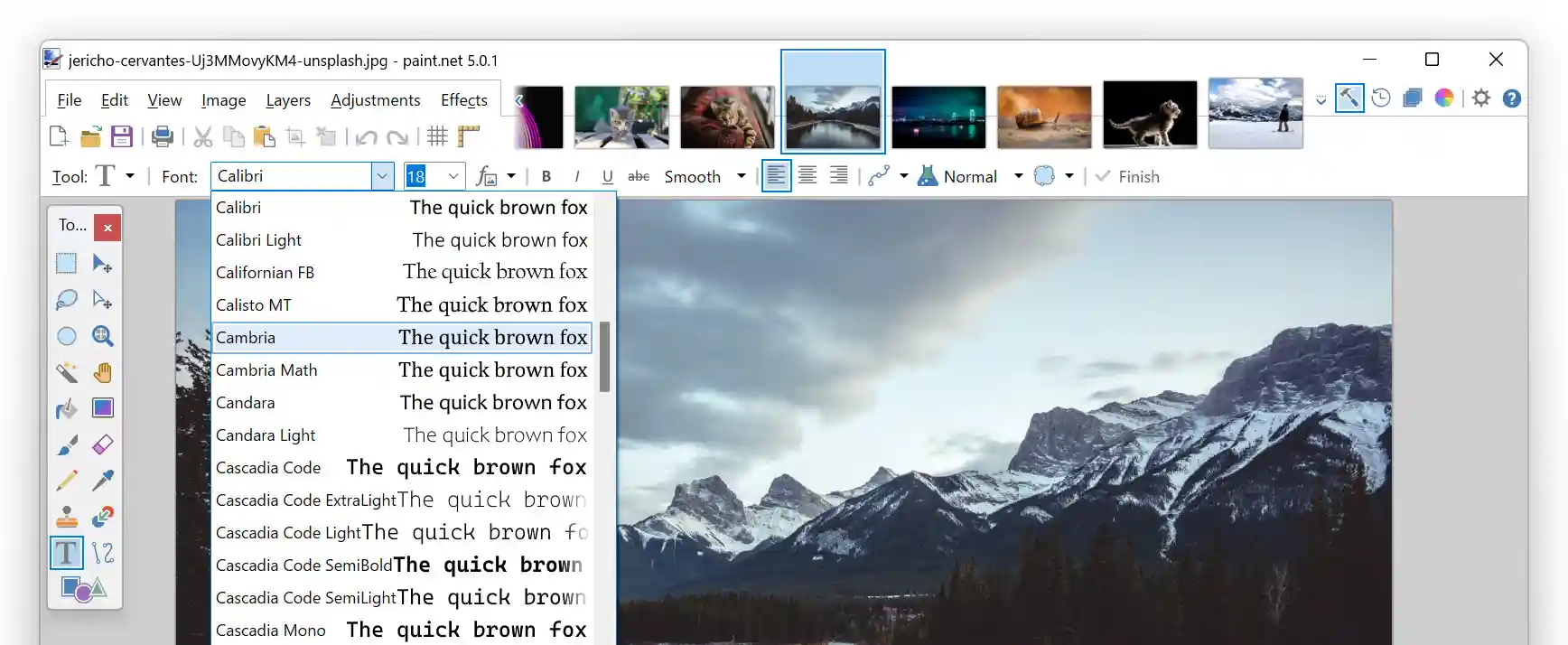 images easily, Paint.NET uses a
tabbed document
interface. The tabs display a live thumbnail of the
image instead of a text description. This makes
navigation very simple and fast.
images easily, Paint.NET uses a
tabbed document
interface. The tabs display a live thumbnail of the
image instead of a text description. This makes
navigation very simple and fast. |
Performance: It's fast. Really fast. |
Layers |
| Pen and Drawing Tablet Support Back by popular demand, Paint.NET 5.0 now supports pressure sensitivity with compatible pens and drawing tablets from Wacom, UGEE, Microsoft, and more. This enables you to draw beautiful, natural-looking brush strokes. |
| Comprehensive File Format Support Paint.NET supports a wide variety of popular and standard file formats, including: PNG, JPEG, JPEG XL, AVIF, HEIC, WebP, JPEG XR, BMP, GIF, TIFF, DDS, TGA, and of course PDN (Paint.NET's native image type that supports layers). Support for more file types can be added with plugins. |
| Color Management Support Paint.NET now has full color management support, a feature commonly found in more expensive or complicated imaging software. This ensures that images with embedded color profiles look the way they're supposed to, as originally captured by a camera or as intended by the author. The use of Windows Advanced Color means that Paint.NET can use the full color gamut of your monitor, authentically displaying images that use color spaces such as Display P3. |
| Active Online Community Paint.NET has an online forum with a friendly, passionate, and ever-expanding community.  Be
sure to check out the constantly growing list of
tutorials and plugins! Be
sure to check out the constantly growing list of
tutorials and plugins! |
| Automatically Updated Updates are free and contain new features, perfo 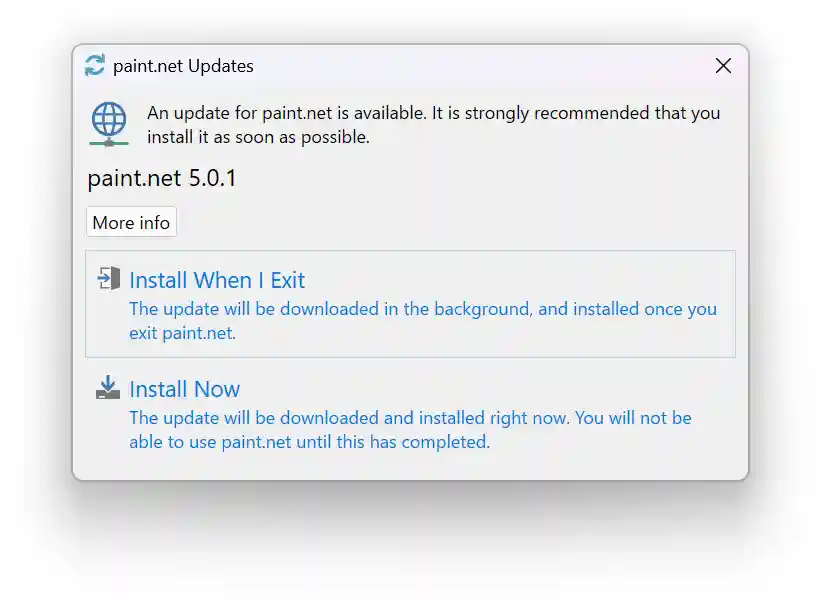 rmance
improvements, and bug fixes. If you are using the Microsoft Store release, updating
is done in the background when you aren't using the app. For the "classic" release,
updates only take two clicks and can be installed when you're finished with your session. rmance
improvements, and bug fixes. If you are using the Microsoft Store release, updating
is done in the background when you aren't using the app. For the "classic" release,
updates only take two clicks and can be installed when you're finished with your session.
|
| Special Effects Many special effects are included for enhancing and perfecting your images. Everything from blurring, sharpening, red-eye removal, distortion, noise, and embossing are included. Also included is our unique 3D Rotate/Zoom effect that makes it very easy to add perspective and tilting.
Adjustments are also included which help you tweak an image's brightness, contrast, hue, saturation, curves, and levels. You can also convert an image to black and white, or sepia-toned. |
Powerful Tools |
|
Unlimited History |
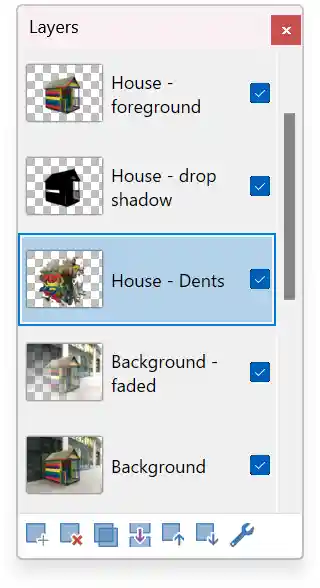 professional software, layers form the basis for a rich
image composition experience. You may think of them as a
stack of transparency slides that, when viewed together
at the same time, form one image.
professional software, layers form the basis for a rich
image composition experience. You may think of them as a
stack of transparency slides that, when viewed together
at the same time, form one image.
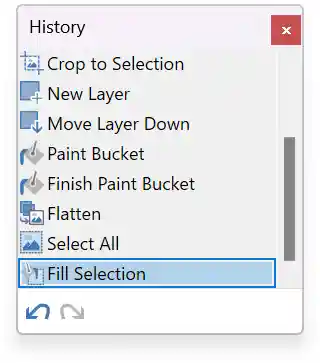 accommodate this, every action you
perform on an image is recorded in the History window
and may be undone. Once you've undone an action, you can
also redo it. The length of the history is only limited
by available disk space.
accommodate this, every action you
perform on an image is recorded in the History window
and may be undone. Once you've undone an action, you can
also redo it. The length of the history is only limited
by available disk space.