Getting Started
Set up prerequisites, install Gi, and run the Widgets example.
Prerequisites
On all platforms, you must download and install Go from the Go website if you do not already have Go 1.18+ installed.
MacOS
- Install the xcode command-line tools if you don’t already have them by running
xcode-select --install - If you don’t already have the Vulkan SDK installed, install it by doing the following:
- Run
curl -O https://sdk.lunarg.com/sdk/download/latest/mac/vulkan_sdk.dmg - Run
open vulkan_sdk.dmg - Double click
InstallVulkan.app - Follow the installation prompts and ignore all warnings about the Vulkan Portability Enumeration extension
- Run
Windows
- Download and install Git for Windows from the git website if you don’t already have it. You should install Git Bash as part of this process and use it for development.
- Download and install TDM-GCC from this website
- Open Windows Command Prompt and run
cd C:\TDM-GCC-64 - Then, run
mingwvars.bat
Linux
- If you are on Ubuntu or Debian, run
sudo apt-get install libgl1-mesa-dev xorg-dev - If you are on CentOS or Fedora, run
sudo dnf install libX11-devel libXcursor-devel libXrandr-devel libXinerama-devel mesa-libGL-devel libXi-devel libXxf86vm-devel
Installation
Clone the Gi repository by running git clone https://github.com/goki/gi
Try it out!
- Navigate to the widgets example by running
cd gi/examples/widgets - Build the widgets example by running
go build - Run the widgets example by running
./widgetsif you are on MacOS or Linux and./widgets.exeif you are on Windows. This should create a window with a variety of widgets, similar to the screenshot below: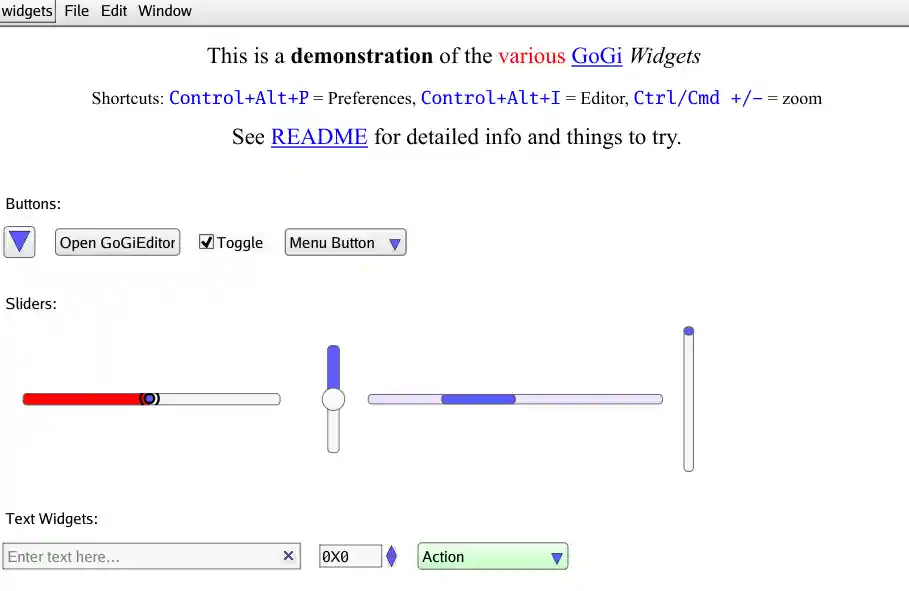
Hello World
Create a simple Hello World example app with Gi.
Increment
Extend the Hello World example to support incrementing a number by clicking on a button.