JavaScript Runner | Patchies
Most JavaScript-based objects in Patchies use the unified JavaScript Runner (JSRunner), which executes code in a sandboxed environment with Patchies-specific features.
Supported objects
Full JSRunner features are available in these objects: js, worker, p5, canvas, canvas.dom, textmode, textmode.dom, three, three.dom, hydra, dom, vue, sonic~, tone~ and elem~.
Expression objects
Some expression-like objects use single-expression evaluation (e.g. filter, map, tap, scan) where the expression is evaluated once per message. These cannot use messaging callbacks like send, recv, onCleanup, timers, etc.
Common runtime functions
Console
Use console.log() to log messages to the virtual console (not the browser console).
Timers (auto-cleanup)
All timers are automatically cleaned up when the object is unmounted or code is re-executed:
setInterval(callback, ms)- runs callback everymsmillisecondssetTimeout(callback, ms)- runs callback aftermsmillisecondsdelay(ms)- returns a Promise that resolves aftermsmillisecondsrequestAnimationFrame(callback)- schedules callback for next animation frame
Important: Do not use window.setInterval, window.setTimeout, or window.requestAnimationFrame as they will not clean up automatically.
Custom Cleanup
Use onCleanup(callback) to register cleanup logic that runs when the object is unmounted or code is re-executed. Useful for disconnecting resources or unsubscribing from events.
Message Passing
send(message)- send a message out of the default outletsend(outlet, message)- send a message out of a specific outlet (0-indexed)recv(callback)- receive messages from connected inlets
Use meta.inlet in the recv callback to distinguish which inlet the message came from.
Named Channels
Send and receive messages wirelessly using named channels:
// Send to a named channel (broadcasts to all listeners)
send({ x: 100 }, { to: 'position' });

// Receive from a named channel
recv((data, meta) => {
  console.log(data);           // the message
  console.log(meta.channel);   // 'position'
  console.log(meta.source);    // sender's node ID
}, { from: 'position' });
The to option is overloaded - a number routes to an outlet, a string broadcasts to a channel.
Named channels work across js, worker, and visual send/recv objects. This enables wireless communication without visual connections.
Port Configuration
setPortCount(inletCount, outletCount)- set the number of message inlets and outlets
object Title
setTitle(title)- set the display title of the object
Async Support
Top-level await is supported. Use await delay(ms) to pause execution.
Audio Analysis
Use fft() to get audio frequency data from a connected fft~ object. See Audio Reactivity for details.
Clock & Timing
The clock object provides beat-synced timing from the global transport:
clock.time    // seconds
clock.beat    // current beat (0-3)
clock.phase   // position in beat (0.0-1.0)
clock.bpm     // tempo

// Schedule callbacks
clock.onBeat(0, () => flash());
clock.every('1:0:0', () => pulse());
See Clock API for full scheduling documentation.
LLM Integration
Use await llm(prompt, options?) to call Google's Gemini API:
await llm("Generate a JSON of happy birthday");

// With options
await llm("What's in this frame?", {
  abortSignal: controller.signal,
  imageNodeId: "glsl-54",  // include visual object output as context
});
Requires a Gemini API key set in settings: Ctrl/Cmd + K > Gemini
Importing NPM Packages
Use the npm: prefix in import statements (uses esm.sh under the hood). Note: import * as X is not yet supported.
import Matter from "npm:matter-js";
import { uniq } from "npm:lodash-es";

console.log(uniq([1, 1, 2, 2, 3, 3])); // [1, 2, 3]
Or use dynamic imports:
const { uniq } = await import("https://esm.sh/lodash-es");

// or use the shorthand
const { uniq } = await esm("lodash-es");
Virtual Filesystem
Use await getVfsUrl(path) to load images, videos, fonts, and other assets from the virtual filesystem. See Virtual Filesystem for full documentation.
Persistent Storage
Use kv to store data that persists across sessions. See Data Storage for details.
await kv.set("counter", 42);
await kv.store("settings").set("theme", "dark");
await kv.get("counter"); // 42
Shared Libraries
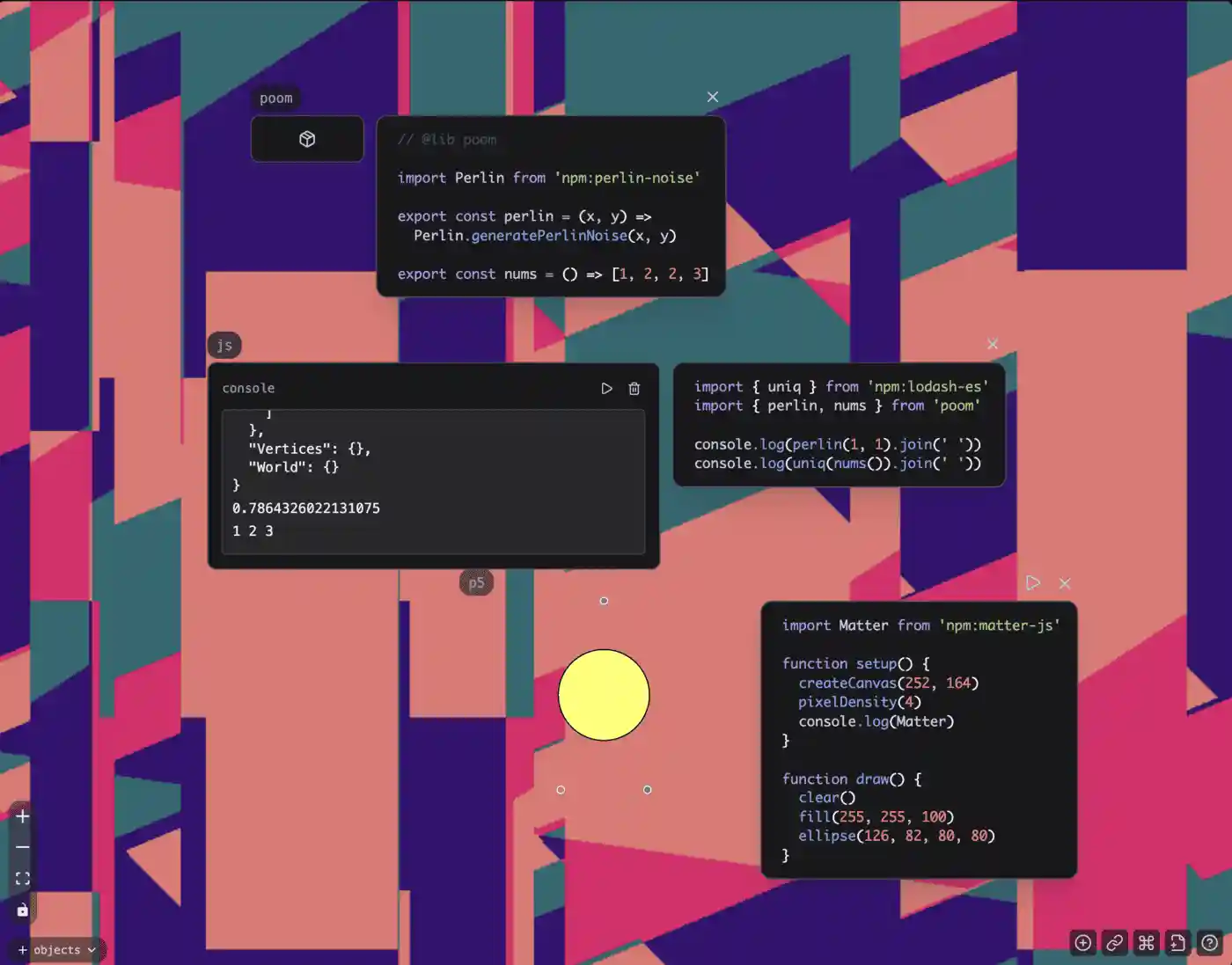
Share code across multiple js blocks using the // @lib <name> comment. This turns the object into a library object, shown by the package icon:
// In a js object with "// @lib utils" at the top:
export const rand = () => Math.random();
export class Vector { /* ... */ }

// In other objects:
import { rand, Vector } from 'utils';
Note: Constants are NOT shared across objects. Each object has its own isolated execution context. Use message passing to communicate between objects.
See Also
- Clock API - Beat-synced timing and scheduling
- Transport Control - Global play/pause, BPM, time display
- Virtual Filesystem - Loading files and assets
- Data Storage - Persistent key-value storage
- Canvas Interaction
- Audio Reactivity
- Message Passing