rectMode() / Reference
Name
rectMode()
Description
Modifies the location from which rectangles are drawn by changing the way in which parameters given to rect() are interpreted.
The default mode is rectMode(CORNER), which interprets the first two parameters of rect() as the upper-left corner of the shape, while the third and fourth parameters are its width and height.
rectMode(CORNERS) interprets the first two parameters of rect() as the location of one corner, and the third and fourth parameters as the location of the opposite corner.
rectMode(CENTER) interprets the first two parameters of rect() as the shape's center point, while the third and fourth parameters are its width and height.
rectMode(RADIUS) also uses the first two parameters of rect() as the shape's center point, but uses the third and fourth parameters to specify half of the shape's width and height.
The parameter must be written in ALL CAPS because Processing is a case-sensitive language.
Examples
size(400, 400);
rectMode(CORNER);  // Default rectMode is CORNER
fill(255);  // Set fill to white
rect(100, 100, 200, 200);  // Draw white rect using CORNER mode

rectMode(CORNERS);  // Set rectMode to CORNERS
fill(100);  // Set fill to gray
rect(100, 100, 200, 200);  // Draw gray rect using CORNERS mode
size(400, 400);
rectMode(RADIUS);  // Set rectMode to RADIUS
fill(255);  // Set fill to white
rect(200, 200, 120, 120);  // Draw white rect using RADIUS mode

rectMode(CENTER);  // Set rectMode to CENTER
fill(100);  // Set fill to gray
rect(200, 200, 120, 120);  // Draw gray rect using CENTER mode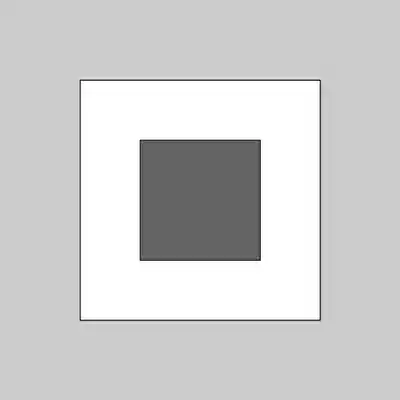


Parameters
mode(int)either CORNER, CORNERS, CENTER, or RADIUS