SaneBar — Hide Menu Bar Icons & Lock with Touch ID
×
Bring Sanity to your Menu Bar
Hide icons. Show them when you need them.
Basic
Free
Forever — no catch
- Hide & show menu bar icons
- Drag-to-reorder icons
- Import from Bartender / Ice
- Icon Panel or Second Menu Bar
- 100% on-device privacy
How It Works
Click below to hide and unhide apps:
Revealed — all icons visible
How We Handle the Mac Notch
Option 1: Icon Panel
A compact floating panel shows your hidden icons. Right-click or press ⌘⇧Space to open.
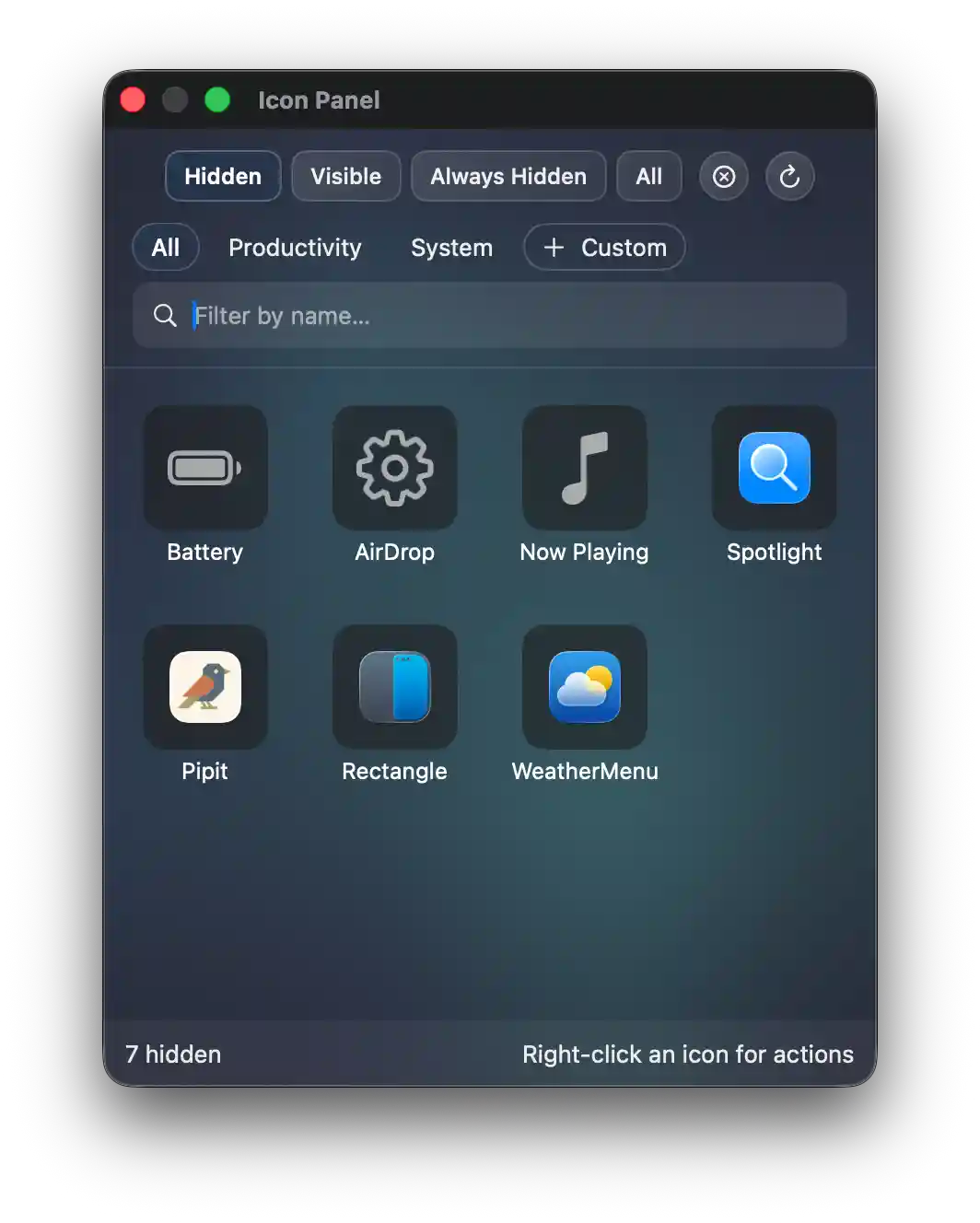
Option 2: Second Menu Bar
A full-width bar below your menu bar shows all hidden icons. Same shortcut — right-click or ⌘⇧Space.

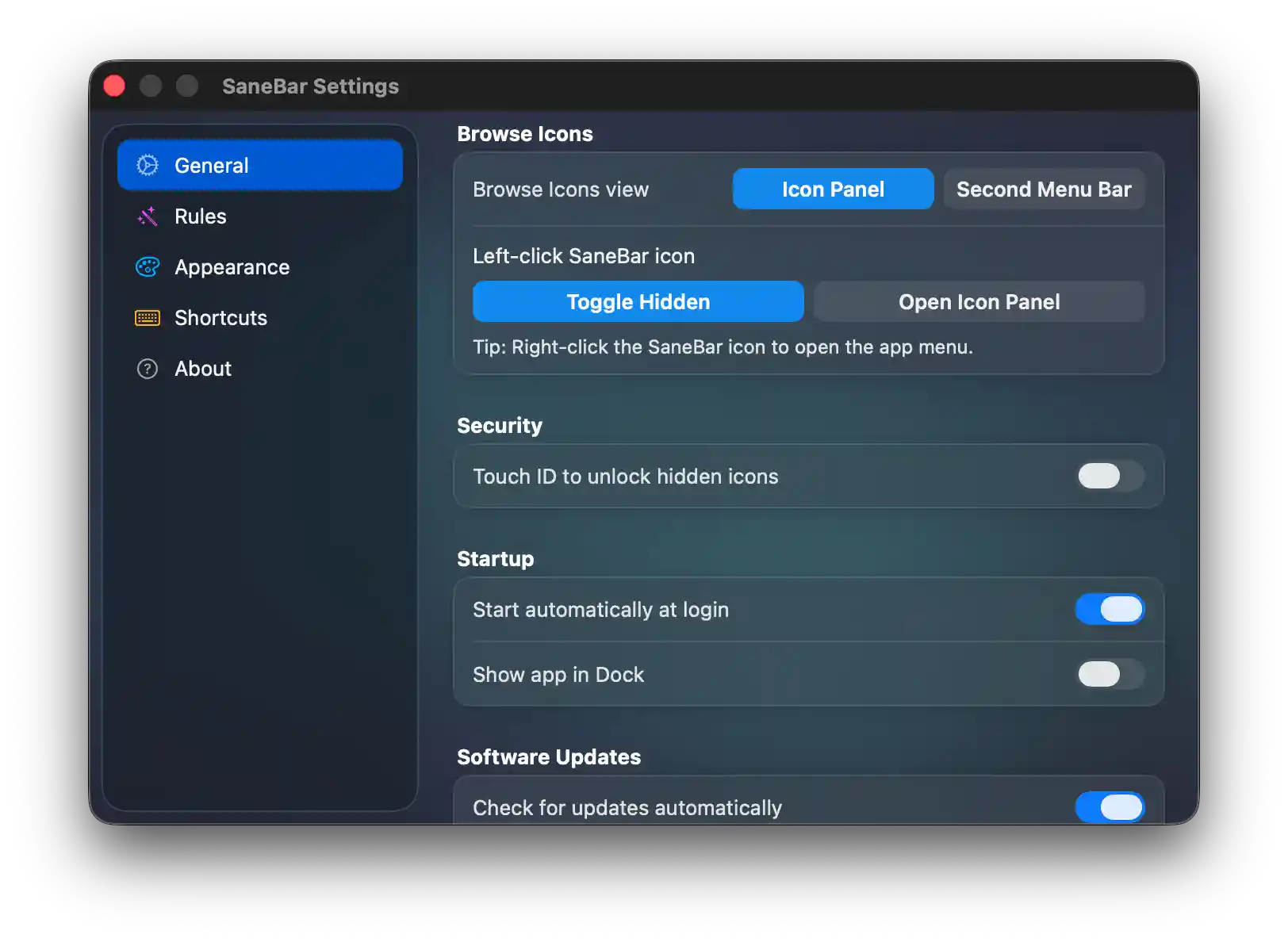
Choose Your View
Pick the view you prefer in Settings. One shortcut, two options.
See SaneBar in Action
Watch how easy it is to hide, organize, and secure your menu bar icons.
Everything you need. Nothing you don't.
Core features included in Basic. Power features unlock with Pro ($6.99 once).
Included in Basic — free
One-Click Hide & Show
Click the SaneBar icon to hide or reveal all your menu bar icons. Use ⌘\ to toggle with a keyboard shortcut.
Icon Panel & Second Menu Bar
Browse all your hidden icons in a floating panel or a full-width second bar. Pick your view in Settings.
Find Icon Search
Search any menu bar app by name — even icons hidden behind the Notch. Press ⌘⇧Space to open.
Auto-Rehide
Hidden icons automatically tuck away after a few seconds. No clutter, no maintenance.
Unlock with Pro — $6.99 once
Touch ID Lock Pro
The only menu bar manager with biometric security. Perfect for shared workspaces and presentations.
Icon Activation & Hotkeys Pro
Click any icon from panels to open its menu. Assign global hotkeys to your favorite apps. Move icons between Visible, Hidden, and Always-Hidden zones.
Always-Hidden Zone Pro
A dedicated zone for icons you rarely need. Only accessible via Find Icon search or the Second Menu Bar.
Profiles & Automation Pro
Save different setups for work, home, or presentations. Organize icons into groups. Full AppleScript automation for Shortcuts and workflows.
Smart Triggers Pro
Auto-reveal icons when Focus Mode changes, battery is low, apps launch, or you connect to certain WiFi networks.
Gestures & Auto-hide Pro
Hover, scroll, or click to reveal. Directional scroll (up=show, down=hide). Auto-hide on app switch. Ice-compatible.
Menu Bar Spacing Pro
MacBook Pro notch hiding icons? System-wide spacing (1-10) gives you more room.
Custom Appearance Pro
Liquid Glass on macOS Tahoe. Tint, shadows, borders, corners, dividers. Custom menu bar icon and spacers.
Import from Bartender & Ice Pro
Switch in seconds. Import your icon layout from Bartender or Ice with one click. Export/import settings between Macs.
Loved by Mac Users
Join thousands decluttering their workspace in 2026.
How SaneBar Stacks Up
Other menu bar apps may spy, charge forever, or disappear. SaneBar is 100% transparent, 100% private, and yours forever.
| Feature | SaneBar | Bartender | Ice | Hidden Bar | Dozer |
|---|---|---|---|---|---|
| Touch ID Lock Biometric protection for hidden icons | ✓ | ✗ | ✗ | ✗ | ✗ |
| Smart Triggers Auto-reveal on low battery, Wi-Fi, Focus, or app launch | ✓ | ✗ | ✗ | ✗ | ✗ |
| Guided Onboarding Interactive walkthrough & competitor import | ✓ | ✗ | ✗ | ✗ | ✗ |
| Import from Bartender/Ice Migrate your existing setup in one click | ✓ | ✗ | ✗ | ✗ | ✗ |
| Menu Bar Spacing Recover icons hidden by the notch | ✓ | ✗ | ✓ | ✗ | ✗ |
| Settings Export/Import Back up and restore your configuration | ✓ | ✗ | ✗ | ✗ | ✗ |
| Always-Hidden Zone Third zone for rarely-used icons | ✓ | ✗ | ✓ | ✗ | ✗ |
| Gesture Controls Scroll, hover, or click to reveal | ✓ | ✓ | ✓ | ✗ | ✗ |
| Second Menu Bar Full-width bar showing hidden icons | ✓ | ✓ | ✓ | ✗ | ✗ |
| AppleScript Automation & Shortcuts support | ✓ | ✓ | ✗ | ✗ | ✗ |
| Per-Icon Hotkeys Keyboard shortcut per app | ✓ | ✓ | ✗ | ✗ | ✗ |
| Find Icon Search Find any icon by name | ✓ | ✓ | ✓ | ✗ | ✗ |
| Icon Management Move icons between hidden/visible | ✓ | ✓ | ✓ | ✓ | ✓ |
| 100% Private No network calls, no analytics | ✓ | ✗* | ✓ | ✓ | ✓ |
| 100% Transparent Code Read every line on GitHub | ✓ | ✗ | ✓ | ✓ | ✓ |
| Actively Maintained Regular updates in 2026 | ✓ | ✓ | ✓ | ✗ | ✗ |
| Pricing One-time, no subscription | Free / $6.99 | $16 | Free | Free | Free |
* Bartender changed ownership in 2024 with limited transparency. It requires screen recording permissions.
Support SaneBar
"The worker is worthy of his wages."
— 1 Timothy 5:18
I need your help to keep SaneBar alive.
Your support — whether one-time or monthly — makes this possible.
Thank you. — Mr. Sane

3Go9nJu3dj2qaa4EAYXrTsTf5AnhcrPQke

0x026668feA51c27F0803055B8c0d881ac2F1e7C3e

FBvU83GUmwEYk3HMwZh3GBorGvrVVWSPb8VLCKeLiWZZ

t1PaQ7LSoRDVvXLaQTWmy5tKUAiKxuE9hBN
Click any address to copy
More from SaneApps
Privacy-first Mac utilities that don't suck
Clipboard history that never leaves your Mac. Touch ID protection, instant search, text transforms.
Learn more →Block ads, trackers, and data collection at the system level. A clean UI for your hosts file.
Learn more →Run scripts, convert files, and automate your Mac directly from the right-click menu. 50+ actions, 100% private.
Learn more →Track your indie sales from LemonSqueezy, Gumroad, and Stripe in one beautiful, native app. Revenue charts, CSV export, 100% on-device.
Learn more →Transparent + Sustainable
SaneBar Basic is free. Pro upgrades and donations keep it alive. Ice is broken. Hidden Bar is abandoned. Bartender sold out. That's what happens without a sustainable model.