Volctl by buzz
Volume control for Linux desktops featuring per-app sliders and OSD
volctl
About
PulseAudio-enabled tray icon volume control and OSD for Linux desktops.I couldn't find a simple tray icon that allows to control multiple applications easily from the task bar. So I wrote my own.
The program is written in Python using GTK+. Bug reports and patches welcome!
It's not meant to be an replacement for a full-featured mixer application. If you're looking for that check out the excellent pavucontrol.
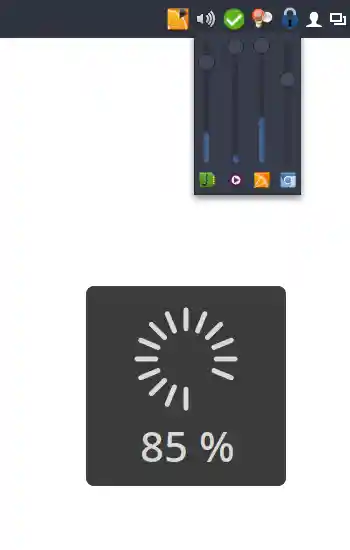
Features
- Runs on virtually every desktop environment (Needs to support the freedesktop system tray specs)
- Control main volumes as well as individual applications
- Shows applications icons and names
- Per-application VU meter
- Double-click opens
pavucontrol - Mouse-wheel support
- On-screen volume display (OSD)
Installation
Manual installation
- Clone this repository somewhere and cd into it.
-
To install:
sudo ./setup.py install
Note: You might need to copydata/apps.volctl.gschema.xmlto/usr/share/glib-2.0/schemas/manually. -
For the application icon to show up in the menu:
sudo update-desktop-database -
Compile GSettings schemas:
sudo glib-compile-schemas /usr/share/glib-2.0/schemas/orsudo glib-compile-schemas /usr/local/share/glib-2.0/schemas/
Arch Linux
Available in AUR: volctl
Dependencies
- pulseaudio
- python-gobject