Python Essentials for Data Engineers – Start Data Engineering
Introduction
You know Python is important for data engineers. But what does knowing Python mean for data engineering? Python is a programming language that supports a wide range of functions; how would you know if you know it well enough for data engineering? If you have
Wondered what aspects of Python you’d need to know to become a data engineer
Questioned your ability to learn Python, especially since Python keeps on adding new things
How to use Python practically for data engineering
Imagine if you could deliver data pipelines that are a joy to maintain.
This post is for you. In it, we will go over the concepts you need to know to use Python effectively for data engineering. Each concept has an associated workbook for practice.
Data is stored on disk and processed in memory
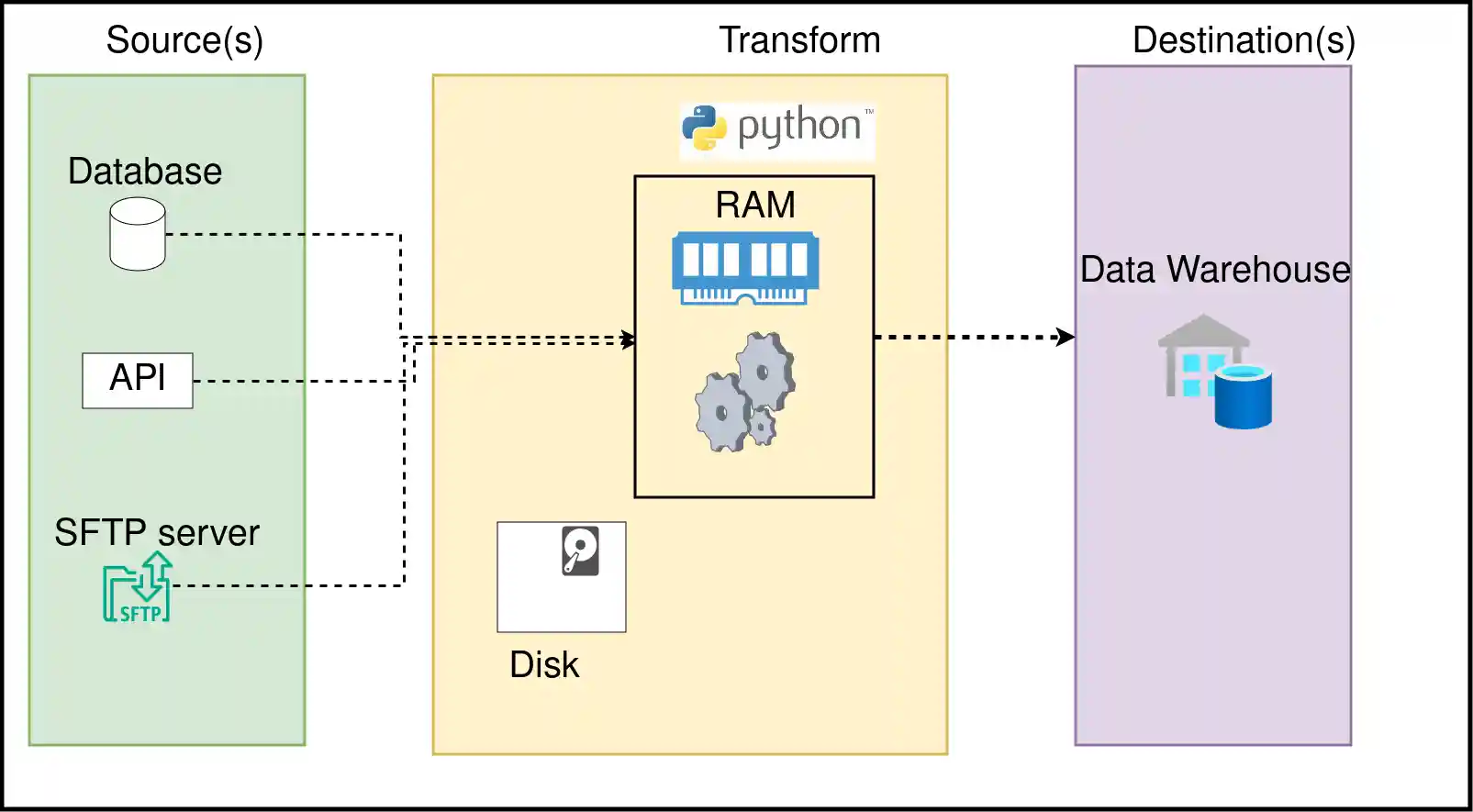
When we run a Python (or any language) script, it is run as a process. Each process will use a part of your computer’s memory (RAM). Understanding the difference between RAM and Disk will enable you to write efficient data pipelines; let’s go over them:
Memoryis the space used by a running process to store any information that it may need for its operation. The computer’s RAM is used for this purpose.Diskis used to store data. When we process data from disk (read data from csv, etc) it means that our process is reading data from disk into memory and then processing it. Computers generally use HDD or SSD to store your files.
RAM is expensive, while disk (HDD, SSD) is cheaper. One issue with data processing is that the memory available to use is often less than the size of the data to be processed. This is when we use distributed systems like Spark or systems like DuckDB, which enable us to process larger-than-memory data.
Practicing Python
For information on how to run the code checkout the code repository at: python_essentials_for_data_engineers
Each topic will have an associated workbook. The workbooks will state some questions you must research (chatGPT, Google) to find the answers to (much like real life!). While the workbooks have solutions, there are multiple ways to do the same thing, and as long as you get the correct answer, you should be good.
The questions will be available at section-questions.py(e.g. 1-basics-questions.py) and solutions will be at section-solutions.py (e.g. 1-basics-solutions.py).
Each section also includes extras; I recommend reviewing all the workbooks and returning to the extras part.
Python basics
Type in the code vs copy-pasting it.
Workbook: Basics
Let’s go over some basics of the Python language:
Variables: A storage location identified by its name, containing some value.Operations: We can do any operation (arithmetic for numbers, string transformation for text) on variablesData Structures: They are ways of representing data. Each has its own pros and cons and places where it is the right fit. 3.1.List: A collection of elements that can be accessed by knowing the element’s location (aka index). Lists retain the order of elements in them.3.2.
Dictionary: A collection of key-value pairs where each key is mapped to a value using a hash function. The dictionary provides fast data retrieval based on keys.3.3.
Set: A collection of unique elements that do not allow duplicates.3.4.
Tuple: A collection of immutable(non changeable) elements, tuples retain their order once created.Loops: Looping allows a specific chunk of code to be repeated several times.4.1.
Comprehension: Comprehension is a shorthand way of writing a loopFunctions: A block of code that can be reused as needed. This allows us to have logic defined in one place, making it easy to maintain and use. Using it in a location is referred to as calling the function.Class and Objects: Think of a class as a blueprint and objects as things created based on that blueprint.Library: Libraries are code that can be reused. Python comes with standard libraries for common operations, such as a datetime library to work with time (although there are better libraries)—Standard library.Exception handling: When an error occurs, we need our code to gracefully handle it without stopping.
Extras:
Conclusion
To recap, we saw how to use Python in
- Read data from and write data to various systems.
- Transfor data in memory or using a tool like Apache Spark.
- Define and run data quality checks.
- Write tests to ensure that your code does what it’s supposed to do.
- Schedule and orchestrate data pipelines.
While the amount of Python libraries may seem overwhelming, the main idea is to know that most data engineering tasks can be done with Python.
The next time you find yourself overwhelmed by all the choices of tools or SAAS vendors, use this article as a guide to finding Python libraries that can fulfill your requirements.