Angular File Upload | Upload Multiple Files | Syncfusion
Overview
Angular File Upload or Material File Upload is a component for uploading one or multiple files, images, documents, audio, video, and other files to a server. It is an improved version of the HTML5 upload component (<input type="file">) with a rich set of features that include multiple file selection, progress bars, auto-uploading, drag and drop, folder (directory) uploading, file validation, and more.
Angular File Upload Code Example
Easily get started with the Angular File Upload using a few simple lines of HTML and TS code example as demonstrated below. Also explore our Angular File Upload Example that shows you how to upload files in Angular.
<div class="control-section">
    <div class="col-lg-9">
        <div class="control_wrapper">
            <ejs-uploader #defaultupload id='defaultfileupload' [asyncSettings]='path' [dropArea]='dropElement' (removing)='onFileRemove($event)'></ejs-uploader>
        </div>
    </div>
</div>
import { Component, ViewChild, ViewEncapsulation, Inject } from '@angular/core';
import { EmitType, detach } from '@syncfusion/ej2-base';
import { UploaderComponent, RemovingEventArgs } from '@syncfusion/ej2-angular-inputs';
import { createSpinner, showSpinner, hideSpinner } from '@syncfusion/ej2-popups';
@Component({
    selector: 'app-root',
    templateUrl: 'app.component.html',
    styleUrls: ['app.component.css'],
    encapsulation: ViewEncapsulation.None
})
export class AppComponent {
    @ViewChild('defaultupload')
    public uploadObj: UploaderComponent;

    public path: Object = {
        saveUrl: 'https://ej2.syncfusion.com/services/api/uploadbox/Save',
        removeUrl: 'https://ej2.syncfusion.com/services/api/uploadbox/Remove'
    };
    public dropElement: HTMLElement = document.getElementsByClassName('control-fluid')[0] as HTMLElement;
    public onFileRemove(args: RemovingEventArgs): void {
        args.postRawFile = false;
    }
    constructor() {

    }
}
Resumable upload
A built-in feature is available to pause, resume, retry, and cancel a file upload in Angular. This helps users upload high-resolution images, videos,and other large files safely. Additionally, it provides an option to pause and resume automatically based on server connection.

Upload images with previews
The Angular File Upload component allows you to upload images and resize images, show an image preview or thumbnail, etc. before uploading them.
Custom file upload button
The action buttons of the Angular File Upload component are completely customizable, including its file list, which helps create your own design for the File Upload UI.


File types (file extensions)
Upload various file types and limit the file types from client-side, which is mandatory before uploading a file to the web application.

Paste image to upload
The Angular File Upload component processes images from the clipboard. Copy and paste the images to be uploaded to a server.
Delete uploaded files
The Angular File Upload component provides a simple interface to delete the wrongly uploaded files from a server.

Auto-upload
Initiate an automatic upload to upload files immediately upon adding them to the upload queue.

Progress bar
The File Upload component in Angular displays a built-in progress bar (progress indicator) with the progress percentage during each file upload. The Uploader Progressbar is completely customizable.
Right-to-left (RTL)
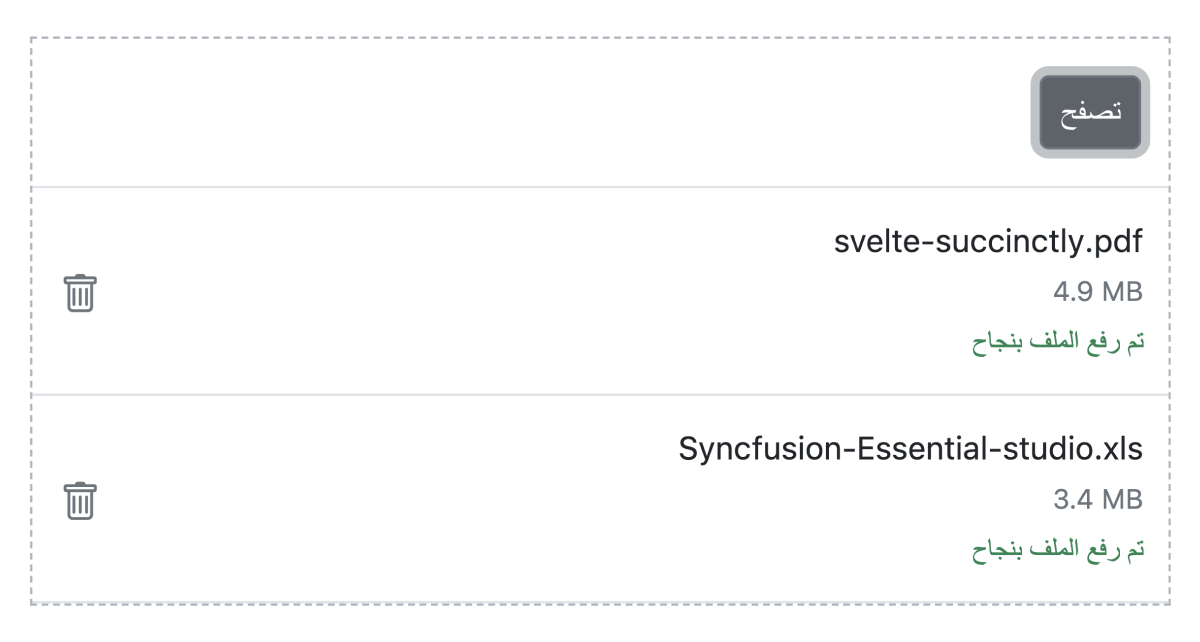
The Angular File Upload component supports right-to-left rendering, which improves the user experience and accessibility for those who use RTL languages.

Web accessibility
- Fully supports WAI-ARIA accessibility, which allows the Angular File Upload component to be accessed by on-screen readers and assistive devices.
- Follows the WAI-ARIA Best Practices for implementing keyboard interaction.
- The UI element visuals, such as foreground color, background color, line spacing, text, and images, were designed based on the WCAG 2.0 standard.

Touch support
The Angular File Upload component provides the best user experience across phone, tablet, and desktop form factors.

Transform your applications today by downloading our free evaluation version
Syncfusion Angular File Upload Resources