Advanced React & GraphQL
Together we will build "Sick Fits", a full stack online clothing store complete with real credit checkout. Users can search, sell, add to cart and checkout their favourite items.
The application has six main models — Users, Items, Orders, CartItems, OrderItems, and Roles — all of which are relational and showcase the power of relational GraphQL Queries.
The app also includes many server side bits including authentication, permissions, sending email, uploading images, and charging credit cards.
In addition to building both the frontend and backend of the application, we also spend the last section of the course Testing the React application.
For a full list of topics covered, see below.
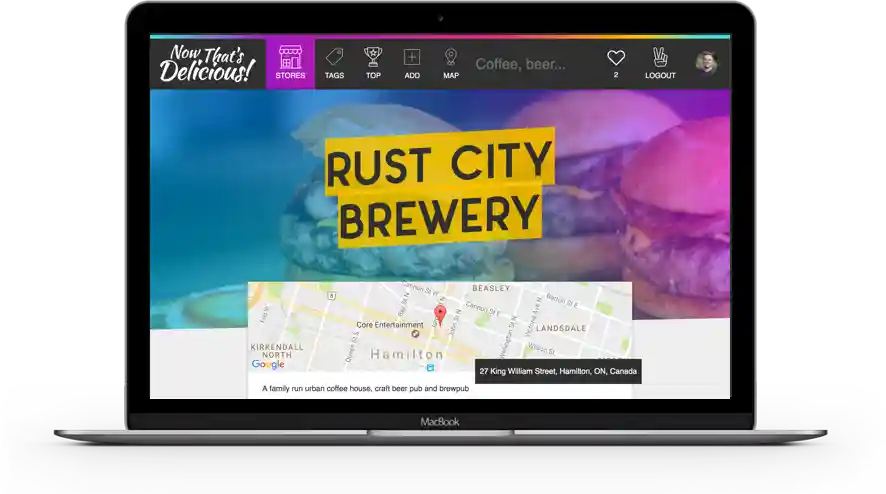
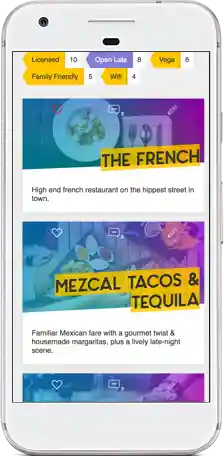
The Tech Stack of our Application
FrontendBackend

React.js
For Building The Interface along with:
- Next.js for server side rendering, routing and tooling
- Styled Components for styling
- Context for Managing Local State
- Apollo's React Hooks for interfacing with Apollo Client
- Jest & React Testing Library for Testing
Apollo Client
For Data Management
- Performing GraphQL Mutations(create, update, delete)
- Fetching data via GraphQL Queries
- Caching GraphQL Data
- Error and Loading UI States
- Apollo Client replaces the need for redux + data fetching/caching libraries
Keystone.js
A Node.js based GraphQL Server + Headless CMS For:
- Admin Interface to manage data
- Provides a set of GraphQL CRUD APIs for a MongoDB or Prisma Database
- Schema Definition
- Data Relationships
- Open Source + Self-hosted
- Built with Node.js, React + Next.js
- Implementing Query and Mutation Resolvers
- Custom Server Side Logic
- Charging Credit Cards with Stripe
- Sending Email
- Performing Authentication
- Managing + Checking Roles + Permissions
↔↔
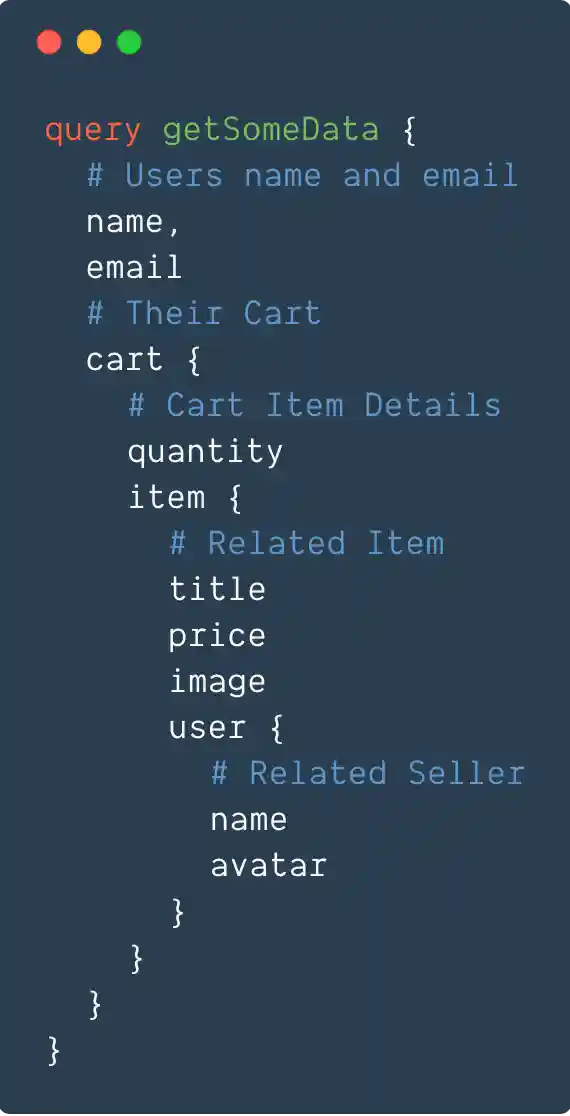
GraphQL is a type-safe query language for APIs and a runtime for fulfilling those queries with your existing data.
What?! It's a replacement for (or addition to) your REST API and Ajax Calls.
GraphQL requires buy-in from both your client and your server — it then puts the power of requesting only what you want into the client and the business logic of finding and filtering that data into backend resolvers.
Specifically in this course it enables libraries that make caching, loading, error handling and pagination a breeze
Complex Relational Data queries and server-side mutations like signing up or checking-out are a snap with GraphQL.
GraphQL is just a standard and can be implemented in any language or framework.
Web developers who want to expand their JavaScript, React and Node skills while learning all about GraphQL.
You should be already familiar with the basics of React - components, state, props, modules and event handlers. If you have taken my React For Beginners course or built a few things in React, you are in good shape.
You should be comfortable with both writing and debugging modern JavaScript including arrow functions, classes, promises, async+await and other commonly used parts of ES6. You of course can take my ES6 for Everyone or Beginner JavaScript to skill up on this!
The backend of the course is written in Node. Prior node knowledge is nice, but not required for this course as you should be able to keep up no problem. You can take Learn Node if you'd like to learn more.
This course requires no knowledge of GraphQL, Keystone, Databases, or testing React components
- Anyone looking to learn the whys and hows of GraphQL
- Web developers who want to get better at JavaScript
- JS developers looking to advance their skills and career
- Bootcamp Graduates (see the FAQ for a student discount!)
- Front End Devs looking to go Full Stack
- Existing Node.js developers looking to learn how GraphQL works with Node
- Anyone who wants to get better at JavaScript and learns well from seeing both fundamental and advanced concepts in practice.
In each video, we learn and implement a concept into our application. Many of the concepts we return to over and over for different parts of the application, hitting and solving new problems each time.
As we build an entire full-stack application, this course covers a ton. Along with general JavaScript best practices, here are some of the things you can expect to learn:
- React Best Practices
- Custom Hooks
- Server Side Rendering
- Styled Components
- Theming
- Routing
- GraphQL Schema
- Queries and Mutations
- Authentication
- Resolvers
- Cache Management
- Loading and Error States
- Sending Email
- Logic and Flow with Async + Await
- Authentication and Permissions
- Charging Credit Cards
- Hosting and Transforming Images
- Pagination
- Forms in React
- Animations
- Third party React Components
- Unit Testing
- Mocking Components
- Deployment
👌 Video pacing is just right
fast enough to keep you interested without passing by or assuming any details.
Seriously, it won't put you to sleep - I'm even funny sometimes.
11+Modules
70+Videos
13Hours Building App
5Hours Testing
...and 176,941 words provided with the videos captions
Incremental, Referenceable and Easy To Digest
Each video breaks down a specific part of building a Node application and allows for quick referencing in the future. You can binge watch them all today or do a few each day during your lunch or on your commute.
Closed Captioning and Transcripts are provided for every video
#51 — Search (30:29)
Module 1
Introduction and Setup
Module 2
Learning Next.js
Module 3
CSS and Styled Components
Module 4
Server Side GraphQL Development
Module 5
Client Side React + GraphQL Development
Module 6
Working with Mutations
Module 7
Pagination
Module 8
User Registration + Authentication
Module 9
Shopping Cart Development
Module 10
Search
Module 11
Order Creation and Checkout
Module 12
Frontend Order Displaying
Module 13
Roles, Permissions and Restricting Access
Module 14
Testing
Starter Course

- Access to the first 5 Modules / 27 HD Video Tutorials
- Stream course from any device
- Source Code — Completed Examples and Exercises
- Unlimited Updates + Never Expires
Exclusive access to the Advanced React Slack Chat Room where you can ask for help and chat with other learners
Master Package

- Access to all 11+ Modules / 70+ HD Videos — see above for a full listing of topics
- Stream and Download DRM-free files from any device
- Includes Accounts, Authentication and Permission
- Sending Email, Pagination, Shopping Cart, checkout
- All Testing and Deployment Videos
- All Source Code — Completed Examples, Exercises, Webpack files and npm scripts
- Unlimited Updates + Never Expires
Team License Packages
With a team license you can buy a number of spots to allocate to employees. The spots do not expire and you can fill the spots via the dashboard whenever you like.
Perfect for on-boarding new hires, interns and contractors to your tech stack.
The team license includes everything in the Master Package above. Spots cannot be re-assigned once used.
For larger groups or for on-site training contact me for more info!
All prices in USD
I don't like your cool font
Do these videos expire? Is this a monthly cost?
Nope and nope. Pay once, have them forever.
Cool, but I would have usedwithand thenandwith a hint ofITS THE BEST!!!
I've spent many months evaluating many different setups, boilerplates, packages and approaches to building a full stack application. Why no doubt there are many fantastic options, I found this set of technologies to be the best fit - they are all extremely well supported, actively developed and most importantly are the tech that I'd reach for when building a new application.
It's important to note here that this course isn't just teaching you how to hook together a few packages - you are learning to think in and build full stack React and GraphQL applications. The ideas behind this course transcend all packages!
Do you provide a certificate of completion?
Sure do! In your course dashboard you can download an official certificate of completion that can be used to be reimbursed by your employer or land that dream job you are applying for.
Can I put the code on GitHub? Can I put this app in my portfolio?
Absolutely - I just ask that you don't create your own course teaching with this app. Otherwise, go nuts! You can credit my course if you like, but it's not required as you might be using this app to get a job :)
What other courses do you have?
I've got a bunch of free and premium web development courses — check out the whole listing over at wesbos.com/courses.
I lost, deleted or never got my welcome email! What do I do?
Log into your account, or create an account with the same email you used to buy the series.
What format are the videos? How do I watch them?
Once you buy a package, you will be mailed access to your account dashboard where you can stream all the videos. Buyers of the Master Package will also be able to download them for off-line viewing. All the videos were professionally recorded in 4k with top quality audio — no pops, echoes, chair squeaks, breathing or gross mouth sounds here!
What if I'm not thrilled?
I want to make sure you get real value out of this so I only want your money if you are happy with the product! If you aren't satisfied, please send an email to hey@wesbos.com with a copy of your welcome email and I will refund you.
Do you offer a student discount?
Absolutely! Fill out this form with some proof that you are a student and I'll send you a discount code. This applies to anyone in any type of schooling, including evening classes and coding bootcamps!
If you have received a student discount for a previous product, it's the same code 😉.