Capacitor Android Documentation | Capacitor Documentation
Capacitor features a native Android runtime that enables developers to communicate between JavaScript and Native Java or Kotlin code.
Capacitor Android apps are configured and managed through Android Studio.
API 24+ (Android 7 or later) is supported, which represents around 99% of the Android market. Capacitor requires an Android WebView with Chrome version 60 or later. On Android 7-9, Google Chrome provides the WebView. On Android 10+ Capacitor uses the Android System WebView.
First, install the @capacitor/android package.
npm install @capacitor/android
Then, add the Android platform.
To open the project in Android Studio, run:
Alternatively, you can open Android Studio and import the android/ directory as an Android Studio project.
You can either run your app on the command-line or with Android Studio.
To use an Android Emulator you must use an API 24+ system image. The System WebView does not automatically update on emulators. Physical devices should work as low as API 24 as long as their System WebView is updated.
Running on the Command-Line
To run the project on a device or emulator, run:
The command will prompt you to select a target. Learn more about run.
Either a physical Android device or a downloaded emulator system image is required to use the
runcommand. See the documentation here for creating emulator devices and downloading system images in Android Studio.
Running with Android Studio
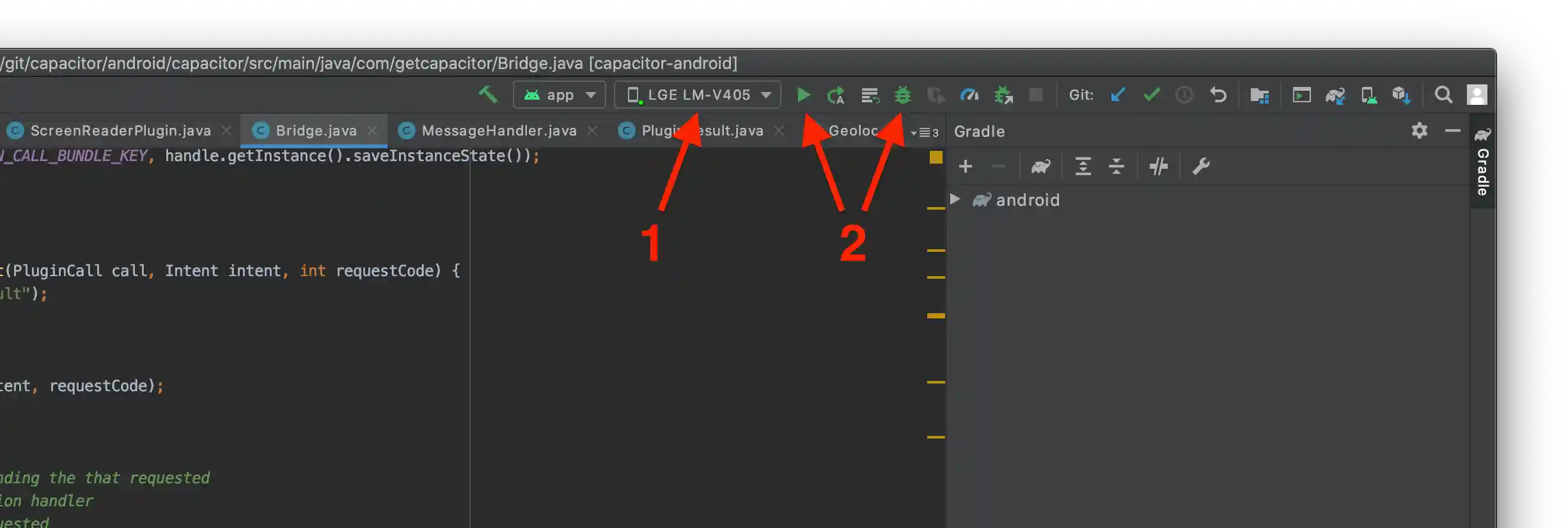
In Android Studio, first select the device or emulator and then click the run or debug button to run your app. Unless you're debugging Java or Kotlin code, the run button is preferred.
If you encountered any issues while getting started, you can consult the Android Troubleshooting Guide. Feel free to open a discussion if you need help.
If your app ran you are now ready to continue developing and building your app. Use the various APIs available, Capacitor or Cordova plugins, or custom native code to build out the rest of your app.
Follow these Android-specific guides for more information on setting permissions for your app, updating dependencies, building plugins, and more: