Customer-managed encryption keys (CMEK)
By default, Google Cloud automatically encrypts data when it is at rest using encryption keys managed by Google.
If you have specific compliance or regulatory requirements related to the keys that protect your data, you can use customer-managed encryption keys (CMEK) for Document AI. Instead of Google managing the encryption keys that protect your data, your Document AI processor is protected using a key that you control and manage in Cloud Key Management Service (KMS).
This guide describes CMEK for Document AI. For more information about CMEK in general, including when and why to enable it, see the Cloud Key Management Service documentation.
Prerequisite
The Document AI Service Agent must have the Cloud KMS CryptoKey Encrypter/Decrypter role on the key that you use.
The following example grants a role that provides access to a Cloud KMS key:
Using CMEK
Encryption settings are available when you create a processor. To use CMEK, select the CMEK option and select a key.
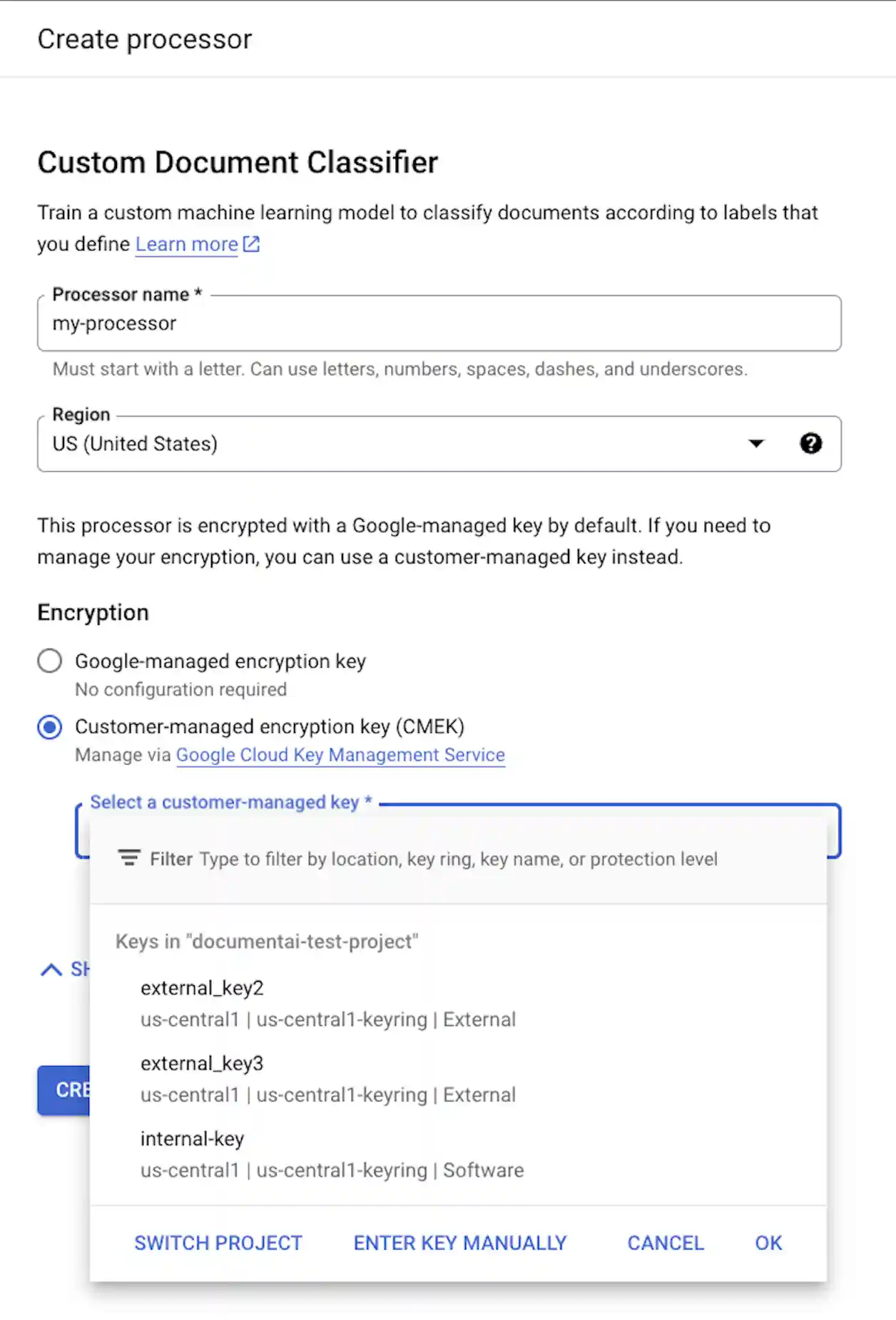
The CMEK key is used for all data associated with the processor and its child resources. All customer-related data that is sent to the processor is automatically encrypted with the provided key before writing to disk.
Once a processor has been created, you cannot change its encryption settings. To use a different key, you must create a new processor.
External keys
You can use Cloud External Key Manager (EKM) to create and manage external keys to encrypt data within Google Cloud.
When you use a Cloud EKM key, Google has no control over the availability of your externally managed key. If you request access to a resource encrypted with an externally managed key, and the key is unavailable, then Document AI will reject the request. There can be a delay of up to 10 minutes before you can access the resource after the key becomes available.
For more considerations when using external keys, see EKM considerations.
CMEK supported resources
When storing any resource to disk, if any customer data is stored as part of the resource, Document AI first encrypts the contents using the CMEK key.
| Resource | Material Encrypted |
|---|---|
Processor |
N/A - no user data. However, if you specify a CMEK key during processor creation then it must be valid. |
ProcessorVersion |
All |
Evaluation |
All |
CMEK supported APIs
The APIs that use the CMEK key for encryption include the following:
| Method | Encryption |
|---|---|
processDocument |
N/A - no data saved to disk. |
batchProcessDocuments |
Data is temporarily stored on disk and encrypted using an ephemeral key (see CMEK compliance). |
trainProcessorVersion |
Documents used for training are encrypted using the provided KMS/CMEK key. |
evaluateProcessorVersion |
Evaluations are encrypted using the provided KMS/CMEK key. |
API requests that access encrypted resources fail if the key is disabled or is unreachable. Examples include the following:
| Method | Decryption |
|---|---|
getProcessorVersion |
Processor versions trained using customer data are encrypted. Access requires decryption. |
processDocument |
Processing documents using an encrypted processor version requires decryption. |
Import Documents |
Importing documents with auto-labeling enabled using an encrypted processor version requires decryption. |
CMEK and Cloud Storage
APIs, such as batchProcess,
can read from and write to Cloud Storage buckets.
Any data written to Cloud Storage by Document AI is encrypted using the bucket's configured encryption key, which can be different than your processor's CMEK key.
For more information, see the CMEK documentation for Cloud Storage.