File API - codehooks.io
The File API enables your application to access and manage folders and files. The API is automatically available from the inside of any Codehook function.
Install
Run npm install codehooks-js in your project code folder.
Bulk upload files
Use the CLI command coho upload to upload files from a local machine to the application.
API quick overview
readFile(path)
Read file content as text from the file system.
Parameters
- path: full path to file, e.g. '/documents/doc.html'
Returns: Promise with text content from file.
Error: throws exception if file is not found.
Code example for reading a file
index.js
import { app, filestore } from 'codehooks-js';

// get a file text content
app.get('/txt', async (req, res) => {
  try {
    const file = await filestore.readFile('/somefolder/myfile.txt');
    res.set('content-type', 'text/plain');
    res.end(file);
  } catch (error) {
    res.status(404).end('No file here');
  }
});

// bind to serverless runtime
export default app.init();
getReadStream(path)
Read file content as a binary stream the file system.
Parameters
- path: full path to file, e.g.
/private/dummy.pdf
Returns: Promise with file stream handle.
Error: throws exception if file is not found.
Code example for reading a binary file stream
index.js
import { app, filestore } from 'codehooks-js';

// get a file binary content as stream
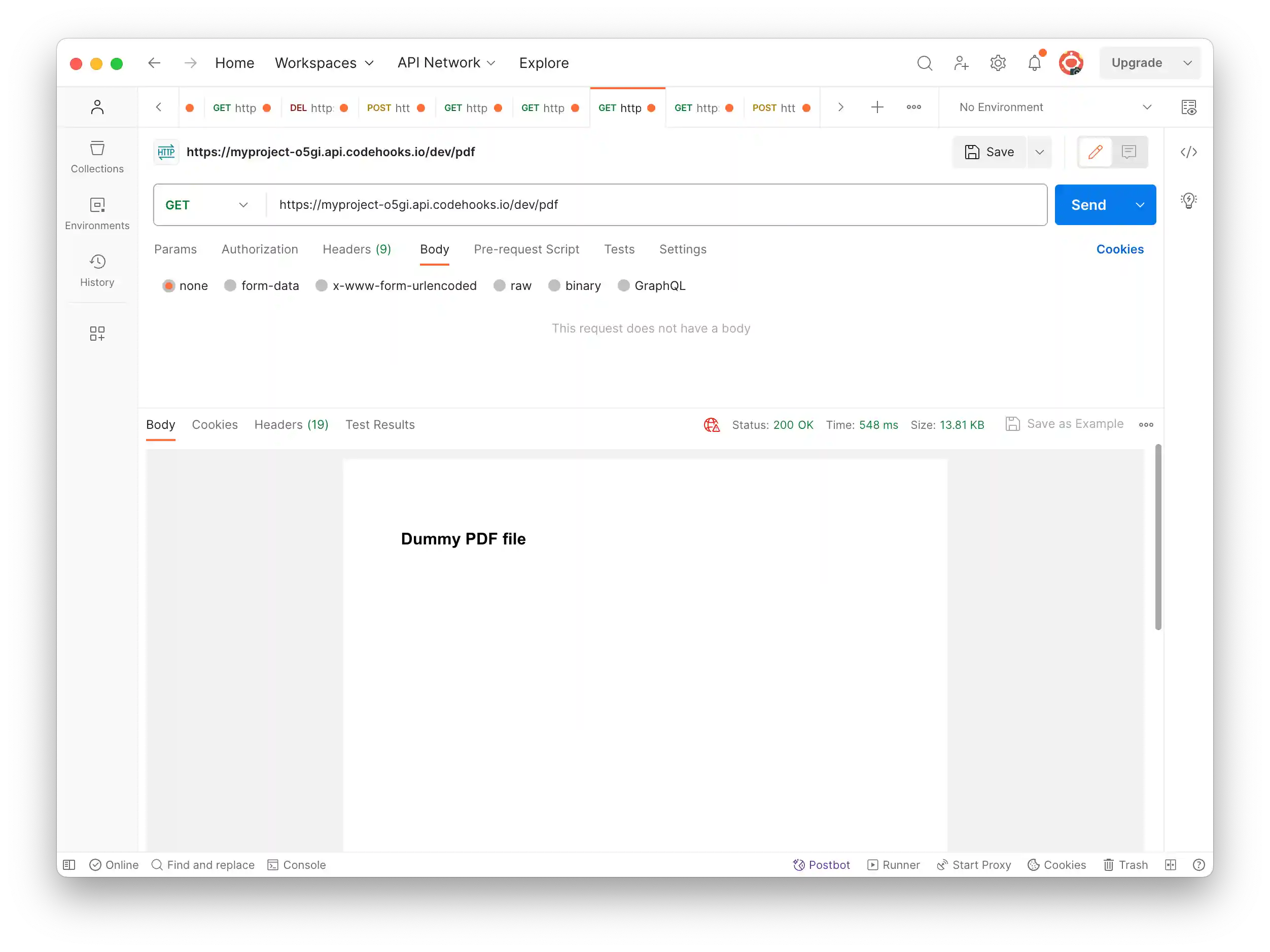
app.get('/pdf', async (req, res) => {
  try {
    const filestream = await filestore.getReadStream('/private/dummy.pdf');
    res.set('content-type', 'application/pdf');
    // stream content back to client
    filestream
      .on('data', (buf) => {
        res.write(buf, 'buffer');
      })
      .on('end', () => {
        res.end();
      });
  } catch (error) {
    console.error(error);
    res.status(404).end('No file here');
  }
});

// bind to serverless runtime
export default app.init();
saveFile(path, filestream)
Write a file binary stream to the file system.
Parameters
- path: full path to file, e.g.
/private/dummy.pdf - filestream: inputstream of binary buffers
Returns: Promise with upload result text.
Error: throws exception if an error occured.
Code example for writing a binary inputstream as a new file to the file system
index.js
import { app, filestore } from 'codehooks-js';
import { PassThrough } from 'stream';

// post a file binary content
app.post('/file', async (req, res) => {
  try {
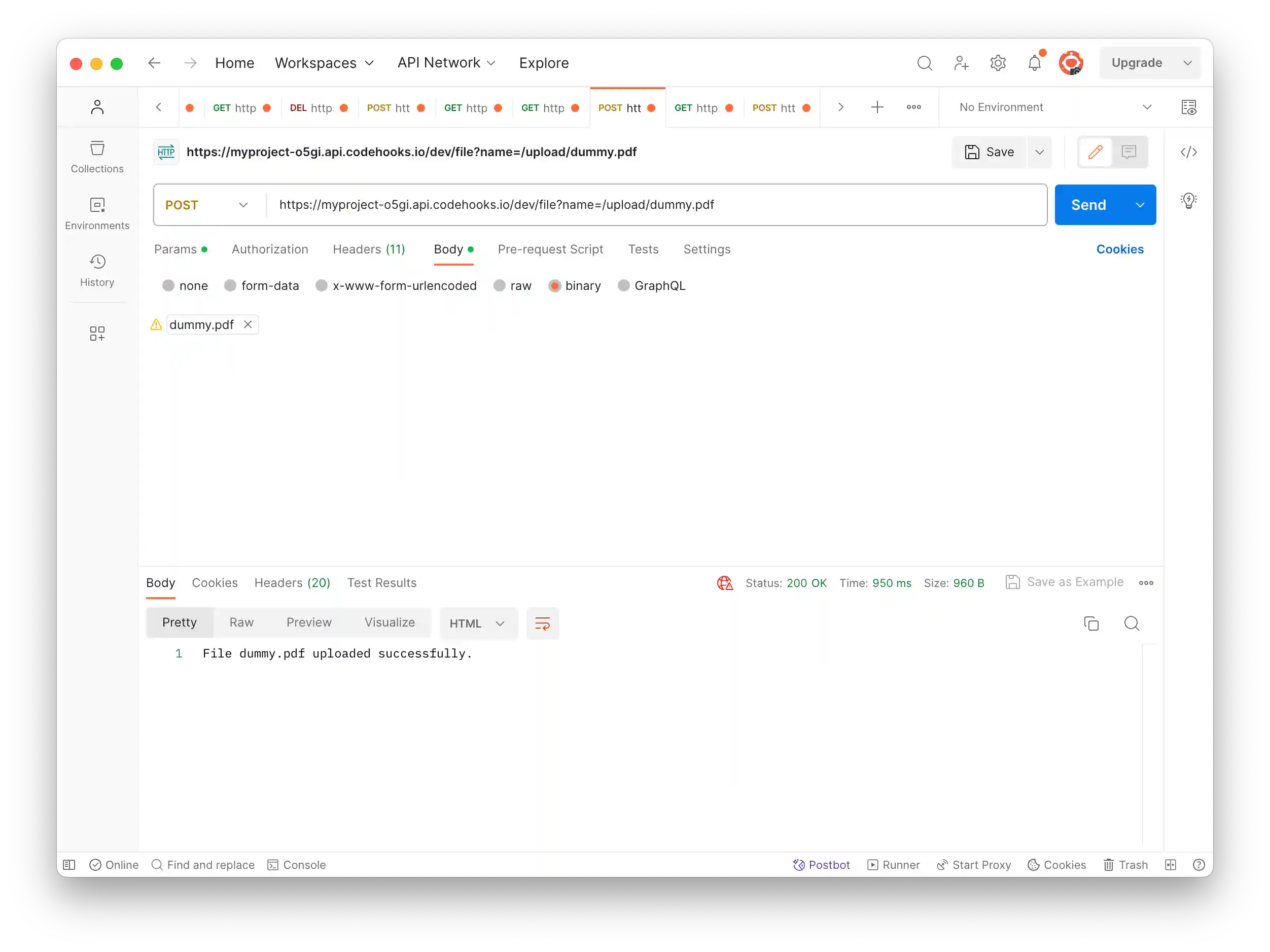
    const { name } = req.query; /* e.g. /dev/file?name=/upload/dummy.pdf */
    const stream = new PassThrough();
    req.pipe(stream);
    const result = await filestore.saveFile(name, stream);
    res.end(result);
  } catch (error) {
    console.error(error);
    res.status(404).end('Upload error');
  }
});

// bind to serverless runtime
export default app.init();
deleteFile(path)
Delete a file binary from the file system.
Parameters
- path: full path to file, e.g.
/private/dummy.pdf
Returns: Promise with delete result text.
Error: throws exception if an error occured.
Code example for deleting a file from the file system
index.js
import { app, filestore } from 'codehooks-js';

// delete a file
app.delete('/file', async (req, res) => {
  try {
    const { name } = req.query;
    const result = await filestore.deleteFile(name);
    res.end(result);
  } catch (error) {
    console.error(error);
    res.status(404).end('Not found');
  }
});

// bind to serverless runtime
export default app.init();
list(path)
List files in folders from the file system.
Parameters
- path: full path to folder, e.g.
/upload
Returns: Promise with JSON array of files matching path to folder.
Error: throws exception if an error occured.
Code example for listing files in a folder from the file system
index.js
import { app, filestore } from 'codehooks-js';

// list dir
app.get('/list', async (req, res) => {
  try {
    const result = await filestore.list('/');
    res.end(result);
  } catch (error) {
    console.error(error.message);
    res.status(400).end('sorry list');
  }
});

// bind to serverless runtime
export default app.init();
Example output shows folders and files:
[
    {"path":"/robots.txt","size":114,"date":"2023-09-29T12:12:10.000Z","_id":"6516f3b26c816e0015ca7b60"},
    {"path":"/upload/dummy.pdf","size":1234,"date":"2023-09-29T16:22:10.499Z","_id":"6516f9b26c816e0015ce7b6d"},
    {"path":"/upload/logo.pdf","size":259096,"date":"2023-09-30T11:48:18.003Z","_id":"6517155cd8c8a40071d6bc79"},
    {"path":"/upload/report.html","size":1320,"date":"2023-09-30T12:46:31.640Z","_id":"65180b50d8fc2b01b3b2515e"}
]
readFileAsBuffer(path)
Read file content into a Buffer.
Parameters
- path: full path to folder, e.g.
/upload
Returns: Promise with Buffer.
Error: throws exception if an error occured.
Code example for reading file content into a Buffer
// collapsed code
const buf = await filestore.readFileAsBuffer('/images/logo.png');
console.log(buf.length);
Postman examples using the File API
Upload a new PDF file
Download a PDF file