C++ Program to Print Hello World
In this article, you will learn and get code to print "Hello, World!" in many ways using a C++ program. Here is the list of programs for printing: Hello, World!
- Print "Hello, World!"
- Print "Hello World" without using a semicolon
- Print "Hello, World!" 10 times using the for loop
- Print "Hello, World!" 10 times using the while loop
- Using Function, print "Hello, World!"
- Using class and object, print "Hello, World!"
Print "Hello, World!" in C++
To print "Hello, World!" in C++ programming, just place Hello, World! inside an inverted comma ("") after cout<< as shown in the program given below:
The question is, "Write a program in C++ to print Hello, World!" Here is its answer:
#include<iostream>
using namespace std;
int main()
{
    cout<<"Hello, World!";
    cout<<endl;
    return 0;
}
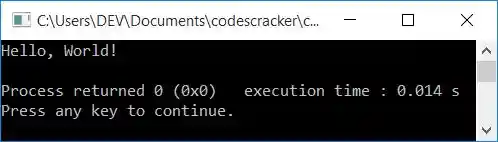
This program was built and runs under the Code::Blocks IDE. Here is its sample output:
Print "Hello World" without using a semicolon in C++
To print "Hello World," without a semicolon The only thing to do is remove the semicolon after "Hello," as shown in this program:
#include<iostream>
using namespace std;
int main()
{
    cout<<"Hello World";
    cout<<endl;
    return 0;
}
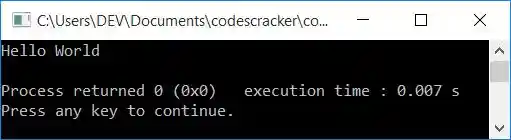
This program produces the output as shown in the snapshot given below:
Using the for loop, print "Hello World" ten times in C++
This program prints Hello, World! 10 times using the for loop.
#include<iostream>
using namespace std;
int main()
{
    int i;
    for(i=0; i<10; i++)
        cout<<"Hello, World!\n";
    cout<<endl;
    return 0;
}
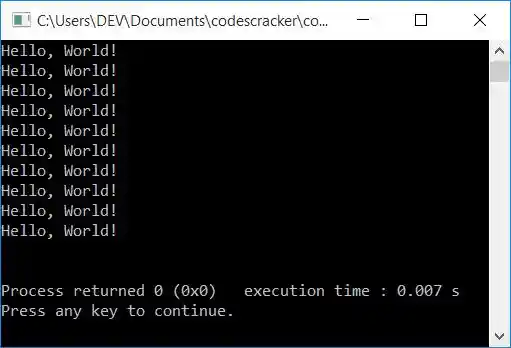
This program produces Hello, World! 10 times as shown in the following sample output:
The dry run of the above program goes like this:
- Initially, 0 gets initialized to i, and the condition i<10 gets evaluated. The first (initialization) statement of the for loop executes at first, but only once.
- That is, the condition i<10 or 0<10 evaluates to be true, therefore program flow goes inside the loop, and a string, Hello, World! gets printed.
- After you've printed "Hello, World!," use \n to insert a new line on the output console. As a result, the next printing of Hello, World! begins with a new line.
- Now program flow goes to the update (third statement) part of the for loop and increments the value of i. So i=1
- Now the condition i<10 or 1<10 again evaluates to be true, therefore the program flow
goes inside the loop and executes the following statement again:
cout<<"Hello, World!\n";
that prints "Hello, World!" and breaks the line. - This process is repeated until the for loop's condition evaluates to false. That is, when the value of i becomes equal to 10, the condition i<10 or 10<10 evaluates to be false, therefore the execution of the for loop gets ended.
- In this way, "Hello, World!" gets printed 10 times on the output.
In C++, use a while loop to print Hello World ten times
This program does the same job as the previous program. The only difference is that this program uses a while loop. The while loop only has one statement, which is the condition. Therefore, we have to initialize 0 to i before the execution of the while loop. And the update is contained within its body.
#include<iostream>
using namespace std;
int main()
{
    int i=0;
    while(i<10)
    {
        cout<<"Hello, World!\n";
        i++;
    }
    cout<<endl;
    return 0;
}
This program produces the same output as the previous program. You can replace the following block of code:
while(i<10)
{
    cout<<"Hello, World!\n";
    i++;
}
with
while((i++)<10)
    cout<<"Hello, World!\n";
Print "Hello World" using a function in C++
This program prints "Hello, World!" using a user-defined function named printHello().
#include<iostream>
using namespace std;
void printHello();
int main()
{
    printHello();
    cout<<endl;
    return 0;
}
void printHello()
{
    cout<<"Hello, World!";
}
produces the same output as the very first program in this article.
In C++, print Hello World using a Class and an Object
This is the last program on the topic. This program is created using classes and objects, an object-oriented feature of C++.
#include<iostream>
using namespace std;
class CodesCracker
{
    public:
        void printHello();
};
void CodesCracker::printHello()
{
    cout<<"Hello, World!";
}
int main()
{
    CodesCracker c;
    c.printHello();
    cout<<endl;
    return 0;
}
This program also produces the same output as the very first program in this article.
Inside the main() function of the preceding program, an object c of type CodesCracker is created. Now, using this object, we've called the member function of the class CodesCracker, named printHello(), that prints Hello, World! in similar way as done in the previous program, using a function.
The same program in different languages
« Previous Program Next Program »
Liked this post? Share it!