C++ Program to Print an Integer
In this article, you will learn and get code to print an integer value using a C++ program. Here is the list of programs for printing an integer (number):
- Print an integer. This program does not allow the user to input the number.
- Print an integer entered by the user at run-time
Print an integer in C++
In C++ programming, simply put the variable that holds the value after cout to print any integer or number on output.
Whatever the value of num is, it gets printed on the output. Here is the complete program for printing an integer value along with some string (or message) before it.
#include<iostream>
using namespace std;
int main()
{
    int num=10;
    cout<<"The Value of 'num' is "<<num;
    cout<<endl;
    return 0;
}
This program was built and runs under the Code::Blocks IDE. Here is its sample output:
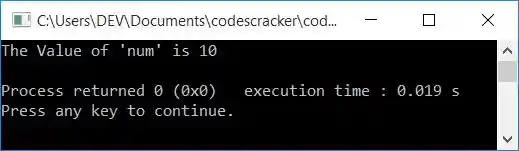
You can replace the following statement:
cout<<"The Value of 'num' is "<<num;
with
to print only 10 on the output, without any extra things.
Print an integer (number) entered by the user
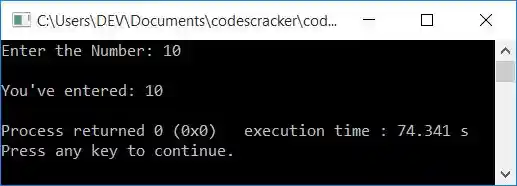
This program allows the user to enter the number. When the user enters a number, say 10, it gets stored in num. And print the value of num on the output in a similar way as already discussed in the previous program.
#include<iostream>
using namespace std;
int main()
{
    int num;
    cout<<"Enter the Number: ";
    cin>>num;
    cout<<"\nYou've entered: "<<num;
    cout<<endl;
    return 0;
}
The snapshot given below shows the initial output produced by this program:
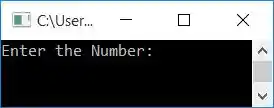
Now supply the input as a number, say 10, and then press ENTER to print the entered number back on the output screen as shown in the sample output given below:
The same program in different languages
« Previous Program Next Program »
Liked this post? Share it!