C++ Program for Two-Dimensional (2D) Array
In this article, you will learn and get code to implement a two-dimensional (2D) array in C++. Here is the list of programs on the 2D array:
- Initialize and Print a Two-Dimensional Array
- Receive size and elements from the user and print a two-dimensional array
Note: A two-dimensional (2D) array can be thought of as a matrix with rows and columns. For example:
is a two-dimensional array with two rows and three columns in size.
Two-Dimensional Array Program in C++
This program initializes 8 elements in a two-dimensional array of size four rows and two columns, then prints the array on output:
#include<iostream>
using namespace std;
int main()
{
    int arr[4][2] = {{1, 2}, {3, 4}, {5, 6}, {7, 8}};
    int i, j;
    cout<<"The Two-dimensional Array is:\n";
    for(i=0;  i<4; i++)
    {
        for(j=0; j<2; j++)
            cout<<arr[i][j]<<"  ";
        cout<<endl;
    }
    cout<<endl;
    return 0;
}
This program was built and runs under the Code::Blocks IDE. Here is its sample output:
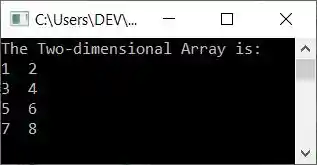
Note: The outer for loop is responsible for rows, and the inner for loop is responsible for columns.
Get Array Elements of the Given Size from the User
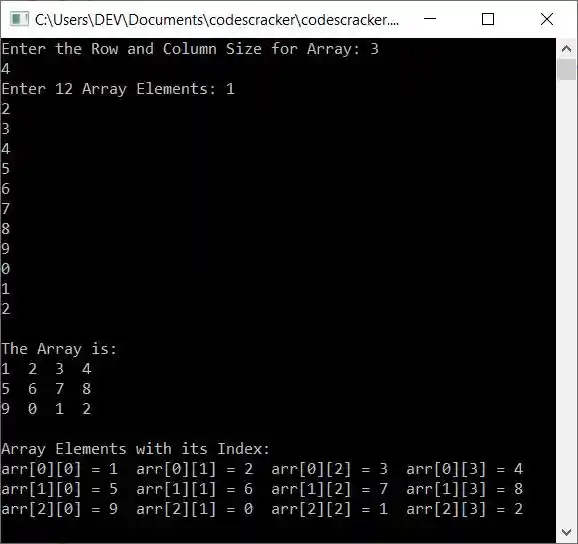
Now this program allows the user to enter the dimension or size of a 2D array and then its elements of the given size to store it in a 2D array arr[][] and print the array back on the output screen along with the index number (row and column number starting from 0):
#include<iostream>
using namespace std;
int main()
{
    int row, col, i, j, arr[10][10];
    cout<<"Enter the Row and Column Size for Array: ";
    cin>>row>>col;
    cout<<"Enter "<<row*col<<" Array Elements: ";
    for(i=0; i<row; i++)
    {
        for(j=0; j<col; j++)
            cin>>arr[i][j];
    }
    cout<<"\nThe Array is:\n";
    for(i=0; i<row; i++)
    {
        for(j=0; j<col; j++)
            cout<<arr[i][j]<<"  ";
        cout<<endl;
    }
    cout<<"\nArray Elements with its Index:\n";
    for(i=0; i<row; i++)
    {
        for(j=0; j<col; j++)
            cout<<"arr["<<i<<"]["<<j<<"] = "<<arr[i][j]<<"  ";
        cout<<endl;
    }
    cout<<endl;
    return 0;
}
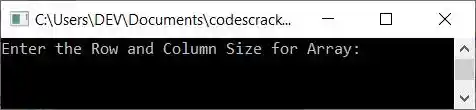
The snapshot given below shows the initial output produced by this program:
Now supply inputs of 3 as the row size and 4 as the column size of the array, then 1, 2, 3, 4, 5, 6, 7, 8, 9, 0, 1, 2 as the 12 elements for the array:
The same program in different languages
« Previous Program Next Program »
Liked this post? Share it!