Java Program to Concatenate Two Strings
This article is created to cover a program in Java that concatenates two strings entered by user at run-time of the program. Here are the list of programs covered in this article:
- Concatenate two strings using concat()
- Concatenate two strings using + operator
- Concatenate two strings without using library function. This program performs string concatenation in character by character manner
Concatenate Two Strings in Java using concat()
The question is, write a Java program to concatenate or append the second string into the first. Both the string must be received by user at run-time. The program given below is its answer:
import java.util.Scanner;

public class CodesCracker
{
   public static void main(String[] args)
   {
      String a, b;
      Scanner scan = new Scanner(System.in);

      System.out.print("Enter the First String: ");
      a = scan.nextLine();
      System.out.print("Enter the Second String: ");
      b = scan.nextLine();

      a = a.concat(b);
      System.out.println("\nFirst string after concatenation: " +a);
   }
}
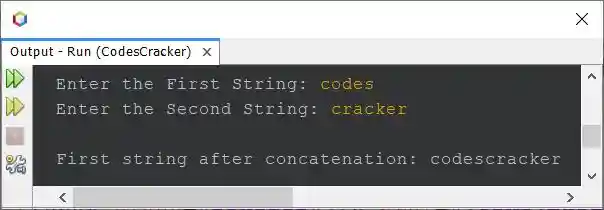
The snapshot given below shows the sample run of above Java program on string concatenation, with user input codes as first and cracker as second string:
Concatenate Two Strings in Java using + Operator
To concatenate two strings using + operator in Java, just replace the following statement from above program:
with the statement given below:
Concatenate Two Strings without Using Library Function in Java
Now let's create another program that does the same job, that is, string concatenation, but without using library function. This program concatenates two strings in character by character manner.
import java.util.Scanner;

public class CodesCracker
{
   public static void main(String[] args)
   {
      Scanner scan = new Scanner(System.in);

      System.out.print("Enter the First String: ");
      String a = scan.nextLine();
      System.out.print("Enter the Second String: ");
      String b = scan.nextLine();

      int len = b.length();
      for(int i=0; i<len; i++)
         a = a + b.charAt(i);

      System.out.println("\nFirst string after concatenation: \"" +a+ "\"");
   }
}
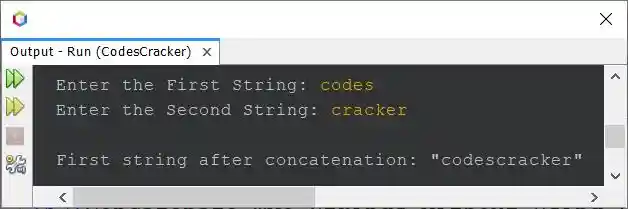
The sample run of above program with same user input as of previous program is shown in the snapshot given below:
Same Program in Other Languages
« Previous Program Next Program »
Liked this post? Share it!