PHP Data Types with Examples
Since PHP is a loosely typed language, whatever value is assigned to a variable, the variable automatically becomes of that type.
List of data types supported by PHP are:
Note: The gettype() function returns the data type of a variable or the value itself, specified as its parameter.
PHP integer data type
All non-decimal numbers between -2,147,483,648 and 2,147,483,647 are considered integers in PHP. For example:
<?php
   echo gettype(5), "<BR>";

   $x = 12;
   echo gettype($x), "<BR>";

   $x = -48;
   echo gettype($x), "<BR>";

   $x = 0;
   echo gettype($x), "<BR>";
?>
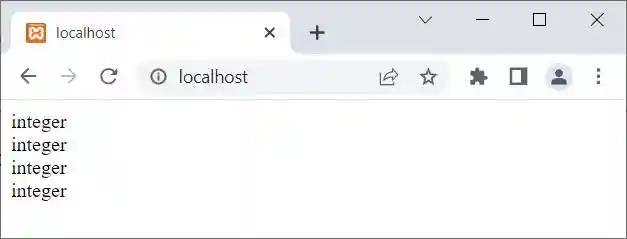
The output produced by the above PHP example is:
To get the data type along with the value or information, use the var_dump() function. Here is an example:
<?php
   echo var_dump(5), "<BR>";

   $x = 12;
   echo var_dump($x), "<BR>";

   $x = -48;
   echo var_dump($x), "<BR>";

   $x = 0;
   echo var_dump($x), "<BR>";
?>
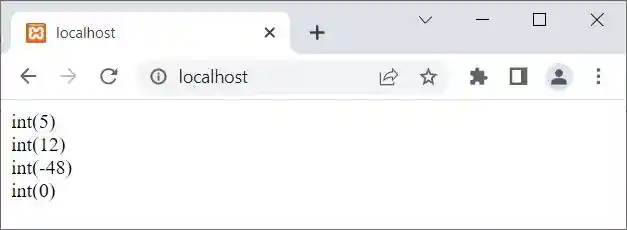
Now, the screenshot provided below displays the output this PHP example produced:
PHP float data type
A number with a decimal point or a number in exponential form is considered a floating-point type in PHP. For example:
<?php
   echo var_dump(5.3);
?>
The output should be float (5.3).
PHP string data type
A text or value enclosed within a single or double quote is considered a string type in PHP. For example:
<?php
   echo var_dump('13'), "<BR>";
   echo var_dump("14.4"), "<BR>";
   echo var_dump("codescracker.com"), "<BR>";
?>
The snapshot given below shows the output produced by the above PHP example on the string data type:
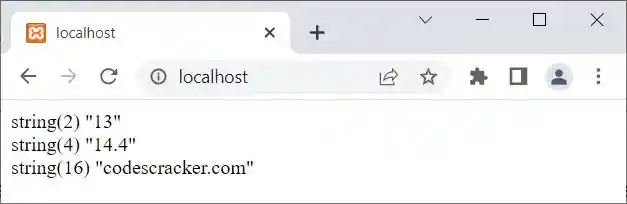
In the above output, the value inside string() indicates the number of characters available in the string. For example, since there are only two characters available in the string '13', the output was string (2) "13" for the first statement. Similar things go with the second and third statements. Use gettype() to print only the type of value or variable.
PHP array data type
The array is used when we need to store multiple values in a single variable. For example:
<?php
   $x = array("Python", 32, "PHP");
   echo var_dump($x);
?>
The output is:
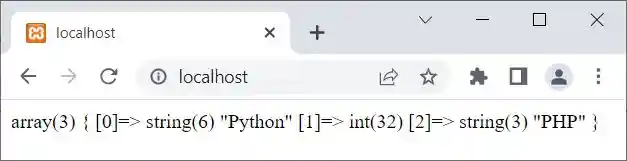
In the above output, array(3) indicates that the variable $x is an array type with a total of 3 elements available or defined in it. Now inside the curly braces, the first one is [0]=> string(6) "Python" indicates that at the 0th index, the element available is of the string type whose length is 6 and value is Python. A similar thing goes with the second and third elements.
Let me tell you again: if you want to print only the data type of a variable or a value, it is better to go with gettype(). And to get the data type along with other information, use var_dump(). For example, if I use gettype() instead of var_dump() in the preceding example, the output should be an array.
PHP boolean data type
The two values that are of boolean type are true and false. For example:
<?php
   echo gettype(true);
   echo gettype(false);
?>
You will get boolean as output for both statements.
PHP NULL Data Type
A variable without a value is considered a variable with a NULL value, because NULL automatically gets initialized to a variable with no value at all. Also, we can initialize NULL to an already defined variable to empty the variable. Here is an example of the NULL data type in PHP:
<?php
   $x = NULL;
   echo gettype($x);
?>
The output should be NULL
PHP object Data Type
<?php
   class myClass{
   }
   $x = new myClass();
   echo gettype($x);
?>
The output should be object.
« Previous Tutorial Next Tutorial »
Liked this post? Share it!