Python Program to List Files in Directory
This article is created to cover some programs in Python, that list and prints files from directory. Here are the list of programs available in this article:
- List and print all files in a current directory
- List files with only particular extension from current directory
- List files from any directory provided by user
List and Print all Files in Current Directory
To list all files present in current directory, we've to use glob() method. This method is defined in glob module, therefore before using it, it must be imported. So that, we can call the glob() method defined in that module using module name followed by dot (.) operator and then method name, that is glob.glob()
The current directory means the directory where the source code of Python program is saved.
The argument of glob.glob() defines what type of file to list. That is, if user provides *.*, then it indicates to list all files. The * indicates to all type, that is the star (*) before dot (.) indicates to fetch all files and the star (*) after dot (.) indicates to fetch all extension.
Now let's create the program to do the task. But before going through program, here is the snapshot of the current directory folder, in my case, that contains three files:
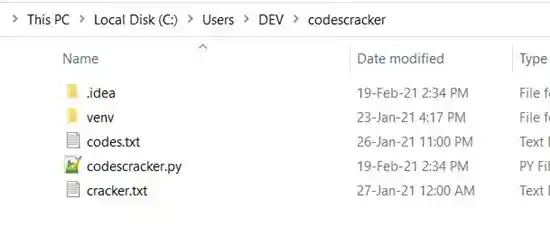
Now let's create the Python program to list and print all these files through program:
import glob

print("List of All Files in Current Directory:")
for file in glob.glob("*.*"):
    print(file)
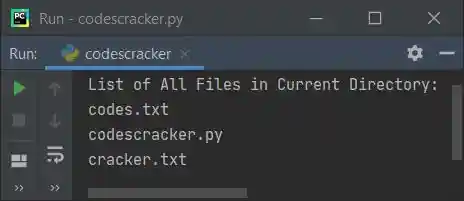
This program produces the output like shown in the snapshot given below. Whatever (files) stored in your current directory (the directory where this program is saved) gets listed and printed on output:
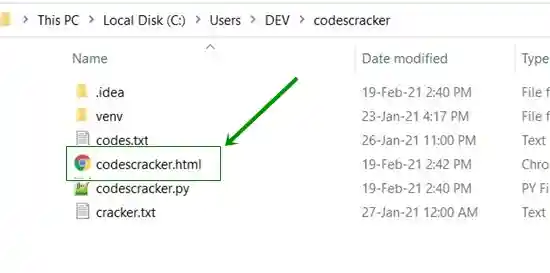
Note - Now if you create or add another file say codescracker.html inside the same directory. Here is the snapshot of the current directory folder after creating another file:
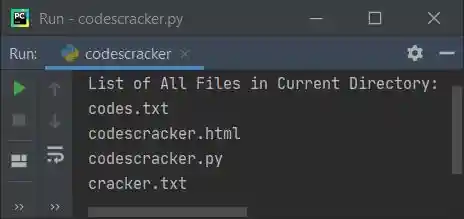
Now if you re-run the above program, then this time, the output includes a new file name, that is codescracker.html as its output like shown in the snapshot given below:
List Files in Directory with Extension
To list and print files having particular extension say .html, then replace the second star (*) with html. Or to list only textual files (all files with .txt extension), replace *.* with *.txt. Here is the complete program to list files with only particular extension (.html):
import glob

print("List of All Files with \".html\" Extension:")
for file in glob.glob("*.html"):
    print(file)
Here is its sample output:
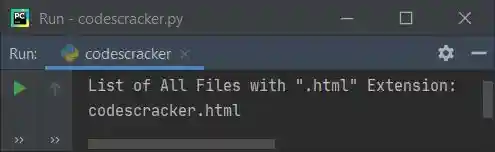
There is only one file available in the current directory with .html extension.
List Files with Extension Provided by User
This is the modified version of previous program. This program receives input from user as extension to list required extension's files. Enter .* to list all files without mattering about extension:
import glob

print("Enter the Extension (eg, .txt, .html, .css etc): ", end="")
e = input()

fileslist = []
for file in glob.glob("*"+e):
    fileslist.append(file)

if len(fileslist)>0:
    print("\nList of All Files with \"" +e+ "\" Extension:")
    for f in fileslist:
        print(f)
else:
    print("\nNot found with \"" +e+ "\" extension!")
Here is its sample run. This is the initial output:
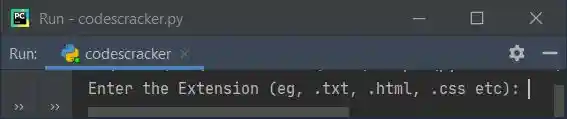
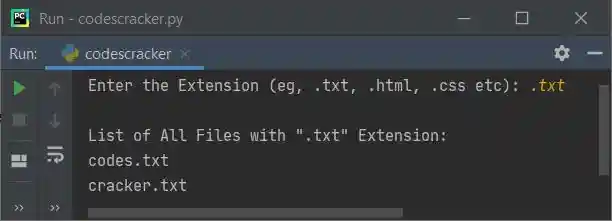
Now supply the input say .txt as extension to list and print all files having .txt extension like shown in the snapshot given below:
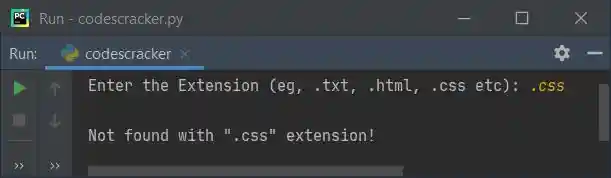
And here is another sample run with user input .css (no file available with this extension, in current directory):
List and See Files from any Directory by User
Now let's modify the above program and allow user to enter their own required directory to list all the files from it. The chdir() (change directory) is used to change the directory. That is, whatever the directory is provided as its argument. The current working directory gets changed to that directory. This method is defined in os module.
import glob, os

print("Enter Full Path of a Folder: ", end="")
path = input()
os.chdir(path)

print("\n1. List all Files ?")
print("2. List all Files with Particular Extension ?")
print("Enter Your Choice (1 or 2): ", end="")
try:
    ch = int(input())
    if ch==1:
        print("\nList of All Files:")
        for file in glob.glob("*.*"):
            print(file)
    elif ch==2:
        print("\nEnter the Extension (eg, .txt, .html, .css etc): ", end="")
        e = input()

        fileslist = []
        for file in glob.glob("*" + e):
            fileslist.append(file)

        if len(fileslist) > 0:
            print("\nList of All Files with \"" + e + "\" Extension:")
            for f in fileslist:
                print(f)
        else:
            print("\nNot found with \"" + e + "\" extension!")
    else:
        print("\nInvalid Choice!")
except ValueError:
    print("\nInvalid Input!")
I'm going to operate with a directory, where the folder named Scripts contains these files:
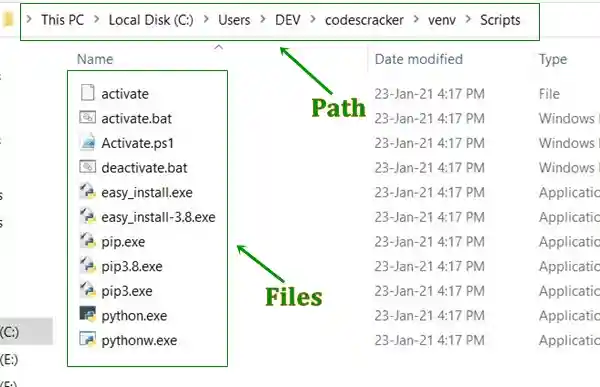
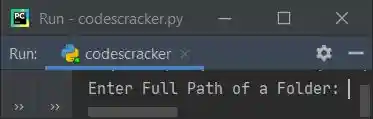
Copy the full path of this folder (or any folder you want), then execute the above program and just paste the path as first input asked by the program like shown in the snapshot given below:
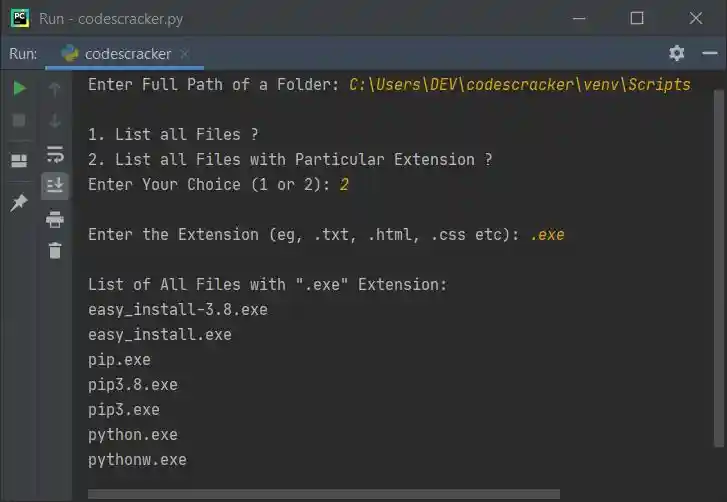
Now paste the folder's path say C:\Users\DEV\codescracker\venv\Scripts in my case, then entered the choice as 2, and then .exe as extension to list all files from that directory with .exe extension. Here is the complete sample run:
Same Program in Other Languages
« Previous Program Next Program »
Liked this post? Share it!