Python divmod() Function
The divmod() function in Python, takes two arguments and returns the quotient and remainder value in the form of tuple, after dividing the first argument's value by second. For example:
x = divmod(10, 5)
print(x)

x = divmod(100, 2.5)
print(x)

x = divmod(10, 3)
print(x)
The output would be:
(2, 0)
(40.0, 0.0)
(3, 1)
Python divmod() Function Syntax
The syntax of divmod() function in Python, is:
divmod(dividend, divisor)
Python divmod() Function Example
Here is an example demonstrating the divmod() function in Python. This program allows user to define the value of dividend and divisor, at run-time:
print("Enter the Dividend (Numerator): ", end="")
num = int(input())
print("Enter the Divisor (Denominator): ", end="")
den = int(input())

res = divmod(num, den)
print("\nQuotient =", res[0])
print("Remainder =", res[1])
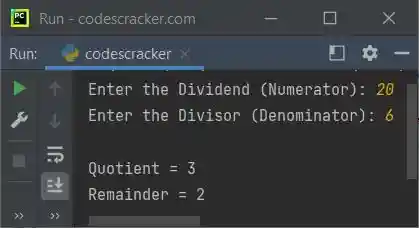
The snapshot given below shows the sample run, with user input 20 as numerator and 6 as denominator:
Now the problem is, what if user wants to enter floating-point value for numerator and/or denominator ?
Therefore, we need to modify the above program in way to convert the input value to floating-point. This
program also catches the exception raised while conversion using the try-except block, when user try to
enter an input other than a number:
print("Enter the Dividend (Numerator): ", end="")
num = input()
print("Enter the Divisor (Denominator): ", end="")
den = input()

try:
    num = float(num)
    try:
        den = float(den)
        res = divmod(num, den)
        print("\nQuotient =", res[0])
        print("Remainder =", res[1])
    except ValueError:
        print("\nInvalid Denominator Value!")
except ValueError:
    print("\nInvalid Numerator Value!")
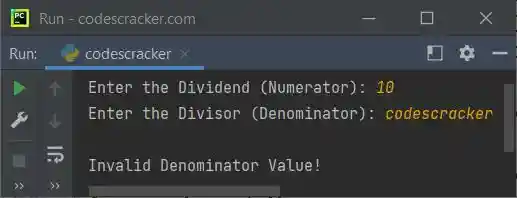
Here is its sample run with user input 10 as numerator and codescracker as denominator:
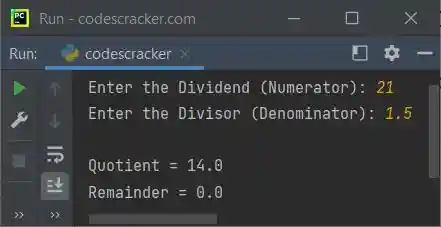
Here is another sample run with user input 21 and 1.5:
« Previous Function Next Function »
Liked this post? Share it!