About
Generates a changelog following the committing rules established.
Tip
To create the changelog automatically on bump, add the setting update_changelog_on_bump
toml
[tool.commitizen]
update_changelog_on_bump = true
Usage
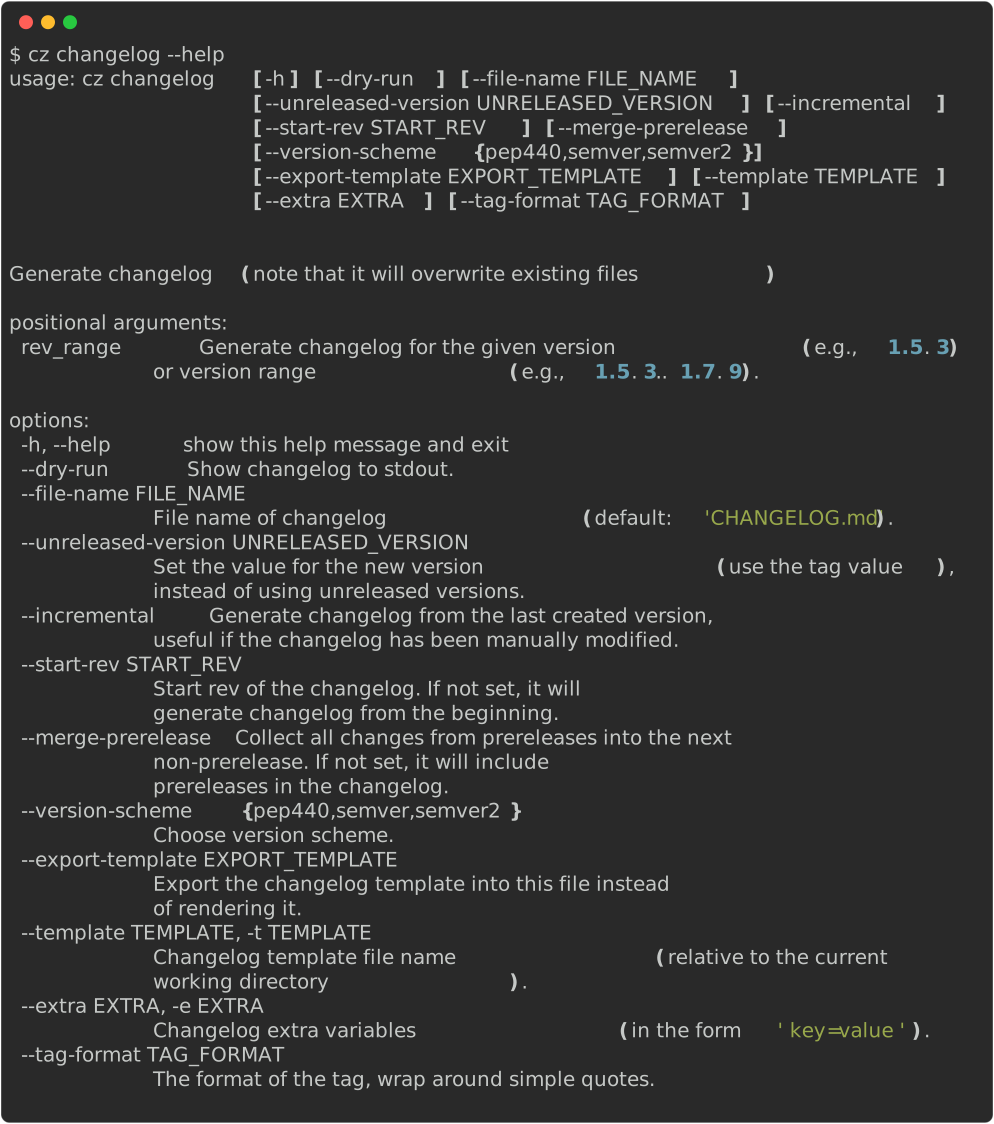
Examples
```bash
Generate full changelog
cz changelog
Or use the alias
cz ch
Get the changelog for the given version
cz changelog 0.3.0 --dry-run
Get the changelog for the given version range
cz changelog 0.3.0..0.4.0 --dry-run ```
Constraints
Changelog generation is constrained only to markdown files.
Description
These are the variables used by the changelog generator.
```md
()

- : ```
Creates a full block like above per version found in the tags, and a list of the commits found.
The change_type and scope are optional and don't need to be provided,
but if your regex parses them, they will be rendered.
The format followed by the changelog is from keep a changelog and the following variables are expected:
| Variable | Description | Source |
|---|---|---|
version |
Version number which should follow semver | tags |
date |
Date when the tag was created | tags |
change_type |
The group where the commit belongs to, this is optional. Example: fix | commit regex |
message |
Information extracted from the commit message | commit regex |
scope |
Contextual information. Should be parsed using the regex from the message, it will be bold | commit regex |
breaking |
Whether it is a breaking change or not | commit regex |
Note
message is the only variable required to be parsed by the regex.
Command line options
Provide your own changelog extra variables by using the extras settings or the --extra/-e parameter.
bash
cz changelog --extra key=value -e short="quoted value"
--file-name
This value can be updated in the configuration file with the key changelog_file under tool.commitizen.
Specify the name of the output file. Note that changelog generation only works with Markdown files.
bash
cz changelog --file-name="CHANGES.md"
--incremental
This flag can be set in the configuration file with the key changelog_incremental under tool.commitizen
Benefits:
- Build from the latest version found in changelog. This is useful if you have an existing changelog and want to use commitizen to extend it.
- Update unreleased area
- Allows users to manually edit the changelog without it being completely rewritten.
bash
cz changelog --incremental
```toml [tool.commitizen]
...
changelog_incremental = true ```
--start-rev
This value can be set in the configuration file with the key changelog_start_rev under tool.commitizen
Start from a given git rev to generate the changelog. Commits before that rev will not be considered. This is especially useful for long-running projects adopting conventional commits, where old commit messages might fail to be parsed for changelog generation.
bash
cz changelog --start-rev="v0.2.0"
```toml [tool.commitizen]
...
changelog_start_rev = "v0.2.0" ```
--merge-prerelease
This flag can be set in the configuration file with the key changelog_merge_prerelease under tool.commitizen
Collects changes from prereleases into the next non-prerelease version. If you have a prerelease version followed by a normal release, the changelog will show the prerelease changes as part of the normal release. If not set, prereleases will be included as separate entries in the changelog.
bash
cz changelog --merge-prerelease
```toml [tool.commitizen]
...
changelog_merge_prerelease = true ```
--template
Provide your own changelog Jinja template by using the template settings or the --template parameter.
bash
cz changelog --template="path/to/template.j2"
--unreleased-version
There is usually a chicken-and-egg situation when automatically bumping the version and creating the changelog:
- If you bump the version first, you have no changelog yet, and it won't be included in the release of the created version.
- If you create the changelog before bumping the version, you usually don't have the latest tag, and the Unreleased title appears.
By using --unreleased-version, you can prevent this situation.
Before bumping you can run:
bash
cz changelog --unreleased-version="v1.0.0"
Remember to use the tag format instead of the raw version number.
For example, if your tag format includes a v prefix (e.g., v1.0.0), use that format. If your tag is the same as the raw version (e.g., 1.0.0), use the raw version.
Alternatively, you can directly bump the version and create the changelog by running:
bash
cz bump --changelog
Hooks
Supported hook methods:
- Per parsed message: Useful to add links to commits or issues
- End of changelog generation: Useful to send Slack or chat messages, or notify another department
Read more about hooks in the customization page