Unity - Scripting API: EditorWindow.EndWindows
Success!
Thank you for helping us improve the quality of Unity Documentation. Although we cannot accept all submissions, we do read each suggested change from our users and will make updates where applicable.
Submission failed
For some reason your suggested change could not be submitted. Please <a>try again</a> in a few minutes. And thank you for taking the time to help us improve the quality of Unity Documentation.
Declaration
public void EndWindows();
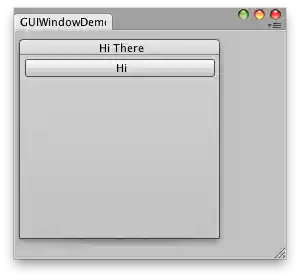
Simple editor Window with a window and a button inside.
The placement of the BeginWindows / EndWindows pair determines where popup windows will appear; all windows are clipped to the clipping area defined by GUI.BeginGroup or GUI.BeginScrollView. A small example of that:
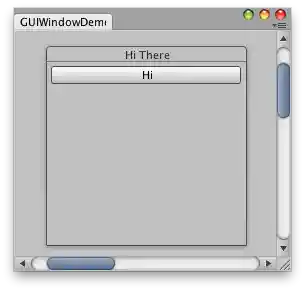
Simple editor window with a window and a button inside using scroll bars.
using UnityEditor;
using UnityEngine;
using System.Collections;

public class IMGUIWindowDemo2 : EditorWindow
{
    // The position of the window
    public Rect windowRect = new Rect(100, 100, 200, 200);

    // Scroll position
    public Vector2 scrollPos = Vector2.zero;

    void OnGUI()
    {
        // Set up a scroll view
        scrollPos = GUI.BeginScrollView(new Rect(0, 0, position.width, position.height), scrollPos, new Rect(0, 0, 1000, 1000));

        // Same code as before - make a window. Only now, it's INSIDE the scrollview
        BeginWindows();
        windowRect = GUILayout.Window(1, windowRect, DoWindow, "Hi There");
        EndWindows();
        // Close the scroll view
        GUI.EndScrollView();
    }

    void DoWindow(int unusedWindowID)
    {
        GUILayout.Button("Hi");
        GUI.DragWindow();
    }

    [MenuItem("Test/GUIWindow Demo 2")]
    static void Init()
    {
        EditorWindow.GetWindow(typeof(IMGUIWindowDemo2));
    }
}