File Manager View Class Map of File Manager, Customizing File Manager Webix Docs
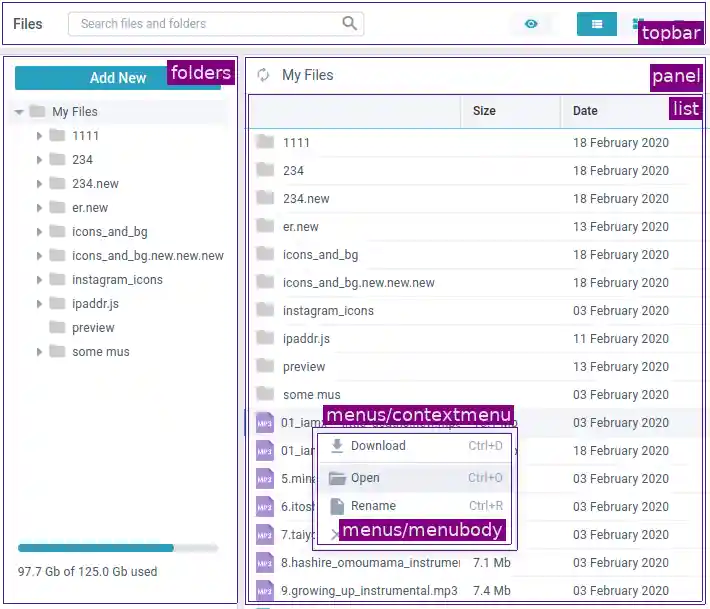
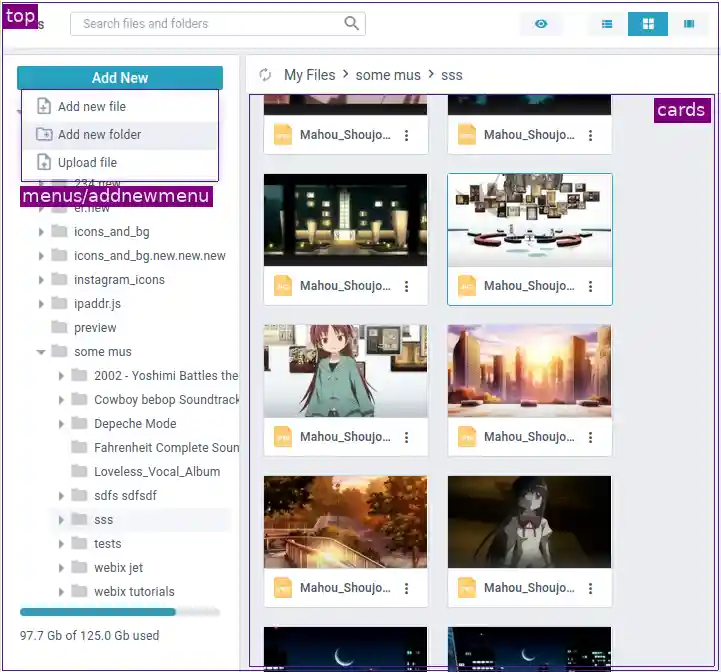
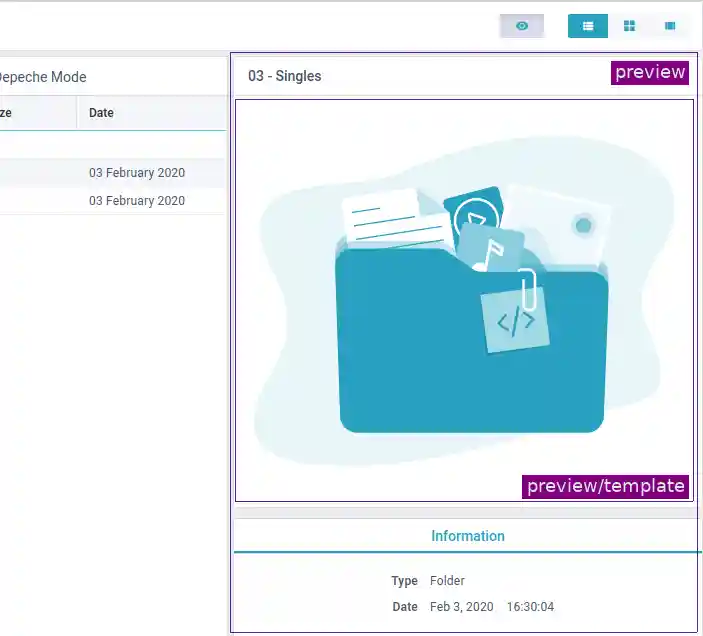
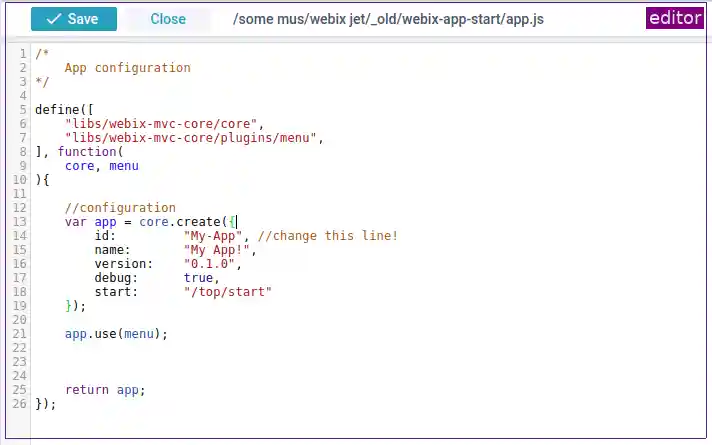
File Manager consists of these Jet views:
- "cards" - the "cards" mode
- "editor" - the editor for files of type:"code"
- "folders" - the folder tree
- "grid" - the "grid" mode
- "menus/addnewmenu" - the menu for adding new files, folders, and file upload
- "menus/contextmenu" - the context menu for "folders", "cards", and "grid"
- "menus/menubody" - the inner component of the context menu
- "mobile/previewpopup" - the mobile-friendly version of "preview"
- "mobile/sidetree" - the mobile-friendly version of "folders"
- "panel-double" - the "double" mode: two "panels" with "grids"
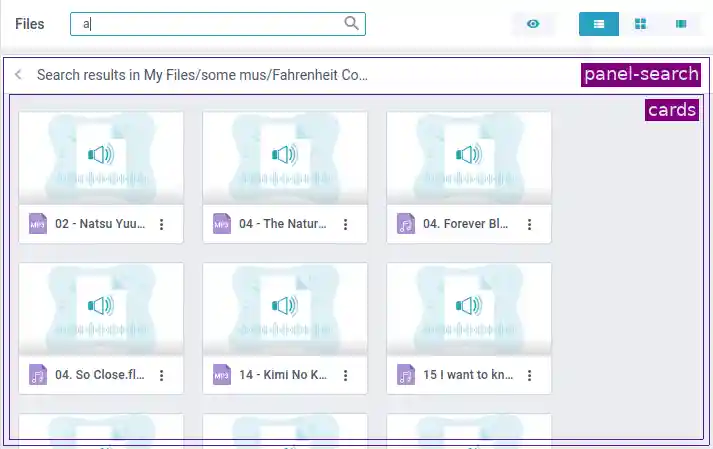
- "panel-search" - contains "cards"
- "panel" - the wrapper for "grids" and "cards"
- "preview" - the panel for folder and file preview
- "preview/info" - the section with main and extra information about files and folders
- "preview/media" - the audio or video player
- "preview/template" - the container for file preview images
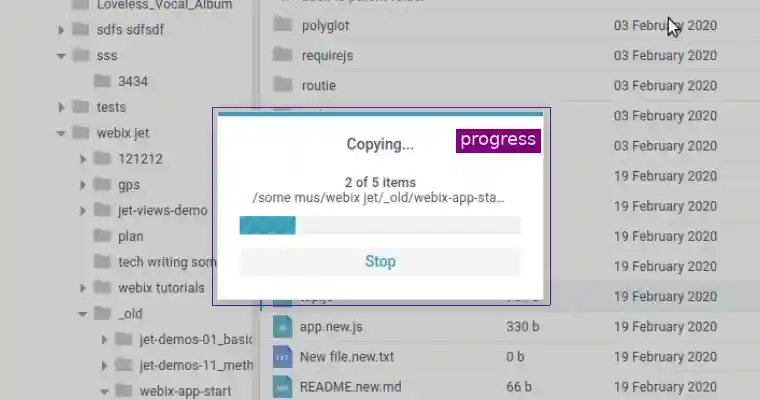
- "progress" - the progress window for multiple-file operations (copy, move, delete)
- "top" - the top view of File Manager (contains all other views)
- "topbar" - the main toolbar of File Manager
Grid mode
Cards mode
Total mode

Media preview

Folder preview
Editor for text and code files
Progress window for long operations
Search view
File Manager on touch devices

Preview in a Popup on touch devices