


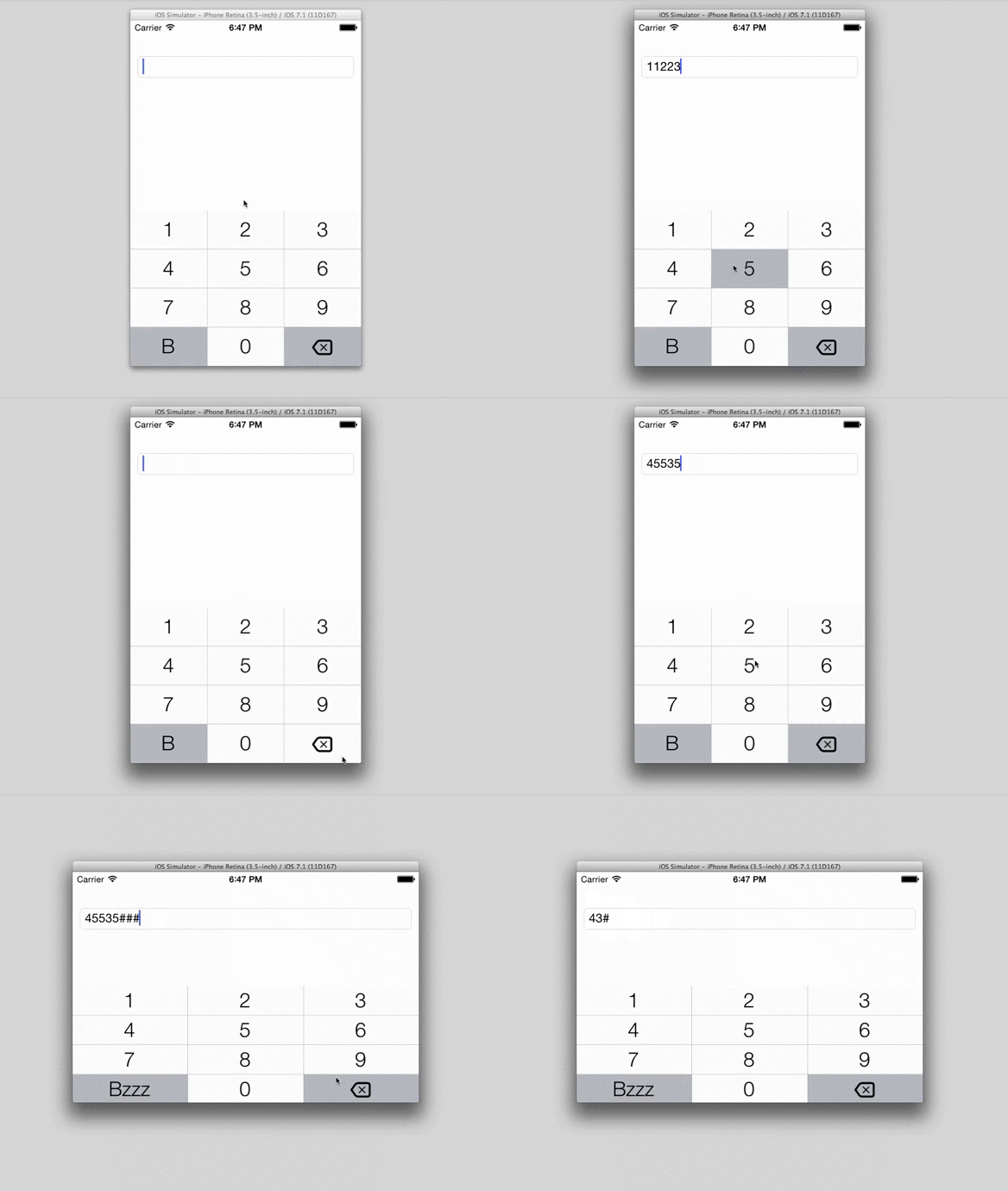
APNumberPad is a custom keyboard for iOS allows you to create a keyboard inputView that looks and feels just like the iPhone keyboard with UIKeyboardTypeNumberPad as keyboardType. Also APNumberPad provides customizable left-function button.
Features
- FULLY repeats default iOS keyboard look'n'feel (input with "tap by tap", pan over keyboard and release finger on button, holding clear button, ...)
- Device rotation
- Customizable left function button
- Customizable keyboard appearence (see
APNumberPadStyle.h) UITextFieldandUITextViewsupport (or any otherUIResponderobject that responds toUITextInputprotocol)- Input clicks
- iPhone X (safe area) support
Example
To run the example project, clone the repo, and run pod install from the Example directory first.
// in .h:
#import <APNumberPad/APNumberPad.h>

@interface ExampleViewController : UIViewController <APNumberPadDelegate>

// in .m:

UITextField *textField = [[UITextField alloc] initWithFrame:CGRectZero];
textField.inputView = ({
    APNumberPad *numberPad = [APNumberPad numberPadWithDelegate:self];
    // configure function button
    //
    [numberPad.leftFunctionButton setTitle:@"Func" forState:UIControlStateNormal];
    numberPad.leftFunctionButton.titleLabel.adjustsFontSizeToFitWidth = YES;
    numberPad;
});

#pragma mark - APNumberPadDelegate

- (void)numberPad:(APNumberPad *)numberPad functionButtonAction:(UIButton *)functionButton textInput:(UIResponder<UITextInput> *)textInput {
    [textInput insertText:@"#"];
}
Requirements
iOS 9.0 or later.
Notes
Inspired by https://github.com/kulpreetchilana/Custom-iOS-Keyboards and http://stackoverflow.com/questions/13205160/how-do-i-retrieve-keystrokes-from-a-custom-keyboard-on-an-ios-app/13205494#13205494
APNumberPad very gratefully makes use of backspace icon from Typicons set by Stephen Hutchings (http://typicons.com/), under Creative Commons (Attribution-Share Alike 3.0 Unported) license.
Installation via CocoaPods
APNumberPad is available through CocoaPods. To install it, simply add the following line to your Podfile:
Installation via Carthage
Carthage is a decentralized dependency manager that automates the process of adding frameworks to your Cocoa application.
You can install Carthage with Homebrew using the following command:
$ brew update
$ brew install carthage
To integrate APNumberPad into your Xcode project using Carthage, specify it in your Cartfile:
github "podkovyrin/APNumberPad"
Author
Andrew Podkovyrin, podkovyrin@gmail.com
License
APNumberPad is available under the MIT license. See the LICENSE file for more info.