
Lambda Forge is a Python framework that simplifies AWS Lambda function creation and deployment. It automates serverless management, letting developers focus on coding.
Features
CLI
Lambda Forge comes with a CLI tool named FORGE, designed to facilitate the creation and management of resources related to serverless projects.
Functions
Create Lambda functions with ease, leveraging a modular and scalable architecture that adheres to the Single Responsibility Principle and Dependency Injection.
Utilize the CLI to generate a fully functional skeleton for your Lambda function:
forge function hello_world --method "GET" --description "A simple hello world" --public
This command creates the following directory structure:
functions/
└── hello_world/
    ├── __init__.py
    ├── config.py
    ├── integration.py
    ├── main.py
    └── unit.py
Each component is organized to promote clean code practices and efficient development.
Authorizers
Effortlessly create authorizers to secure access to your Lambda functions.
Use the CLI to generate a structured authorizer:
forge authorizer secret --description "An authorizer to validate requests based on a secret present on the headers"
This command creates the following directory structure:
authorizers
├── __init__.py
└── secret
    ├── __init__.py
    ├── config.py
    ├── main.py
    └── unit.py
Each file is organized to ensure a clean and efficient implementation, making it easy to manage and secure your Lambda functions.
AWS Services
Lambda Forge encapsulates several AWS services, providing dedicated classes to handle specific responsibilities. Each class is injected into Lambda functions to facilitate seamless interaction with AWS resources.
For instance, generate a service class for SNS using the CLI:
forge service sns
This command creates the following directory structure:
infra
└── services
    ├── __init__.py
    ├── api_gateway.py
    ├── aws_lambda.py
    └── sns.py
Each class is organized to promote clean architecture and efficient AWS resource management.
Lambda Layers
Lambda Forge simplifies working with Lambda Layers, whether they are external libraries or custom code created by the developer. It automatically installs custom code in the virtual environment as if it were an external library.
Create a custom layer using the CLI:
forge layer --custom my_custom_layer
This command creates the following directory structure:
layers/
└── my_custom_layer/
    ├── __init__.py
    └── my_custom_layer.py
To install the custom layers in your virtual environment, use the command:
You can also deploy external libraries as layers to AWS using the command:
forge layer --external $LIBRARYLive Development
Lambda Forge deploys real AWS resources and connects them to your local environment, enabling hot reload and easy debugging of your Lambda functions.
Start a new server on your local machine using the CLI command:
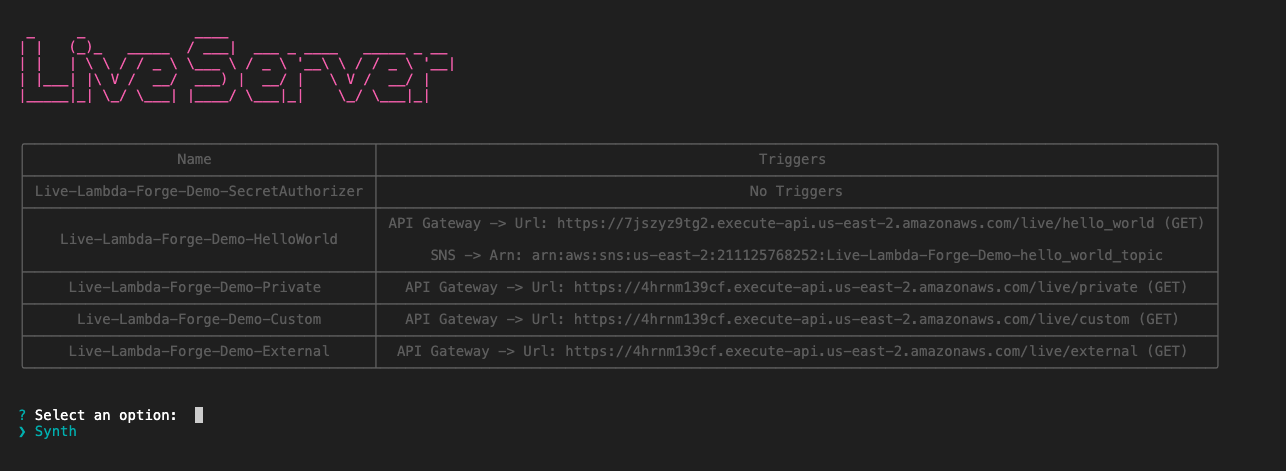
Lambda Forge creates real endpoints on AWS that are easily accessible through the triggers defined in your config.py files. When these endpoints are triggered, the requests are proxied to your local machine. This setup allows you to modify responses and see the output on a deployed function in real-time, as demonstrated below.

Live Logs
During live development sessions, all events are automatically logged. To view these logs, use the following command:
Executing this command saves the logs and starts a live tailing process, enabling you to monitor them in real time. You can run this command in a separate terminal while the live server is running.

Live Trigger
To simplify the testing of Lambda function triggers, Lambda Forge offers a streamlined solution. This feature allows developers to publish messages directly to AWS resources, making the testing process easy and simple.
To trigger a service, use the following command:
Executing this command initiates a session in your terminal, enabling you to publish messages directly to AWS resources such as SQS, SNS, or upload files to an S3 bucket.

Multi-Stage Environments with CodePipeline
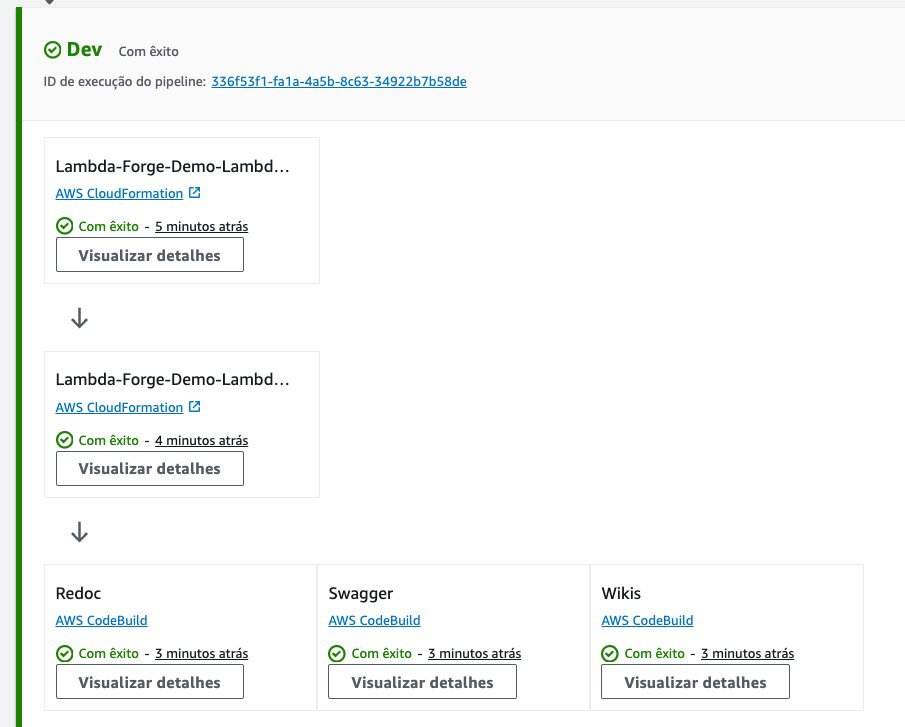
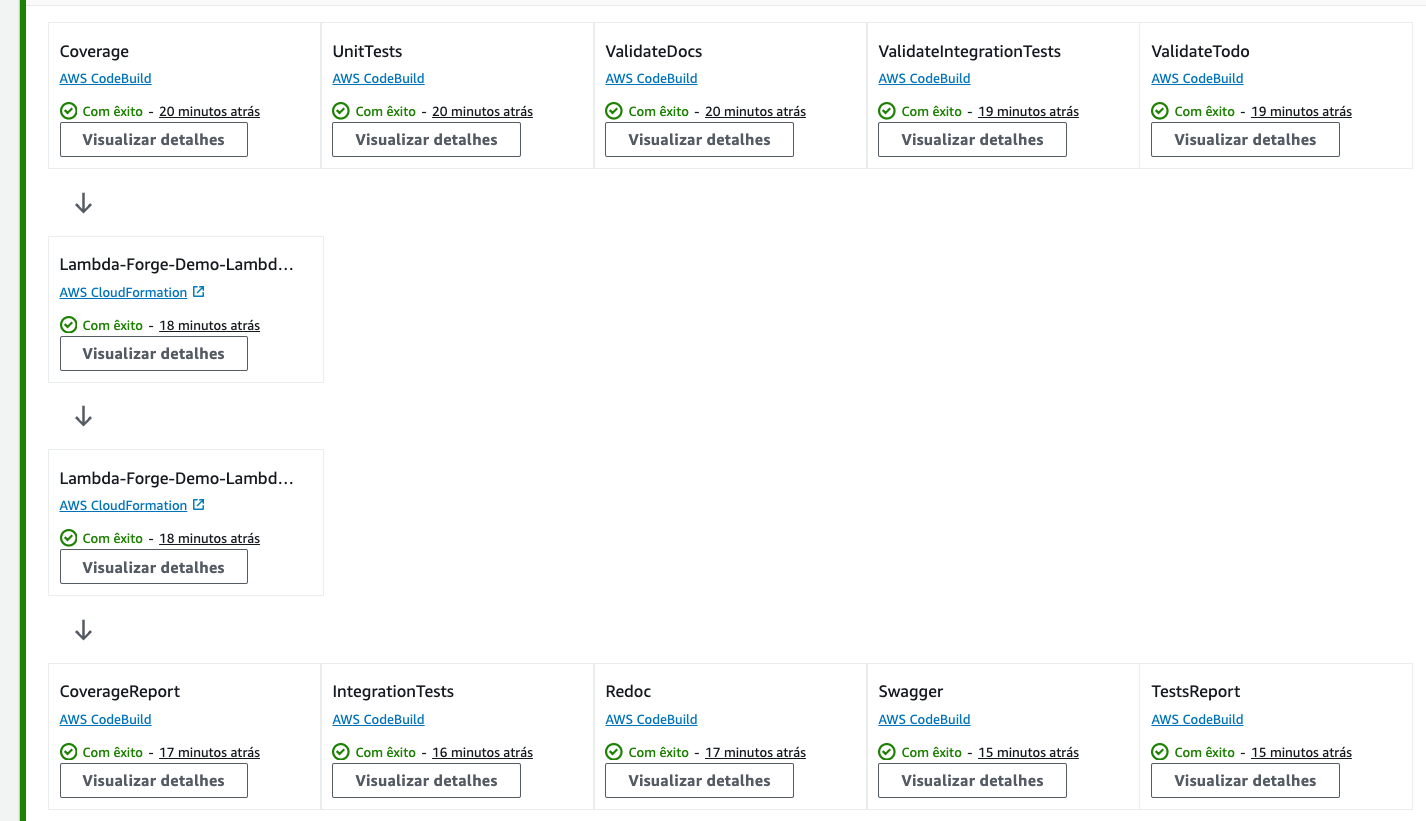
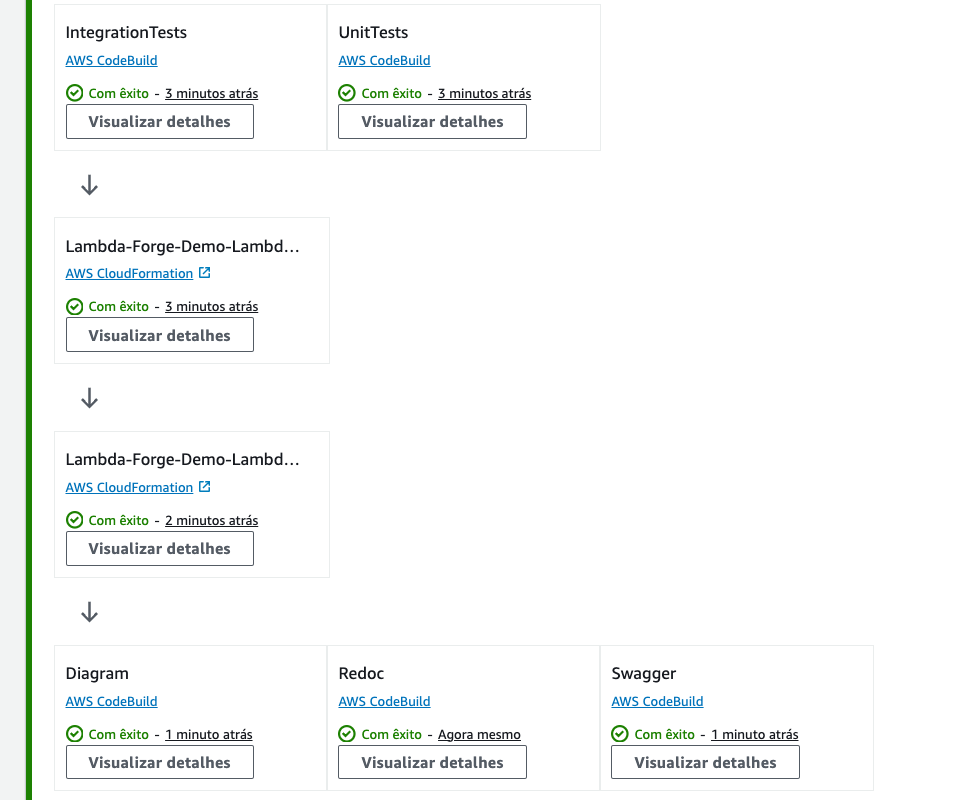
Lambda Forge provides multi-stage environments with automatic CI/CD pipelines on CodePipeline for each environment, ensuring complete isolation from each other.
Development
Staging
Production
Automatic Documentation
Lambda Forge automatically generates documentation for your project and let them available through an api gateway endpoint, as demonstrated below:
Architecture Diagram
Lambda Forge automatically tracks the triggers and invocations of your Lambda functions, generating a comprehensive diagram of your application architecture.
Generate the current architecture diagram of your application by running the CLI command:

🚀 Installing Lambda Forge
To install Lambda Forge, follow these steps:
📫 Contributing to Lambda Forge
To contribute to Lambda Forge, follow these steps:
- Fork this repository.
- Create a branch:
git checkout -b <branch_name>. - Make your changes and commit them:
git commit -m '<commit_message>' - Push to the original branch:
git push origin <project_name>/<location> - Create the pull request.
Alternatively, see the GitHub documentation on how to create a pull request.
📝 License
This project is licensed. See the LICENSE file for more details.