

小さな小さな賢将, a Telegram bot that helps you collect ACG illustrations from various sites.
Architecture
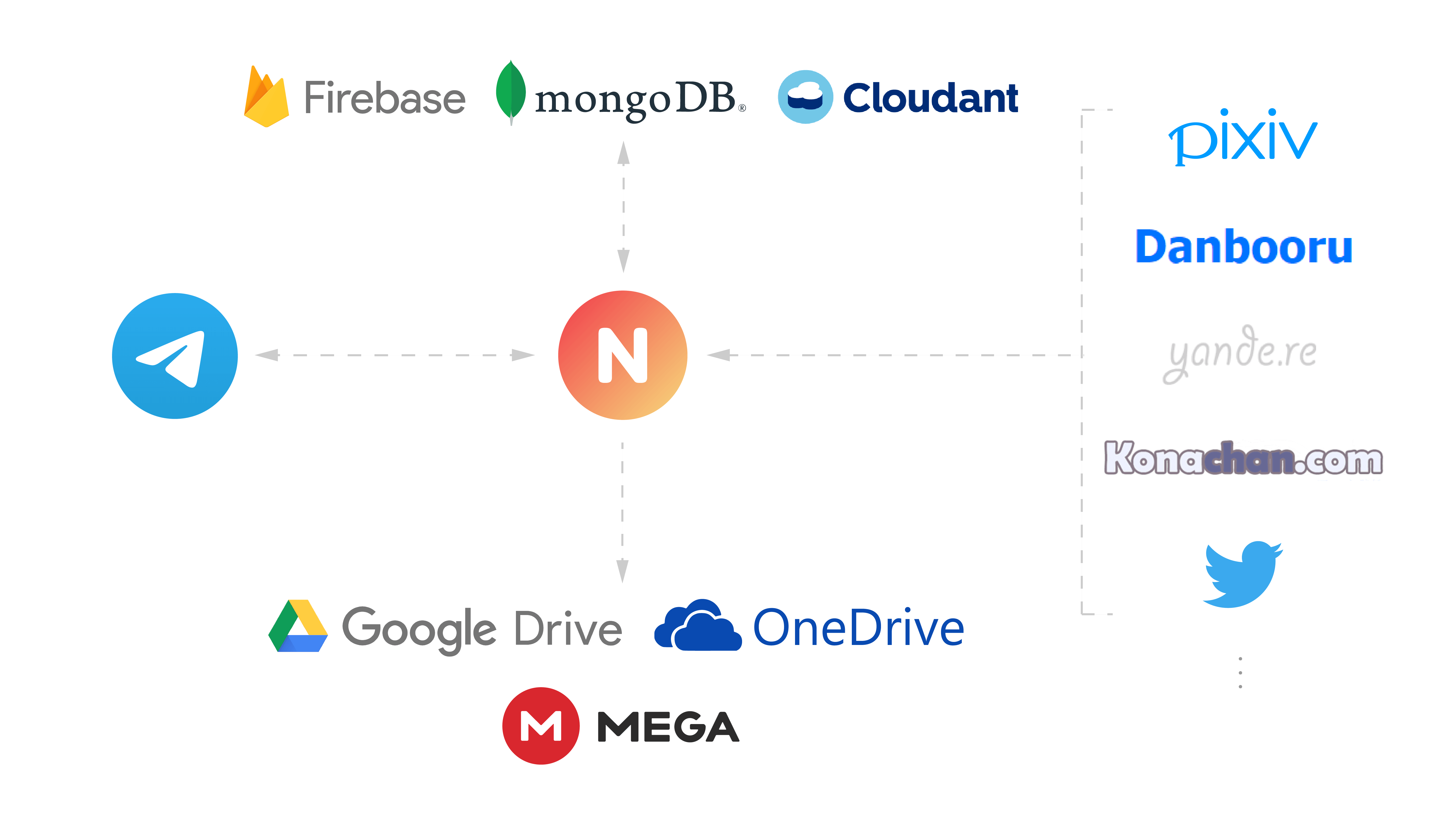
Features
- View/Download artwork from various sites
- Add images to your collection via Telegram
- Store your collection in Telegram channels
- Store images on multiple types of storage
- Store image metadata in multiple types of database
Supported Sites
| Name | URL | Commands | Collection |
|---|---|---|---|
| Pixiv | https://www.pixiv.net/ | ✔ | ✔ |
| Danbooru | https://danbooru.donmai.us/ | ✔ | ✔ |
| Safebooru | https://safebooru.donmai.us/ | ✔ | |
| yandere | https://yande.re/ | ✔ | ✔ |
| Konachan | https://konachan.com/ | ✔ | ✔ |
| Lolibooru | https://lolibooru.moe/ | ✔ | |
| Zerochan | https://www.zerochan.net/ | ✔ | ✔ |
| Gelbooru | https://gelbooru.com/ | ✔ | |
| https://twitter.com/ | ✔ | ✔ | |
| ArtStation | https://www.artstation.com/ | ✔ | |
| Wallhaven | https://wallhaven.cc/ | ✔ | |
| Bilibili Dynamics | https://t.bilibili.com/ | ✔ | |
| https://weibo.com/ | ✔ | ||
| DeviantArt | https://www.deviantart.com/ | ✔ | |
| Lofter | https://www.lofter.com/ | ✔ | |
| Kemono.party | https://kemono.party/ | ✔ | |
| Bluesky | https://bsky.app/ | ✔ |
Supported Databases
| Driver | Usage | Config Value | Note |
|---|---|---|---|
| TinyDB | TinyDB | Local |
Default |
| Firestore | Firestore | Firebase |
|
| MongoDB | MongoDB | Mongo |
MongoDB Atlas supported |
| Cloudant | Cloudant | Cloudant |
You can also implement your own database driver by creating a file under database folder, and set this option to the name of driver class.
Supported Storage
| Name | Usage | Config Value | Note |
|---|---|---|---|
| Local | Local | Local |
Default |
| Telegram | Telegram | Telegram |
Added in v2 |
| MEGA | MEGA | Mega |
|
| Google Drive | Google Drive | GoogleDrive |
|
| OneDrive | OneDrive | OneDrive |
|
| S3 | S3 | S3 |
Configuration
For more information, see Documentation.
Deploy
For more deploy options, checkout Documentation.
Manual
- Install uv
- Create virtual environment and install dependencies:
uv sync - Set the required environment variables or place them in
.envfile, you may refer to.env.exampleas an example - Start the bot:
uv run nazurinorpython -m nazurin
Docker
- Configure the options in
.env - Run
docker-compose up -dto use the lastet pre-built Docker images. (Alternatively, you may build the image yourself:docker-compose up -d --build)
Usage
Use /help command to get a list of available commands or help for a specific command, use /set_commands to set bot commands in command menu.
Some system commands are listed below:
/clear_cache— Clear cache/help [COMMAND]— Get help of all commands or a specific command/ping— Pong/set_commands— Set commands/start— Get help
How to update your collection
Send the bot a message with a link of supported sites, this message will be forwarded to GALLERY channel, the bot will then download the original images from the site, send the files to ALBUM channel, and finally store to your custom destinations.
Tips: On mobile you can use the share button in apps, as long as the final message contains a link.