Integrations
🎇 Integrations
markview.nvim provides integrations with the following plugins. You find these in markview/integrations.lua.
📦 blink.cmp
Completion for Checkbox states & Callouts are provided.
You can disable this by running the following before loading markview.
vim.g.markview_blink_loaded = true;
📦 gx
markview.nvim-gx.mov
Modified gx mapping that can,
- Go to heading based on Github-flavored/Gitlab-flavored links(e.g.
#-integrationsfor🎇 Integrations). - Open files inside Neovim using some command(e.g.
:tabnew). Requires experimental.prefer_nvim totrue.
📦 wrap
Applies text wrapping effects to certain preview elements.
Sometimes the wrapping can look off(and/or be miscalculated). You can set vim.g.markview_textoff to tell the plugin how many columns are taken by the UI elements(that affect text wrapping).
📦 nowrap
If you don't like having wrap support, you can disable it by setting these in your config.
require("markview").setup({
    markdown = {
        block_quotes = { wrap = false },
        headings = { org_indent_wrap = false },
        list_items = { wrap = false },
    }
})
Note
This will prevent markview.nvim from disabling breakindent.
📦 Transparent colorschemes
Markview provides dynamic highlight groups for colorschemes. However, this may not look right when using transparent colorschemes.
You can change what color is used for blending by setting these variables,
-
vim.g.markview_light_bg, used whenbackgroundis"light"(default). -
vim.g.markview_dark_bg, used whenbackgroundis"dark".
Important
These values will not be used if Normal highlight group has a background color.
💡 Color blending
Color blending is used to create dynamic background colors for various elements. You can control this behavior if the background becomes too dim/bright.
Tip
This also works for non transparent colorschemes.
You can also change the blending via the vim.g.markview_alpha variable. This can be used to make background color more visible.
By default, it is set to 0.15 for dark background & 0.25 for light background.
📦 nvim-cmp
Completion for Checkbox states & Callouts are provided.
You can disable this by running the following before loading markview.
vim.g.markview_cmp_loaded = true;
📦 LSP hovers
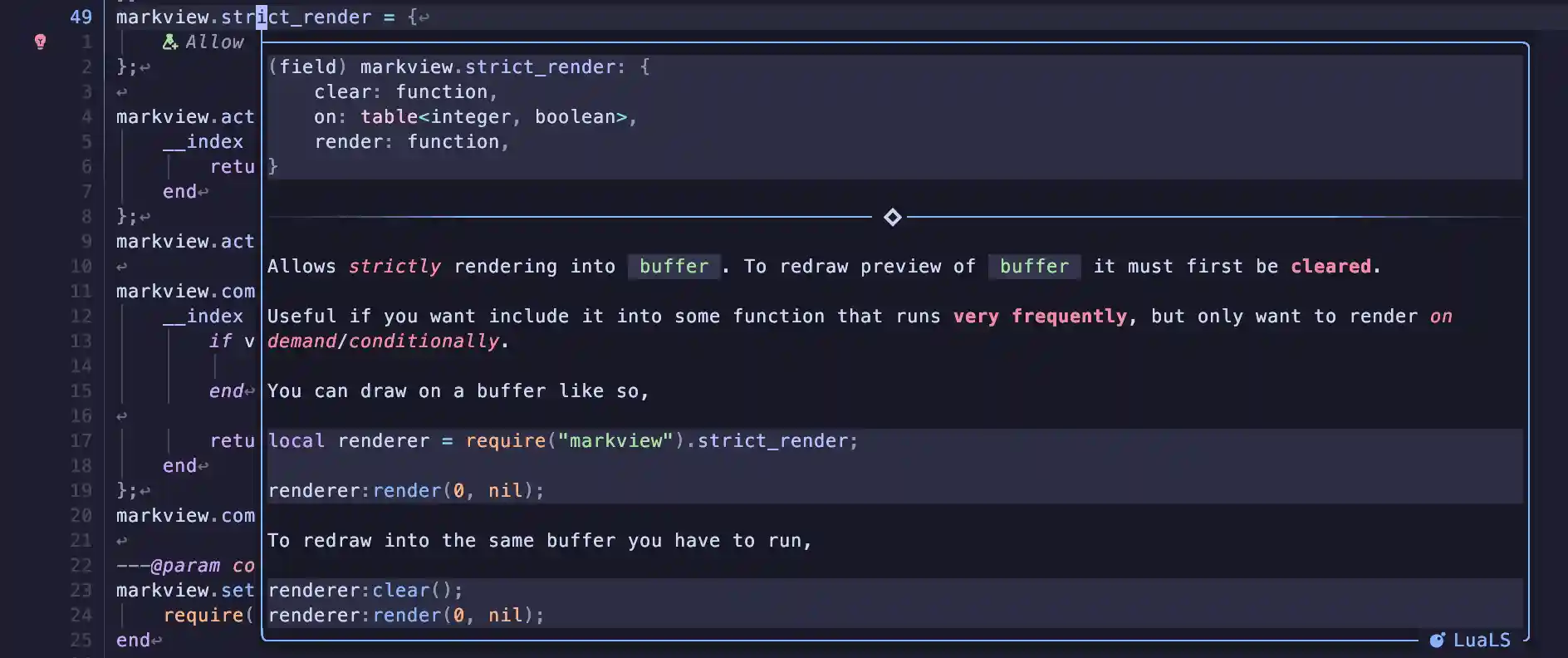
You can use markview.nvim to prettify the LSP hover window.
You can see an example here.
📦 Fancy comments
Important
This will remap gx by default! Set preview.map_gx to false to overwrite this behavior.
Conventional commit style commits can be rendered by markview.nvim.

For this you would need a comment parser. You can use either,
- stsewd/tree-sitter-comment, which supports some simple syntax.
-
OXY2DEV/tree-sitter-comment, which also supports a subset of
markdown&vimdoc. See installation.

📦 Asciidoc
markview.nvim provides support for asciidoc via a third party tree-sitter parser.
To get started, add this to your configuration table for nvim-treesitter.
Note
This is only for the main branch of nvim-treesitter. master branch isn't supported.
vim.api.nvim_create_autocmd("User", {
    pattern = "TSUpdate",
    callback = function ()
        require("nvim-treesitter.parsers").asciidoc = {
            install_info = {
                branch = "master",
                location = "tree-sitter-asciidoc",
                queries = "queries/asciidoc/",
                requires = { "asciidoc_inline" },
                url = "https://github.com/cathaysia/tree-sitter-asciidoc"
            }
        };
        require("nvim-treesitter.parsers").asciidoc_inline = {
            install_info = {
                branch = "master",
                location = "tree-sitter-asciidoc_inline",
                queries = "queries/asciidoc_inline",
                url = "https://github.com/cathaysia/tree-sitter-asciidoc"
            }
        };
    end
});
Exit and open Neovim and run,
:TSInstall asciidoc asciidoc_inline
Markview should now preview asciidoc files.