OpenShift GitOps Workshop
Introduction
This workshop provides an OpenShift GitOps 101 experience on OpenShift using the OpenShift GitOps operator. It walks workshop attendees through the process of using OpenShift GitOps with kustomize and helm.
Installation
This workshop is available in the Red Hat Demo Platform (RHDP) for Red Hat employees and partners.
Developing Workshop
Using Containers (Recommended)
In order to test and develop on your local machine, you can use a specially built container with Podman or Docker as follows.
podman run --rm --name antora -v $PWD:/antora -p 8080:8080 -i -t ghcr.io/juliaaano/antora-viewerLive-reload is not supported.
Using Local Files (Less Recommended)
-
Create a git repo from this template
-
Clone the repo and
cdinto it -
Run ./utilities/lab-serve
-
Open http://localhost:8080 in your browser
-
Run ./utilities/lab-build to build your html
To rebuild your html, run ./utilites/build.
Understanding the Basic Template Directory Structure
./content/modules/ROOT/
├── assets
│   └── images                       # Images used in your content
│       └── example-image.png
├── examples                         # You can add downloadable assets here
│   └── example-bash-script.sh       # e.g. an example bash script
├── nav.adoc                         # Navigation for your lab
├── pages                            # Your content goes here
│   ├── index.adoc                   # First page of your lab, e.g. overview etc
│   ├── module-01.adoc
│   └── module-02.adoc               # Sample lab has 2 modules including index.adoc
└── partials                         # You can add partials here, reusable content inserted inline into your modules
    └── example_partial.adoc
Adding Additional Links
You can add links to external content in the convenient "Links" drop-down on the upper-right of the Showroom Summit 2024 UI.
./content/antora.yml
asciidoc:
  attributes:
    page-links:
    - url: https://redhat.com
      text: Red Hat
    - url: https://www.redhat.com/en/summit
      text: Summit

Dev Mode
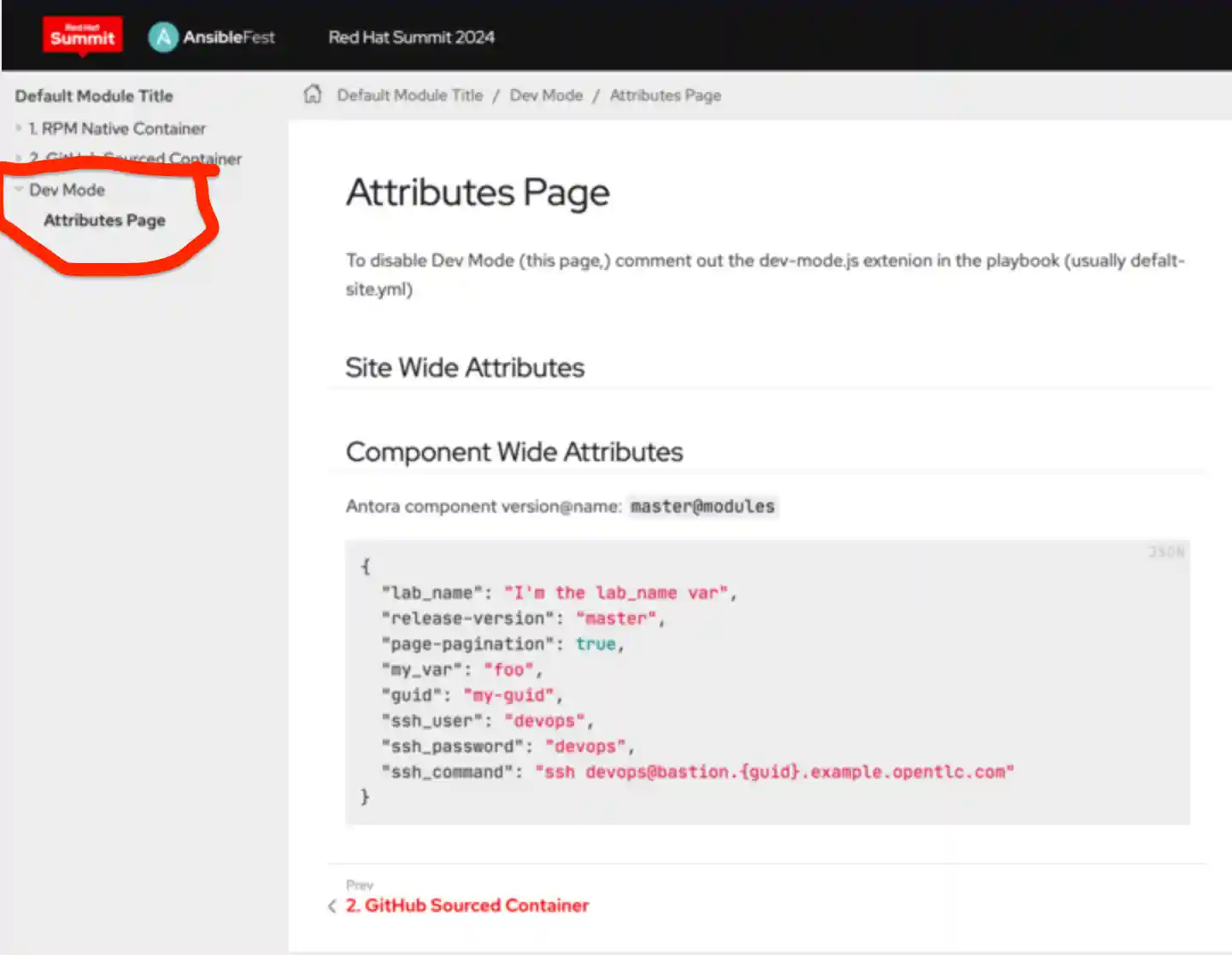
As a convenience to developers, the Dev Mode Extention (disabled by default) displays the asciidoc attributes you have to work with while writing your lab instructions.
-
Disable/Enable Dev Mode by changing
enabled: trueorenabled: falsedefault-site.yml
extensions:
  - id: dev-mode
    require: ./content/lib/dev-mode.js
    enabled: false
-
Produces