UPDATES FOR FALL 2024
The course is moving from Unity to Godot.
Syllabus
Basic Information
Instructor
Dr. Joshua A. McCoy, Associate Professor
Computer Science & Cinema and Digital Media Departments
Email: jamccoy at ucdavis dot edu
Office: 3033 Kemper Hall
Office Hours: 11:00 AM Wednesdays. Hybrid in my office and on Discord.
http://joshmccoy.com
https://faculty.engineering.ucdavis.edu/mccoy/
https://www.twitter.com/deftjams
TA Team
Nicholas S. Treynor
Computer Science Department
Email: ntreynor at ucdavis dot edu
Office Hours: 11:00 AM to 12:00 PM on Friday
& additional hours TBA on the course discord.
Piaopiao Long
Computer Science Department
Email: pplong at ucdavis dot edu
Office Hours: TBA
Course
Lecture Meeting Time: Tuesdays and Thursdays at 1:40-3:00 PM in Wellman 126
Discussion: Tuesdays at 6:10-7:00 PM in TLC 3215
Holidays: Thursday, November 28th (Thanksgiving Day) Academic Calendar
Final Examination Period: Tue. Dec.10 at 8:00 AM
Course Description
This course is about the design and development of nuanced and highly contextual gameplay systems built on the foundation of traditional game engines. Technical game development has many facets, including graphics engines, sound engines, networking, and animation systems. Many of these facets are well-established and provided for in modern game engines. The focus of this course is on the remaining areas that are difficult to abstract and engineer into game engines as they depend on the genre or details of a specific game design.
Materials
Godot Engine version 4.3-stable Standard. Download here.
Grading and Assessment
- [45] Group Game Project
- [45] Exercises
- [10] Participation and Attendance
Grade Scale
| Grade | Point Threshold |
|---|---|
| A | 94 |
| A- | 90 |
| B+ | 87 |
| B | 84 |
| B- | 80 |
| C+ | 77 |
| C | 74 |
| C- | 70 |
| D+ | 67 |
| D | 64 |
| D- | 60 |
| F | 0 |
Exercises
The programming exercises consist of projects in Godot in which you must implement significant game systems or capabilities. These exercises are to be completed individually and will be worth equal points. Each will have two components, which are described below with a typical amount of grade points they are worth:
- [70] The individual programming assignment.
- [30] Peer-reviewing the work of another pseudo-randomly assigned student.
Individual Programming Assignment - The exercise repositories, with project descriptions and work specifics, will be distributed via GitHub Classroom. You will be responsible for completing the exercise objectives, code quality, and following the best practices described in class. Final submissions will be made via GitHub Classroom.
Peer review - For each programming exercise, each student will peer review another student's work. The reviewing student will be given access to the repository of another student's submission for review. The peer reviewer will be responsible for a code review based on C# style guides, an assessment of how well the submission achieved the objectives of the assignment and notes for improvement. This review should be done in the master branch and in the root directory of the repo (the same folder that contains the assignment's README).
Group Game Project
You will design and develop your own game given a set of themes and constraints in teams. Each team member will have a main role and a sub-role in the game.
Quizzes
Light quizzes may be given during class meetings. Their contents will be based on recent lectures and readings.
Participation and Attendance
Students are required to attend and participate in class, labs, and team meetings. Attendance will be taken during lectures and discussion sections.
Participation
Each submitted participation code is worth 1 grade point. You need at least five codes to max out your participation grade.
Attendance
The attendance rules are suspended while the course is offered remotely.
The attendance algorithm is as follows:
AttendanceGrade = Min(5, 5 * (SubmittedAttendanceCodes / (ClassesWhereAttendanceWasTaken - 1)))
Schedule
| Week | Topic | Reading | Discussion Plan | Assignments and Due Dates |
|---|---|---|---|---|
| 1 | Overview of the course, game engines, anatomy of game development, command pattern. | Salen and Zimmermen ch. 4 & 5 | Dissecting Godot projects. | Getting started with Godot materials |
| 2 | Godot structures, Code standards, best practices, style guides, camera systems, lerp. | Command Pattern, Style Guide and Best Practices, Scroll Back: The Theory and Practice of Cameras in Side-Scrollers by Itay Karen. | Overview of Programming Exercise 1: Command Pattern | Exercise 1 |
| 3 | Gameplay mechanics, Game Events and the Observer Pattern.Data-driven game systems. | Defining Game Mechanics by Miguel Sicart, Pubsub | Overview of Exercise 2: Camera Controllers | Exercise 2: Cameral Control, Exercise 1 Implementation |
| 4 | Mechanics, rules, gameplay systems, component systems. | Salen and Zimmermen ch. 11, 12, 13, Component design pattern | Overview of Exercise 3 | Exercise 3 Exercise 2 Peer Review Exercise 1 Peer Review, Exercise 2 |
| 5 | Interactivity, factory pattern. | Salen and Zimmermen ch. 6, Crawford The Art of Game Design, ch. 1, INTERACTION section | Exercise 4, Exercise 3, Exercise 2 Peer Review |
|
| 6 | Game combat algorithms, game design documents. | The Craft of Game Systems by Daniel Achterman | ||
| 7 | The Jump. | Game Feel by Steve Swink | ||
| 8 | Game AI: character behavior, agents, and real-time performance. | TBA | ||
| 9 | Procedural content generation. | TBA | ||
| 10 | Game AI: analytics and applications of data science and machine learning. | TBA |
Development and Design Resources
Are you prepared?
You are not prepared!
-- Illidan Stormrage
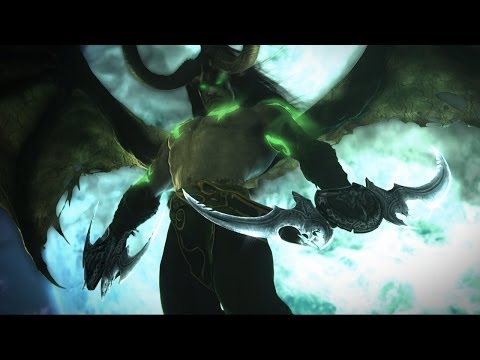
Illidan's words may resonate with you as computer science and game development are both difficult disciplines whose surrounding communities are laced with high expectations and elitism. (Materials for Godot are under development.)
Below are resources that can cut through assumptions and feeling though self-examination.
Introductory practice exercises for C# and game systems (you can run these in Unity, .Net, or MonoDevelop):
1. Final Fantasy VI Combat System
2. Crystal Warriors
3. Fantasy Fight
Unity and C# Practice Exam for New Programmers
Preparing for Projects
Below is a set of training tutorials for this course. To learn the basics of Godot, you should spend between 5 and 10 hours on these tutorials, depending on your experience level, to prepare for the first exercise.
Here is the Godot Tutorials for Gameplay Programming playlist.
You should be comfortable with the following to begin the first exercise:
- How to create a project
- How assets are stored on the filesystem.
- The basic properties of the Godot editor's interface.
- Node and scene relationships and how to use them to compose basic game elements.
- GDScript's basic syntax, data structures, and use. This includes structured types (e.g., arrays and dictionaries) classes, and importing libraries.
- Godot's built-in functions (e.g.,
_processand_ready). - The ability to add and alter input signals.
- Simple animation and motion.
- Git and GitHub. While these systems are expected of you coming into the class, you can find some tutorials later in the syllabus.
Godot
Godot Engine Documentation
Godot Gettings Started Tutorials
Learning the Basics
- Editor Introduction
- Troubleshooting the Editor
- Nodes and Scenes
- Instances
- GDScript reference
- Best Practices
- 2D Capabilities
- 3D Capabilities
- Animation Tools
- Asset Pipeline
Additional Texts
Vanhove, Sander. Learning GDScript by Developing a Game with Godot 4: A Fun Introduction to Programming in GDScript 2. 0 and Game Development Using the Godot Engine. 1st ed. Birmingham: Packt Publishing, Limited, 2024. Print.
https://search.library.ucdavis.edu/permalink/01UCD_INST/1hjlc2p/cdi_proquest_ebookcentral_EBC31290475
Entry-level text to basic Godot constructs and GDScript.
Bradfield, Chris. Godot 4 Game Development Projects : Build Five Cross-Platform 2D and 3D Games Using One of the Most Powerful Open Source Game Engines. Second edition. Birmingham, England: Packt Publishing Ltd, 2023. Print.
https://search.library.ucdavis.edu/permalink/01UCD_INST/9fle3i/alma9920761168606531
Entry-level text to basic Godot constructs and GDScript.
Wang, Wally, and Tonnetta Walcott. Programming for Game Design : A Hands-On Guide with Godot. 1st ed. 2024. Berkeley, CA: Apress, 2024. Web.
https://search.library.ucdavis.edu/permalink/01UCD_INST/9fle3i/alma9920512123506531
Entry-level text focusing on programming and GDScript suitable for those with a programming background in another language.
Bradfield, Chris. Godot 4 Game Development Projects : Build Five Cross-Platform 2D and 3D Games Using One of the Most Powerful Open Source Game Engines. Second edition. Birmingham, England: Packt Publishing Ltd, 2023. Print.
https://search.library.ucdavis.edu/permalink/01UCD_INST/9fle3i/alma9919503225306531
Series of small game projects.
Johnson, Jeff. Godot 4 Game Development Cookbook : Over 50 Solid Recipes for Building High-Quality 2D and 3D Games with Improved Performance. 1st ed. Birmingham, England: Packt Publishing Ltd., 2023. Print.
https://search.library.ucdavis.edu/permalink/01UCD_INST/9fle3i/alma9919344194606531
More advanced topics like shaders and multiplayer.
Campos, Henrique. ESSENTIAL GUIDE TO CREATING MULTIPLAYER GAMES WITH GODOT 4.0 : Harness the Power of Godot Engine’s GDScript Network API to Connect Players in Multiplayer Games. 1st edition. Birmingham, UK: Packt Publishing Ltd., 2024. Print.
https://search.library.ucdavis.edu/permalink/01UCD_INST/9fle3i/alma9920561598006531
A more advanced text for learning Godot's networking libraries.
Pitt, Christopher. Procedural Generation in Godot : Learn to Generate Enjoyable Content for Your Games. Berkeley, CA: Apress, 2023. Print.
https://search.library.ucdavis.edu/permalink/01UCD_INST/9fle3i/alma9918897363706531
A collection of entry-level PCG techniques mixed with reconstructions of existing games.
Game Design
How Games are Made
- Fallout: A Postmortem by Timothy Cain
- Postmortem: Ion Storm's Deus Ex by Warren Spector
- How Long Does It Take to Make an Indie Game? by Joseph Mirabello
Design Documents
- The "Core" of a Game by Brenda Romero
- A Feature Set from a “Core” by Brenda Romero
- Creating a Game Design Document by Brenda Romero
- One Page Designs by Stone Librande
- A GDD Template for the Indie Developer by Jason Bakker
- Effectively Organize Your Game's Development With a Game Design Document by Gamux
Game Feel
- Jan Willem Nijman - Vlambeer - "The art of screenshake" by Jan Wellem Jijman (Valmbeer)
- Juice it or lose it by Martin Jonasson and Petri Purho
Production Cycles
- The four phases of game development by Pascal Bestebroer
Development teams
- pp. 39-56 of Game Development and Production by Erik Bethke [free preview]
Techniques for Team Development
- Scrum: A Breathtakingly Brief and Agile Introduction by Agile Learning Labs
- Try Git: Code School by GitHub
Scrum and GitHub
- Agile Lessons from Ryse and Crysis 3 by Patrick Payne
- git - the simple guide by Roger Dudler
Project Versioning and Control
- GitHub for Noobs (1/4) – A Short History by Travis Neilson
- GitHub for Noobs (2/4) - Common Workflows by Travis Neilson
- GitHub for Noobs (3/4) Using the GitHub Desktop App by Travis Neilson
- GitHub for Noobs (4/4) Using the Command Line by Travis Neilson
User Interface and User Experience (UI/UX)
- The Interface is Part of Gameplay by Brenda Romero
Game Trailers and Press Kits
UC Davis Code of Academic Conduct
The UC Davis Code of Academic Conduct (http://sja.ucdavis.edu/files/cac.pdf) will be strictly enforced in this class. In particular, plagiarism, academic dishonesty, and cheating will be dealt with severely. Any breach of the Code of Academic Conduct can result in failing the assignment, failing the course, and disciplinary action via the Office of Student Support and Judicial Affairs (http://sja.ucdavis.edu/).
Technology in the Classroom Policy
In general, the use of laptops and technology is encouraged in this course as long as they are not disruptive to the rest of the class. If you choose to use a device with a screen, please sit in the back of the room to avoid distracting your fellow students. You must ask for permission before making a video or audio recording in the classroom. In general, students will be treated as adults capable of managing their technological lives while being respectful of others in the classroom.
Social Media Policy
Students are not permitted to make visual or audio recordings, including live streaming, of classroom lectures or any class-related content using any recording device (e.g., smartphone, computer, digital recorder, etc.) unless prior permission from the instructor is obtained and there are no objections from any of the students in the class. If permission is granted, personal use and sharing of recordings and any electronic copies of course materials (e.g., PowerPoints, formulas, lecture notes and any classroom discussions online or otherwise) is limited to the personal use of students registered in the course and for educational purposes only, even after the end of the course.
To supplement the classroom experience, lectures may be audio or video recorded by faculty and made available to students registered for this class. Faculty may record classroom lectures or discussions for pedagogical use, future student reference, or to meet the accommodation needs of students with a documented disability. These recordings are limited to personal use and may not be distributed (file share), sold, or posted on social media outlets without the written permission of the faculty.
Unauthorized downloading, file sharing, distribution of any part of a recorded lecture or course materials. or using information for purposes other than the student's learning is prohibited unless the instructor gives prior authorization.