CheckoutAnimation Android Library
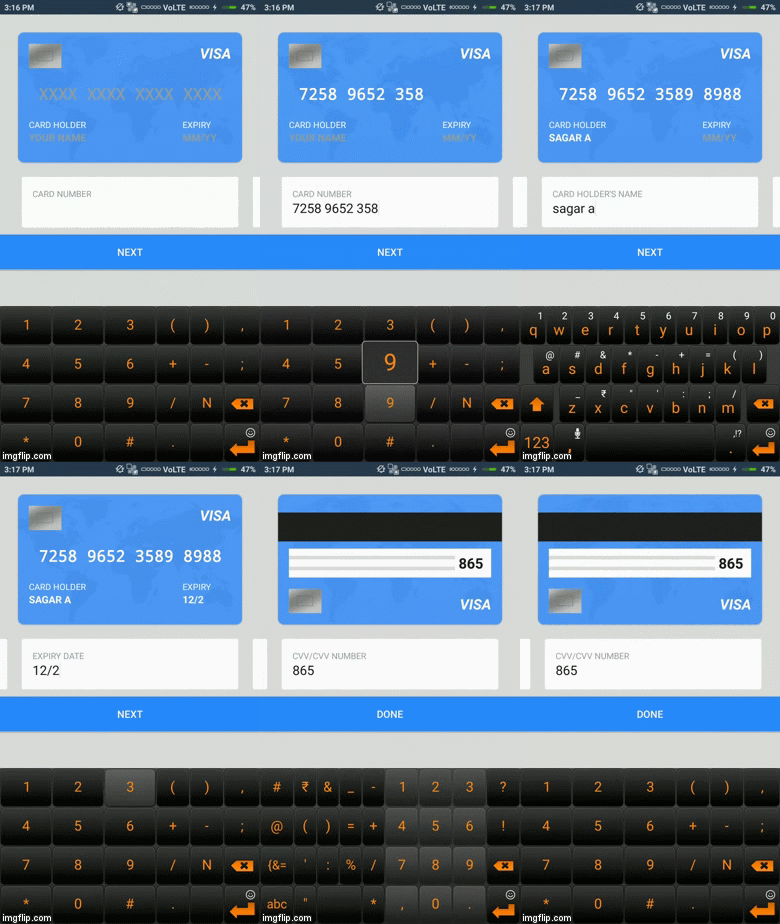
Checkout animation library provides a good ui for payout.
Gradle
Add the following to your project's build.gradle file
allprojects {
	repositories {
		...
		maven { url 'https://jitpack.io' }
	}
}
Add the following to your app's build.gradle file
dependencies {
	  implementation 'com.github.SagarPro:CheckoutAnim:1.1'
}
Code Example
In Layout
<sagsaguz.checkoutanimlib.Checkout
        android:layout_width="match_parent"
        android:layout_height="wrap_content"
        app:cardColor="@color/black"
        app:buttonColor="@color/black"
        android:id="@+id/cOut"/>
or
<sagsaguz.checkoutanimlib.Checkout
        android:layout_width="match_parent"
        android:layout_height="wrap_content"
        android:id="@+id/cOut"/>
Usage
Checkout checkout = findViewById(R.id.cOut);

//default colors are blue, but you can change as you want
checkout.setCardColor(R.color.blue);
checkout.setButtonColor(R.color.blue);

checkout.btnDone.setOnClickListener(new View.OnClickListener() {
     @Override
     public void onClick(View view) {
     //call your method here
     }
});
Getters
String cardNumber = checkout.getCardNumber()
String cardHolderName = checkout.getCardHolderName()
String expiryDate = checkout.getExpiryDate()
String cvv = checkout.getCVV()
Inspired By
Ramakrishna V - A graphic designer at dribble.com