

Create interactive HTML applications with type-safe serverside Haskell. Inspired by HTMX, Elm, and Phoenix LiveView
Learn more about Hyperbole on Hackage
{-# LANGUAGE DeriveAnyClass #-}
{-# LANGUAGE OverloadedStrings #-}
{-# LANGUAGE TypeFamilies #-}
module Main where

import Data.Text (Text)
import Web.Hyperbole

main :: IO ()
main = do
  run 3000 $ do
    liveApp (basicDocument "Example") (runPage page)


page :: (Hyperbole :> es) => Eff es (Page '[Message])
page = do
  pure $ col id $ do
    hyper Message1 $ messageView "Hello"
    hyper Message2 $ messageView "World!"


data Message = Message1 | Message2
  deriving (Show, Read, ViewId)


instance HyperView Message es where
  data Action Message = Louder Text
    deriving (Show, Read, ViewAction)

  update (Louder msg) = do
    let new = msg <> "!"
    pure $ messageView new


messageView :: Text -> View Message ()
messageView msg = do
  row id $ do
    button (Louder msg) id "Louder"
    el_ $ text msg
View this example live: https://docs.hyperbole.live/simple
Getting Started with Cabal
Create a new application:
$ mkdir myapp
$ cd myapp
$ cabal init
Add hyperbole and text to your build-depends:
    build-depends:
        base
      , hyperbole
      , text
Paste the above example into Main.hs, and run
Visit http://localhost:3000 to view the application
Examples
The example directory contains an app demonstrating various features. See it in action at https://docs.hyperbole.live
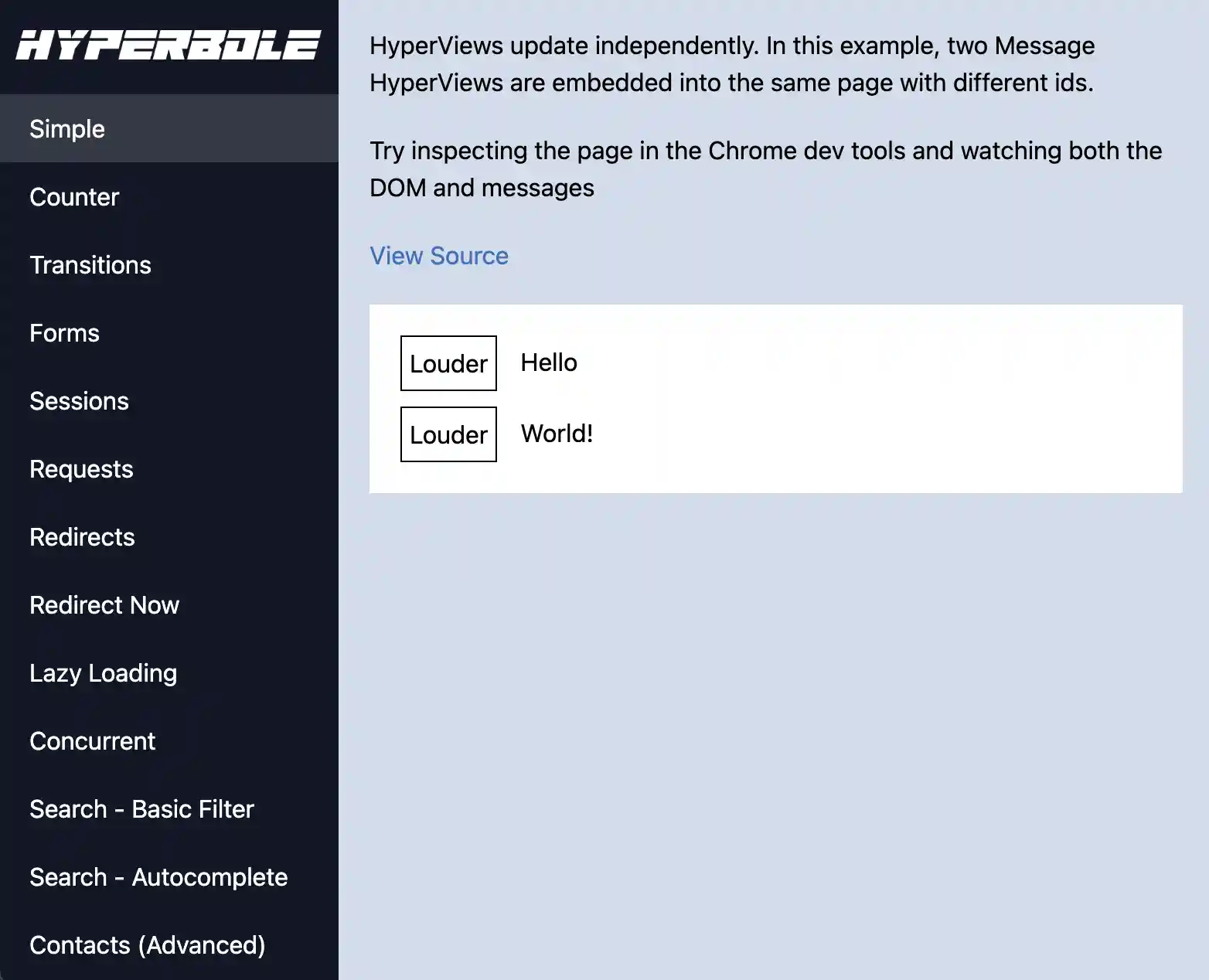
Try Example Project Locally
These will run the examples webserver
With Nix
nix run github:seanhess/hyperbole
With Docker
docker run -it -p 3000:3000 ghcr.io/seanhess/hyperbole:latest
Learn More
View Documentation on Hackage
View on Github
Full Production Example

The NSO uses Hyperbole for the Level 2 Data creation tool for the DKIST telescope. It is completely open source. This production application contains complex interfaces, workers, databases, and more.
How to Import Flake
You can import this flake's overlay to add hyperbole to all package sets and override ghc966 and ghc982 with the packages to satisfy hyperbole's dependencies.
{
  inputs = {
    nixpkgs.url = "github:nixos/nixpkgs/nixpkgs-unstable";
    hyperbole.url = "github:seanhess/hyperbole"; # or "path:/path/to/cloned/hyperbole";
    flake-utils.url = "github:numtide/flake-utils";
  };

  outputs = { self, nixpkgs, hyperbole, flake-utils, ... }:
    flake-utils.lib.eachDefaultSystem (
      system:
      let
        pkgs = import nixpkgs {
          inherit system;
          overlays = [ hyperbole.overlays.default ];
        };
        haskellPackagesOverride = pkgs.overriddenHaskellPackages.ghc966.override (old: {
          overrides = pkgs.lib.composeExtensions (old.overrides or (_: _: { })) (hfinal: hprev: {
            # your overrides here
          });
        });
      in
      {
        devShells.default = haskellPackagesOverride.shellFor {
          packages = p: [ p.hyperbole ];
        };
      }
    );
}
Local Development
Recommended ghcid command
If you want to work on both the hyperbole library and example code, this ghcid command will run (and hot reload) the examples server as you change any non-testing code.
ghcid --setup=Main.update --command="cabal repl exe:examples lib:hyperbole" --run=Main.update --warnings --reload=./client/dist/hyperbole.js
If you want to work on the test suite, this will run the tests each time any library code is changed.
ghcid --command="cabal repl test lib:hyperbole" --run=Main.main --warnings --reload=./client/dist/hyperbole.js
Nix
nix flake checkwill build the library, example executable and devShell with ghc-9.8.2 and ghc-9.6.6- This is what the CI on GitHub runs
nix runornix run .#ghc982-exampleto start the example project with GHC 9.8.2nix run .#ghc966-exampleto start the example project with GHC 9.6.6
nix developornix develop .#ghc982-shellto get a shell with all dependencies installed for GHC 9.8.2.nix develop .#ghc966-shellto get a shell with all dependencies installed for GHC 9.6.6.
nix build,nix build .#ghc982-hyperboleandnix build .#ghc966-hyperbolebuilds the library with theoverriddenHaskellPackages- If you want to import this flake, use the overlay
nix flake update web-viewwill update theweb-viewinput
Note: You can always run cachix use hyperbole to use the GitHub CI populated cache if you didn't allow adding 'extra-substituters' when first using this flake.
Common Nix Issues
Not Allowed to Refer to GHC
If you get an error like:
error: output '/nix/store/64k8iw0ryz76qpijsnl9v87fb26v28z8-my-haskell-package-1.0.0.0' is not allowed to refer to the following paths:
         /nix/store/5q5s4a07gaz50h04zpfbda8xjs8wrnhg-ghc-9.6.3
Follow these instructions
Dependencies Incorrect
If you need to update web-view run nix flake update web-view, otherwise:
You will need to update the overlay, look for where it says "${packageName}" = hfinal.callCabal2nix packageName src { }; and add a line like Diff = hfinal.callHackage "Diff" "0.5" { }; with the package and version you need.
Missing Files
Check the include inside the nix-filter.lib to see if all files needed by cabal are there.
Manual dependency installation
Download and install NPM. On a mac, can be installed via homebrew:
Install client dependencies
Recommended: Use direnv to automatically load environment from .env
brew install direnv
direnv allow
Building
Build JavaScript client
Run examples
Tests
File watching
Run tests, then recompile everything on file change and restart examples