mutatio.dev - A Modern LLM Prompt Experimentation Platform
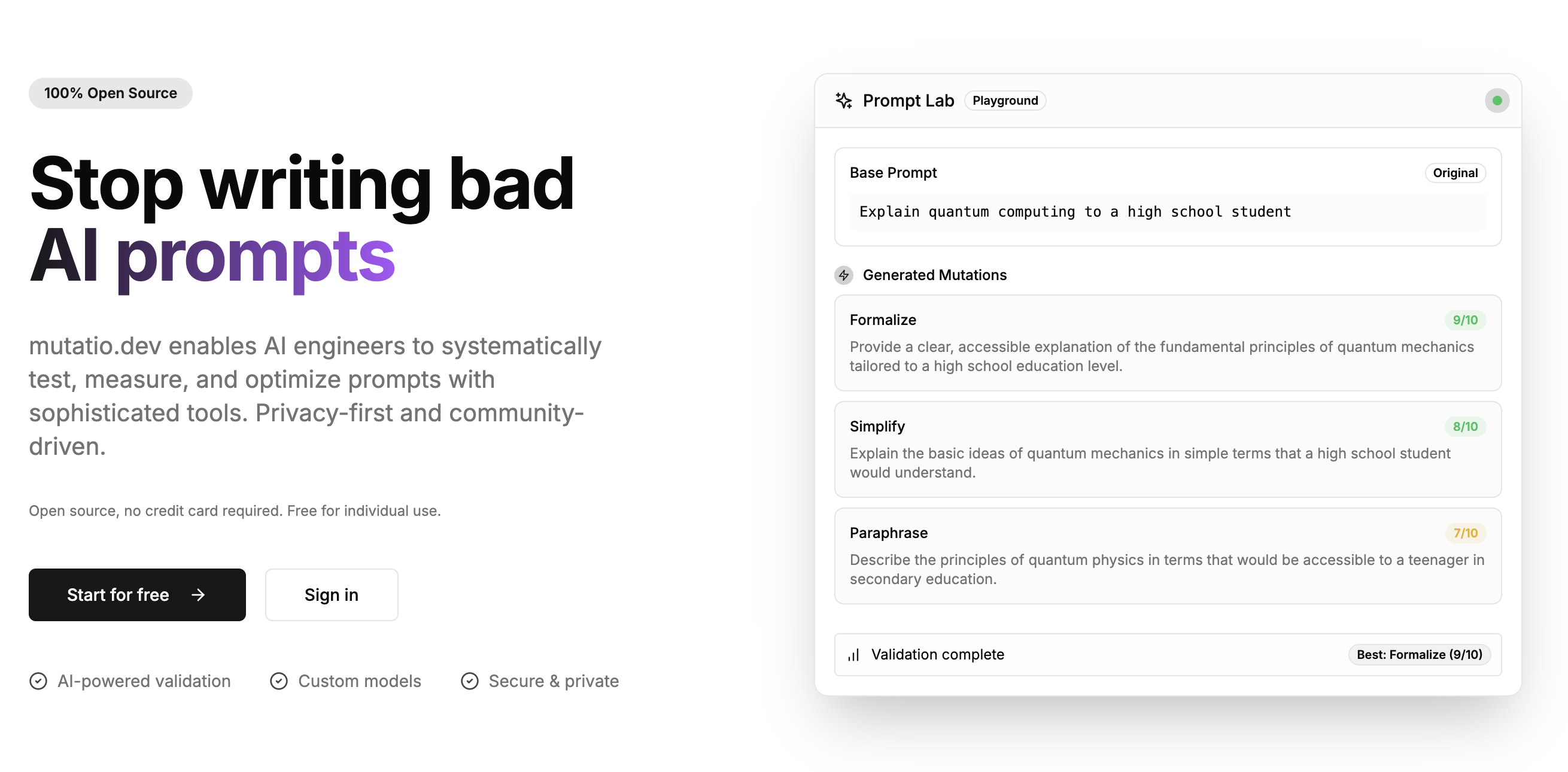
mutatio.dev is a powerful tool for prompt engineers, AI developers, and LLM enthusiasts to systematically create, test, and refine prompts. Built with privacy as a priority, mutatio.dev keeps your API keys and data secure by processing everything locally in your browser.
What is Mutatio?
Mutatio (latin for "change" or "mutation") helps you iteratively improve your prompts through:
- Controlled Mutations: Apply different transformation strategies to your base prompts
- Systematic Testing: Compare different versions across multiple LLM providers
- Version Control: Track your prompt evolution over time with detailed history
- Privacy-First Design: All processing happens in your browser - no server receives your API keys
Key Features
- Multiple Mutation Types: Create and manage different mutation strategies
- Multi-Provider Support: Test with OpenAI, Anthropic, Mistral, and DeepSeek models
- Local API Key Storage: Client-side encrypted storage keeps your API keys on your device
- Versioned Prompts: Track the evolution of your mutations with detailed analytics
- Comprehensive History: Compare results across iterations with visual diffs
- Customizable Validation: Configure evaluation criteria for prompt performance
Getting Started
Prerequisites
- Node.js 18+
- npm or pnpm
- PostgreSQL database
Local Development Setup
- Clone the repository
git clone https://github.com/albertoperdomo2/mutatio.dev.git
cd mutatio- Install dependencies
- Set up your environment variables
- Generate a secure encryption key
node scripts/generate-encryption-key.js
- Set up the database
# Run migrations
npx prisma migrate dev

# Generate Prisma client
npx prisma generate
- Start the development server
Required Environment Variables
mutatio.dev requires the following environment variables:
DATABASE_URL: PostgreSQL connection stringENCRYPTION_KEY: Generated with scripts/generate-encryption-key.jsNEXTAUTH_SECRET: Secret for NextAuth authenticationNEXTAUTH_URL: Your application's URL
See .env.example for all available configuration options.
Security
mutatio.dev is designed with privacy and security in mind:
- Client-side Processing: Your prompts and API interactions happen directly in your browser
- Local Storage Encryption: API keys are encrypted before being stored in your browser
- No Server Storage: Your API keys are never sent to our servers
- Environment-based Keys: All encryption keys are stored as environment variables
Contributing
Contributions are welcome! Here's how you can help:
- Report Issues: Open an issue for bugs or feature requests
- Submit PRs: Code contributions are welcome
- Documentation: Help improve or translate documentation
- Testing: Try mutatio.dev with different models and use cases
Contribution Guidelines
- Fork the repository
- Create your feature branch (
git checkout -b feature/amazing-feature) - Commit your changes (
git commit -m 'Add some amazing feature') - Push to the branch (
git push origin feature/amazing-feature) - Open a Pull Request
Development Commands
npm run dev- Start development servernpm run build- Build for productionnpm run start- Start production servernpm run lint- Run ESLintnpm run lint:fix- Run ESLint with automatic fixes