Solid. A Bootstrap theme for Jekyll.
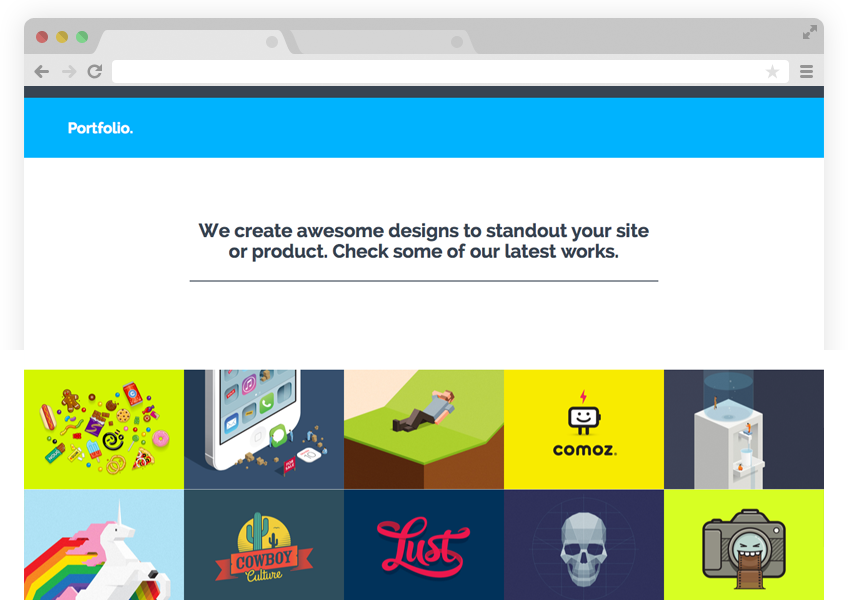
This is a Jekyll port of the Solid theme by blacktie.co. Visit the live demo for a preview.
##Usage This theme can be customized, built and published straight from GitHub, thanks to GitHub Pages. A local installation of Jekyll isn't even necessary!
Fork this repository to get started.
####Customize
Most general settings and data like site name, colors, address, etc. can be configured and changed right in the main config file: /_config.yml
The content of the Home page can be changed here: /home.html
The content of the About page can be changed here: /about.html
The content of the Portfolio page can be changed here:/portfolio.html
The content of the Contact page can be changed here:/contact.html
####Add content
Delete the demo content and publish your own content.
#####Blog post
Create a Blog post by creating a file called yyyy-mm-dd-name-of-post-like-this.markdown in the /_posts/blog/ directory with the following template:
---
layout: post          #important: don't change this
title: "Name of post like this"
date: yyyy-mm-dd hh:mm:ss
author: Name
categories:
- blog                #important: leave this here
- category1
- category2
- ...
img: post01.jpg       #place image (850x450) with this name in /assets/img/blog/
thumb: thumb01.jpg    #place thumbnail (70x70) with this name in /assets/img/blog/thumbs/
---
This text will appear in the excerpt "post preview" on the Blog page that lists all the posts.
<!--more-->
This text will not be shown in the excerpt because it is after the excerpt separator.
#####Project post
Create a Project post to go in your Portfolio by creating a file called yyyy-mm-dd-name-of-the-project.markdown in the /_posts/project/ directory with the following template:
---
layout: project       #important: don't change this
title:  "Name of the project"
date: yyyy-mm-dd hh:mm:ss
author: Name
categories:
- project             #important: leave this here
img: portfolio_10.jpg #place image (600x450) with this name in /assets/img/project/
thumb: thumb02.jpg
carousel:
- single01.jpg        #place image (1280x600) with this name in /assets/img/project/carousel/
- single02.jpg
- ...
client: Company XY
website: http://www.internet.com
---
####This is a heading
This is a regular paragraph. Write as much as you like.
#####Question entry
Create a Question entry (that is listed in the Frequently Asked section on the Home page) in this directory by creating a file called yyyy-mm-dd-do-i-have-a-question.markdown in the /_posts/project/ directory with the following template:
---
layout: question
title:  "Do I have a question?"
date: yyyy-mm-dd hh:mm:ss
author: First Last
categories:
- question            #important: leave this here
---
####Can I use this theme for my website?
Of course you can!
####Publish
To publish with GitHub Pages, simply create a branch called gh-pagesin your repository. GitHub will build your site automatically and publish it at http://yourusername.github.io/repositoryname/.
If there are problems with loading assets like CSS files and images, make sure that the baseurl in the _config.ymlis set correctly (it should say /repositoryname).
If you want to host your website somewhere else than GitHub (or just would like to customize and build your site locally), please check out the Jekyll documentation.