




Our Vision
We're building an All-In-One Self-Hosted solution to manage projects, time, teams and focus.
We've been working with product development for a while so this product is built on the wisdom, pain and scars that we've gathered over the years. Our philosophy is to create a tool that is both simple and versatile: effective for projects of all sizes, from solo projects to multi-member teams.
Any new ideas are welcome.
FREE EDITION (this repo)
Here are some of our current features:
- Projects: create/edit/update/archive you projects
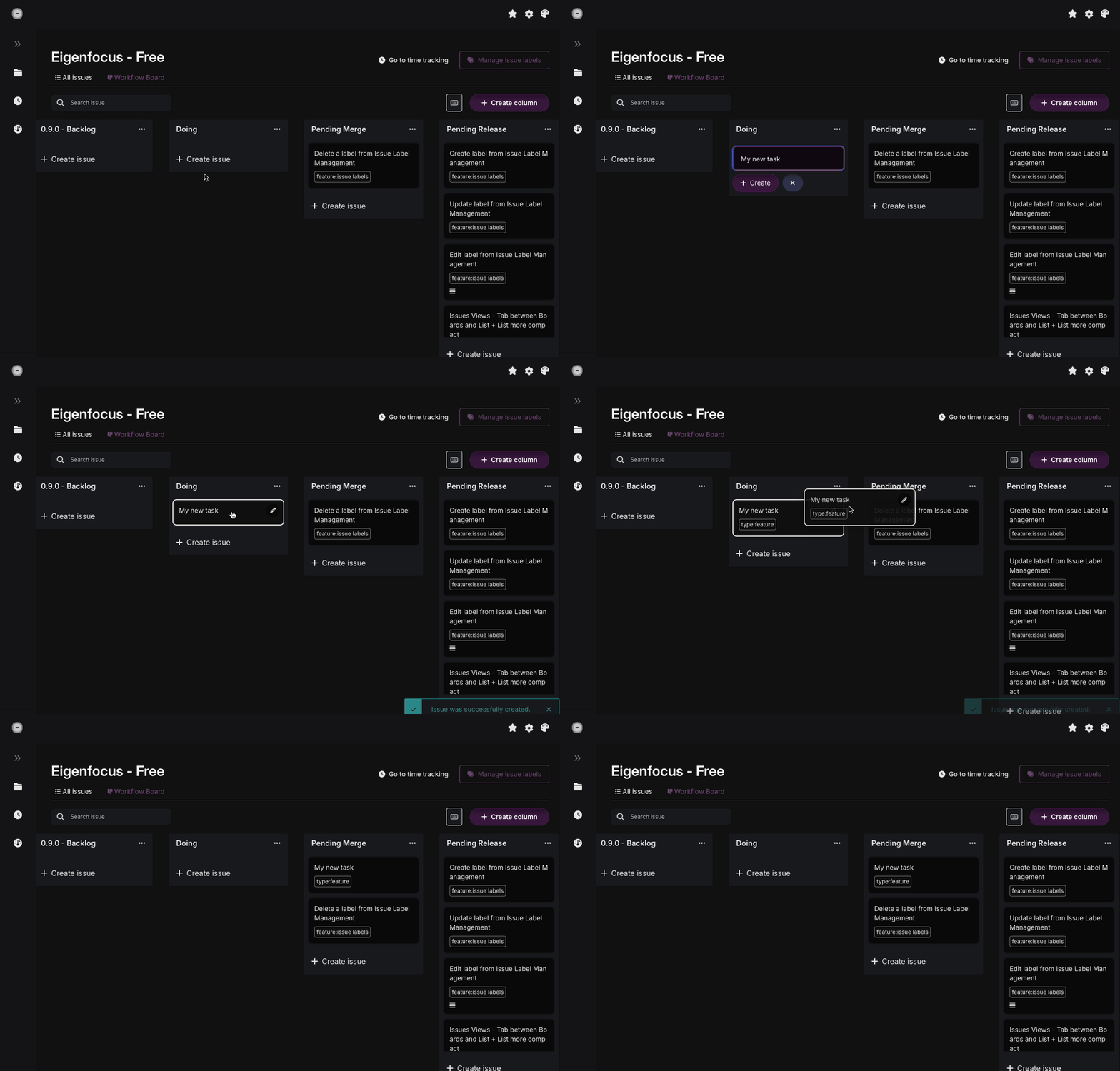
- Boards: each project has a board where you can customize columns to your workflow
- Issues: create issues, write markdown descriptions and attach files
- Workflow with Boards: Make changes to your boards and see changes in real-time
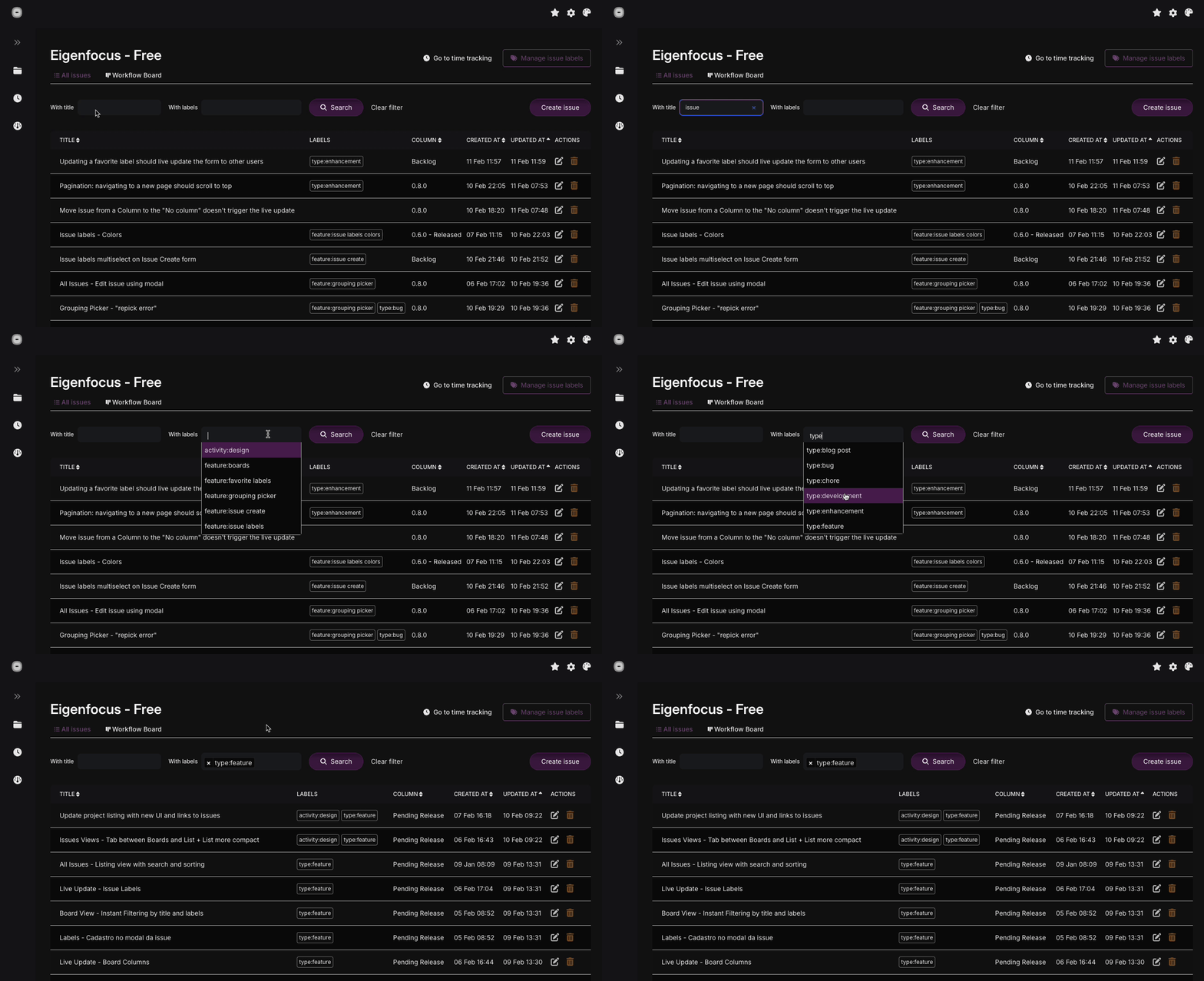
- Issue Labels and Shortcuts: Organize your issues and workflow with labels
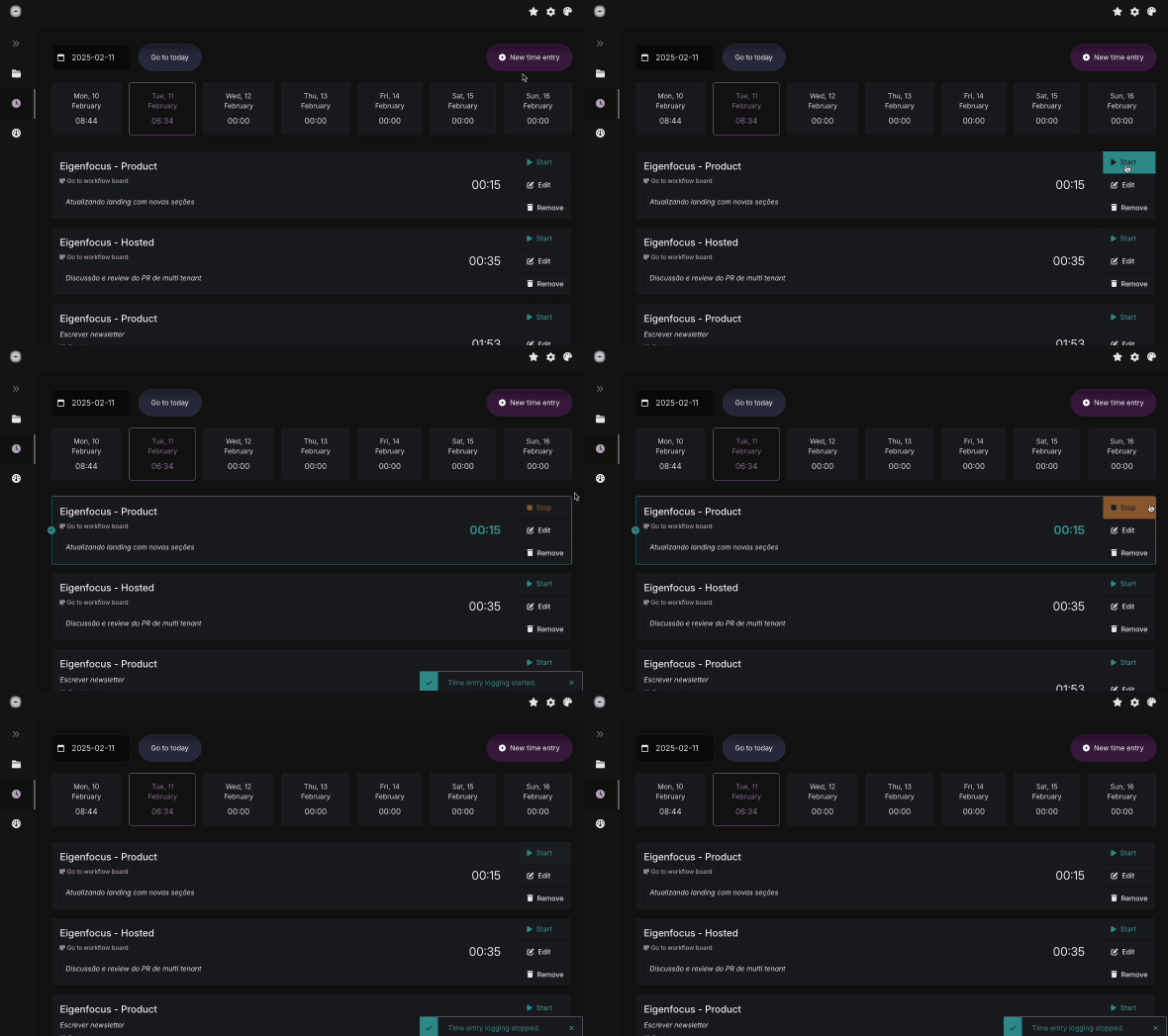
- Time Tracking: track time spent on a Project and a Specific Issue
- Time Report: generate time reports by project and time periods
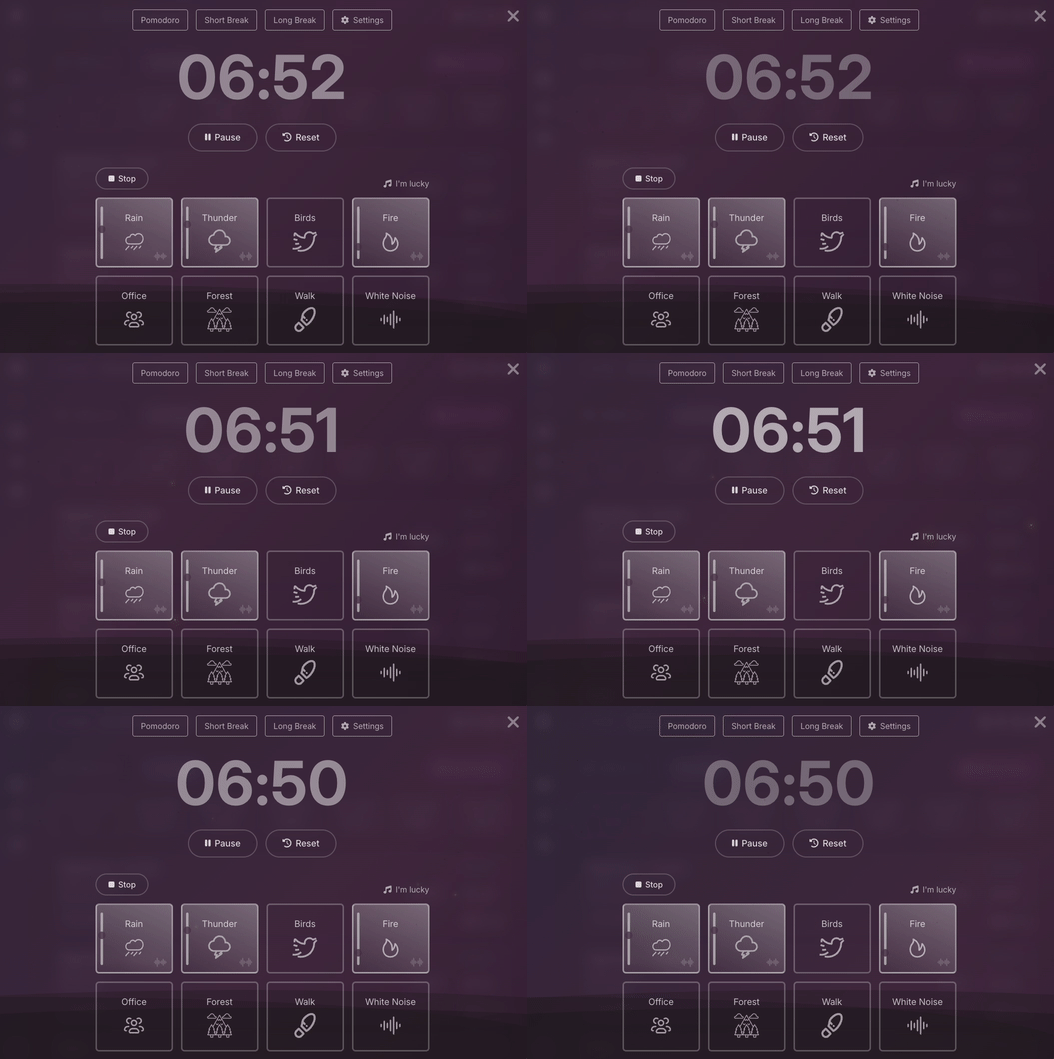
- Focus Space where you can setup
- Themes: customize the UI to your taste
⭐️ this repository and stay up to date.
FREE EDITION - Some Screenshots/Recordings
PRO Edition (another repo)
We're building a PRO Edition (Paid) with advanced features for managing complex projects and larger teams.
Coming in the First Release:
- Multiple Users with Permission Control
- Custom Issue Statuses & Types
- Create Views with Pre-Saved Filters
- Highly customizable and multiple views (Boards and Grids)
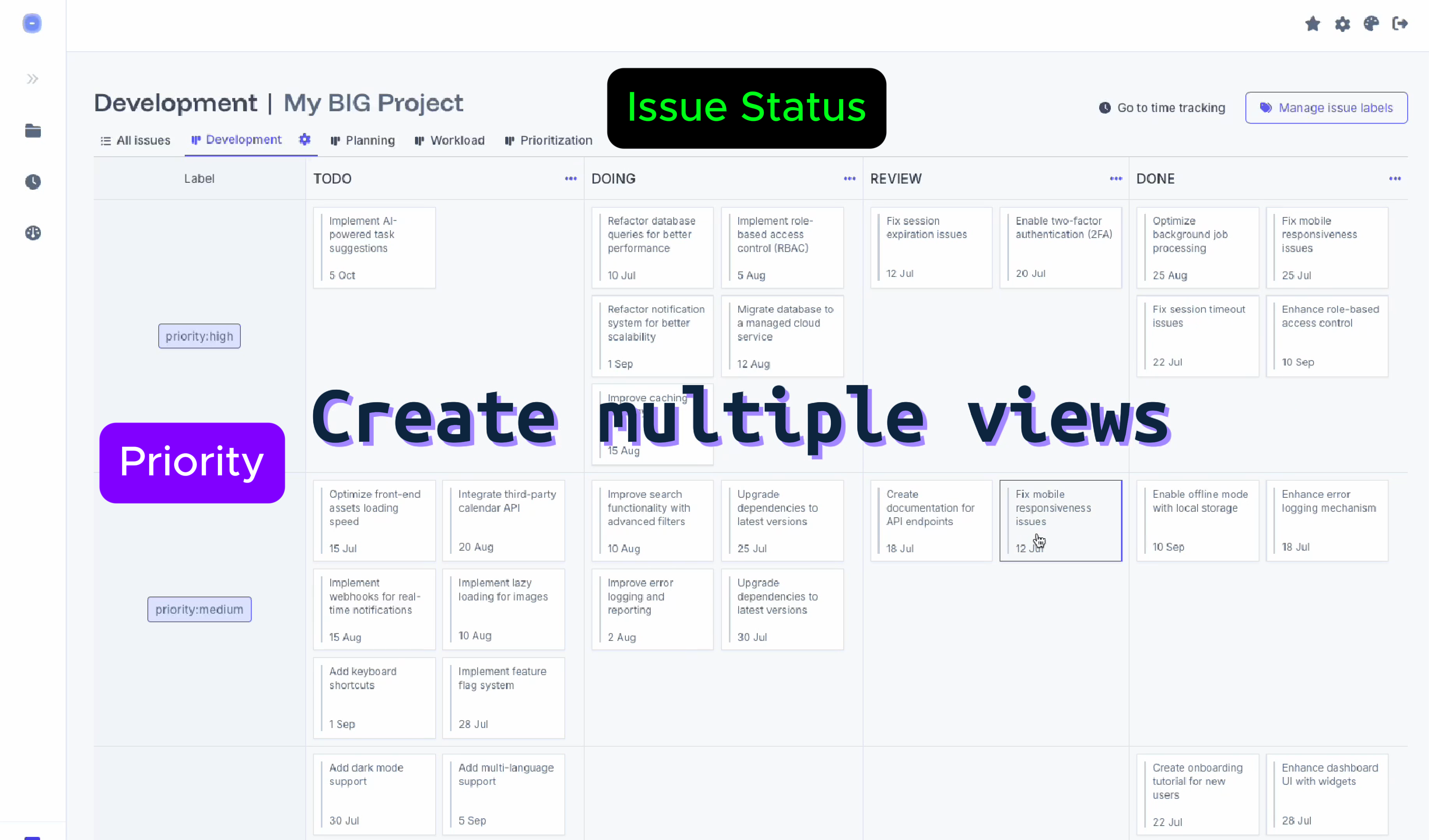
The best tool is the one that doesn't stay in your way.
Installation
You can run our project using our docker image directly with docker or docker compose:
Docker
docker run \
    --restart unless-stopped \
    -v ./app-data:/eigenfocus-app/app-data \
    -p 3001:3000 \
    -e DEFAULT_HOST_URL=http://localhost:3001 \
    -d \
    eigenfocus/eigenfocus:1.0.0-free
And access it at http://localhost:3001.
Docker Compose
Or using a docker-compose.yml file:
services:
  web:
    image: eigenfocus/eigenfocus:1.0.0-free
    restart: unless-stopped
    volumes:
      - ./app-data:/eigenfocus-app/app-data
    environment:
     - DEFAULT_HOST_URL=http://localhost:3001
    ports:
      - 3001:3000
Then, run it with the CLI:
And access it at http://localhost:3001.
Environment Configurations
DEFAULT_HOST_URL: URL that is going to be used to access your application.- Example: "http://localhost:3001", "http://mydomain.com" or "https://mydomain.com"
FORCE_SSL: Defaults tofalse. If set totrue, all incoming requests that are not HTTPS will be redirected to use HTTPS protocol.ASSUME_SSL_REVERSE_PROXY: Defaults tofalse. If set totrue, all incoming requests will be interpreted as HTTPS. This is useful for cases when you haveFORCE_SSLset totruebut are behind a reverse proxy that terminates the SSL. This means that our app will be receiving requests via HTTP. In order to avoid an infinite redirect loop to HTTPS you must setASSUME_SSL_REVERSE_PROXYtotrue. For more information, check the conversation and changelog on rails/rails#47139.
Optional http basic auth
You can enable HTTP Basic Auth by setting these two env variables:
HTTP_AUTH_USER- For the usernameHTTP_AUTH_PASSWORD- For the password
➜ If you're exposing the service to the internet don't forget to setup a certificate and use HTTPS.
Development Guidelines
Check the README.md file for instructions on how to setup the project.
Contact
Feel free to contact us hi@eigenfocus.com or open an issue.
Other
Contributions
Thank you for your interest in contributing to the project.
Feel free to open an issue with any idea, suggestion or comment.
As we offer a paid version of Eigenfocus, we don't think it's fair to accept code contributions from other people so we're not accepting pull requests.
License
We're a free self-hosted project that you can use but we're not open source. Check our License.