Read your feeds on your own machine with a simple and lite application.
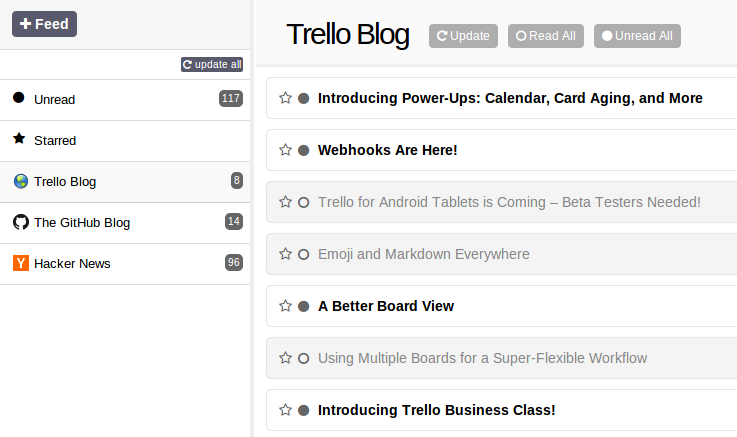
Table of Contents
- Features
- Requirements
- Installation
- Usage
- Testing
- Migration from Legacy Lite Reader
- Contributing
- License
- Contact
Features
- Lightweight and minimal feed aggregator
- Easy to install and use
- Supports data migration from legacy Lite Reader
- New: Multi-user support with individual user feeds
- Feed management: add, update, delete feeds
- Item management: read, star, mark as read/unread
Requirements
- None, just download the binary from the releases page and run it.
Installation
- Download the latest release from the releases page.
- Run the binary:
Usage
- Access the application via
http://localhost:3000(or your specified port).
Testing
Lite Reader includes comprehensive automated tests:
Unit Tests
# Run all Go unit tests
make test

# View coverage report
make coverage-report
UI Tests
# First-time setup (install Playwright)
make test-ui-setup

# Run automated UI tests
make test-ui

# Run UI tests with visible browser (for debugging)
make test-ui-headed

# Run all tests (unit + UI)
make test-all
For detailed testing documentation, see TEST.md.
Key Features:
- Automated browser testing with Playwright
- Mock RSS/Atom feed server (no internet required)
- Happy path and edge case coverage
- Fast execution (< 5 minutes)
- CI/CD integration ready
Migration from Legacy Lite Reader
If you are using the legacy Lite Reader, you can migrate your data to the new Lite Reader.
- Download the latest release of Lite Reader.
- Copy the data folder consisting of the
agg.dbfile from the legacy Lite Reader to the new Lite Reader folder. - Run the new Lite Reader.
Contributing
We are looking for contributors! Here's how you can help:
- Report bugs (https://github.com/cubny/lite-reader/issues/new)
- Share your ideas (https://github.com/cubny/lite-reader/issues/new)
- We are looking for a frontend engineer to rewrite the app with a modern stack
License
This project is licensed under the MIT License - see the LICENSE file for details.
Contact
- For any queries, please open an issue.