AVR generic menu/interactivity system


Features
- Wide variety of input/output devices supported.
- Low memory usage, strings and options list stored to PROGMEM
- Easy to define menus.
- Minimalistic user code base.
- Field to edit values hooked to existing program variables.
- Fields can edit variables of any type.
- Reflexive fields, showing variable changes (experimental).
- Numerical field edit and range validation.
- User functions called on regular options or field edit.
- Attachable functions to menu enter (experimental).
- Customizable (colors and cursors).
- Able to work over Serial stream for regular or debug mode.
- modularity, support for different devices in separate include files.
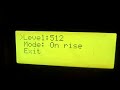
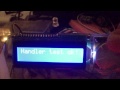
IO devices
Output devices
Serial https://www.arduino.cc/en/Reference/Serial
Standard arduino LCD library https://www.arduino.cc/en/Reference/LiquidCrystal
F Malpartida's LCDs (ex: i2c LCD) https://bitbucket.org/fmalpartida/new-liquidcrystal/wiki/Home
Adafruit's GFX devices https://github.com/adafruit/Adafruit-GFX-Library
UTFT devices http://www.rinkydinkelectronics.com/library.php?id=51
U8glib devices https://github.com/olikraus/U8glib_Arduino
Input devices
Serial https://www.arduino.cc/en/Reference/Serial
quadEncoder - Generic encoder using PCINT
Buttons - simple digital keyboard
Generic keyboard (no PCINT) - configurable for digital or analog keyboards
ClickEncoder https://github.com/0xPIT/encoder
Menu definition example
example of menu definition (c++ macros)
//a submenu
MENU(ledMenu,"LED on pin 13",
	OP("LED On",ledOn),
	OP("LED Off",ledOff)
);

//field value toggle on click
TOGGLE(targetVar,trigModes,"Mode: ",
	VALUE("None",trigPoint::None),
	VALUE("On rise",trigPoint::onRise),
	VALUE("On fall",trigPoint::onFall),
	VALUE("Both",trigPoint::isIn)
);

//field value enter edit on click, rotate to change, click to end edit
SELECT(selTest,selMenu,"Select",
  VALUE("Zero",0),
  VALUE("One",1),
  VALUE("Two",2)
);

//field value, click to browse, click to choose
CHOOSE(adc_prescale,sample_clock,"Sample clock",
	VALUE("/128",avrADC::clk_128,setADCClk),
	VALUE("/64",avrADC::clk_64,setADCClk),
	VALUE("/32",avrADC::clk_32,setADCClk),
	VALUE("/16",avrADC::clk_16,setADCClk),
	VALUE("/8",avrADC::clk_8,setADCClk),
	VALUE("/4",avrADC::clk_4,setADCClk),
	VALUE("/2",avrADC::clk_2,setADCClk)
);

//the main menu...
//Fields are numeric and show selected value. click to start change, click to fine tune, click to end
MENU(mainMenu,"Main menu",
	FIELD(frequency,"Freq","Hz",0,16000000,100,1,updateFreq),
	FIELD(dutty,"Duty","%",0,100,1,0,updateDutty),
	OP("Handler test",completeHandlerTest),
	SUBMENU(ledMenu),
	SUBMENU(trigModes),
	SUBMENU(selMenu),
	SUBMENU(sample_clock)
);
syntax
Option
Menu option, call user function on click
name: string to be shown as menu option prompt
function: to be called on click
Numeric field
FIELD(variable,name,units,min,max,step,tune,function)Holding and changing numeric values
variable: holding the value (must be numeric or support comparison oprators)
name: to use as prompt
units: to be shown after value
min,max: defining numeric value range
step: increment/decrement when adjusting value
tune: value to increment/decrement when fine tunning the value
function: called on every value change
Field value
VALUE(text,value [,action] )holding possible FIELD values
text: to be used as prompt
value: to be passed when selected
action: optional function to be called on activation
Toggle field value
TOGGLE(variable,id,name,
	VALUE(...),
	...,
	VALUE(...)
)
Holding a value and a list of possible values to toggle on click. This is ideal for On/Off Yes/No and other small list of values
variable: holding the value
id: of this element to be used with SUBMENU
name: to be used as prompt
Select field value
SELECT(variable,id,name,
	VALUE(...),
	...,
	VALUE(...)
)
define a value from a list of possibilities click to enter edit mode rotate to choose value click to exit edit mode
variable: holding the value
id: of this element to be used with SUBMENU
name: to be used as prompt
Choose field value
CHOOSE(variable,id,name,
	VALUE(...),
	...,
	VALUE(...)
)
Holding a value and a list of possible values to select as a submenu. This is ideal for longer lists of values.
variable: holding the value
id: of this element to be used with SUBMENU
name: to be used as prompt
Submenu
link in a submenu as option of the current one
id: of element to be used as a submenu, can be a menu, toggle, select or choose
Menu
MENU(id,name,
	...
	OP(...),
	FIELD(...),
	SUBMENU(...),
	...
)
define menu structure
id: this menu id
name: menu name to use as submenu title
Saving RAM
By default PROGMEM is used on platforms where it is available.
Include files
chainStream.h - join multiple input stream to be used as one, this is used to join quadEncoder stream with a keyboard (encoder button).
ClickEncoderStream.h - using alternative encoder https://github.com/0xPIT/encoder
genericKeyboard.h - make a custom keyboard by providing a reader function.
keyStream.h - simple digital keyboard driver doing digitalRead of pins. this driver can miss clicks on heavy load.
macros.h - macro definitions to help building complex menu structure (included by menu.h)
menuFields.h - allows the menu system to alter/monitor your variables, this file defines the behavior of FIELD, TOGGLE, SELECT and CHOOSE.
menuGFX.h - use an Adafruit-GFX-Library compatible screen https://learn.adafruit.com/adafruit-gfx-graphics-library
menu.h - basic menu functionality
menuLCD.h - use the standard arduino LiquidCrystal screen https://www.arduino.cc/en/Tutorial/HelloWorld
menuLCDs.h - use alternative LCD`s https://bitbucket.org/fmalpartida/new-liquidcrystal/wiki/schematics#!hardware-configurations-and-initialization
menuPrint.h - output to Serial stream numbering options for quick access
menuU8G.h - use a U8Glib compatible screen https://github.com/olikraus/u8glib/wiki/device
menuUTFT.h - use UTFT compatible screen http://www.rinkydinkelectronics.com/library.php?id=51
menuUTouch.h - touch screen input http://henningkarlsen.com/electronics/library.php?id=56
quadEncoder.h - basic quad-encoder driver using pin change interrupt. Button should be added as a keyboard.
History
2.4
- new field type SELECT
- reflexivity, field reflect external changes to values
- store field strings to progmem
- PROGMEM usage is optional, #define USEPGM
2.3
- action functions now need to return bool (only affects menus)
false = continue menu
true = exit menu
- Support for U8GLib screens
- alternative use ClickEncoder
- using flash memory to store menu strings and lists (PROGMEM)
2.0
- non-blocking menu main cycle
- Menufields as menu prompts with associated value values can be: numeric withing range list of values toggled on click (for small lists) list of values selected as submenu (for longer lists)
- PCINT now supports Mega/2560 and possibly others
1.x
- basic menu functionality
notes
encoder now needs begin() to be called on setup
input is read from generic streams, included simple streams for encoders and keyboards - provided encoder driver uses internal pull-ups and reverse logic
multiple stream packing for input to mix encoder stream with encoder keyboard (usually 1 or 2 keys)
info
more info at
wiki pages, issues or r-site.net