


Codebattle - is an open source game being developed by the Hexlet community. The current version of the application is available at codebattle.hexlet.io. We also have chrome extension. Which allow to subscribe on last game updates.
This project exists thanks to all the people who contribute. Contribute guideline.
Requirements
- Mac / Linux
- podman
Install
$ git clone git@github.com:hexlet-codebattle/codebattle.git
$ cd codebattle
$ make setup
Start Server
Run Tests
Lint
$ make compose-lint

# To run specific
$ make compose-mix-format
$ make compose-mix-credo
$ make compose-lint-js-fix
Useful
$ mix upload_langs

$ mix images.push # all
$ mix images.push elixir

$ mix images.build # all
$ mix images.build elixir

$ mix images.pull # all
$ mix images.pull elixir

$ mix asserts.upload # Pulls from battle_asserts all issues and upserts into DB

#If you use images in dev env, run commands in make compose-bash
Profile js bundle
Support
- https://t.me/hexletcommunity channel: codebattle
Troubleshooting
macOS
- Install podman
Make sure you have installed podman for macOS.
Or follow the official installation guide: https://podman.io/getting-started/installation
- Initialize and start podman machine
On macOS, podman requires a virtual machine to run containers. Initialize and start it:
podman machine init --memory=8192
podman machine start
If you encounter issues, try removing and reinitializing the machine:
podman machine stop
podman machine rm
podman machine init
podman machine start
- Set podman machine to start automatically
To have the podman machine start automatically on boot:
podman machine set --rootful=falseClose and open your terminal if podman didn't start immediately.
Linux
- Install podman
Make sure you have installed podman for your Linux distribution.
https://podman.io/getting-started/installation
- Start podman service
Make sure podman is running. You can start the podman service manually by typing:
sudo systemctl start podman
or you can add it to startup by typing:
sudo systemctl enable podmanClose and open your terminal if podman didn't start immediately.
- Running podman in rootless mode
Podman can run containers without root privileges by default. If you encounter permission issues, ensure your user is set up for rootless podman:
https://github.com/containers/podman/blob/main/docs/tutorials/rootless_tutorial.md
You may need to configure subuid and subgid mappings:
sudo usermod --add-subuids 100000-165535 --add-subgids 100000-165535 $USERThen restart your session for the changes to take effect.
Star History

This repository is created and maintained by the team and the community of Hexlet, an educational project. Read more about Hexlet.
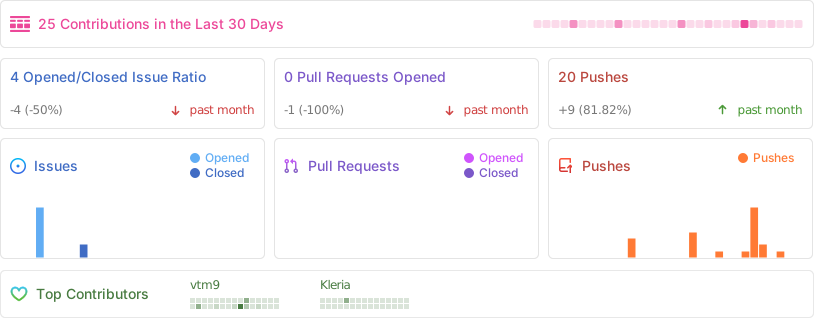
See most active contributors on hexlet-friends.