中文文档 | Read this document in Chinese


🏆 Showcase your open source achievements and make every merged PR a badge of honor.
Transform your scattered GitHub PR contributions into beautiful, shareable statistics. Perfect for resumes, portfolios, and technical recruiting.
✨ Live Demo
Note: The following demos use public GitHub data accessible via the GitHub API for demonstration purposes only.
📊 PR List Mode - Your Contribution Timeline
📈 Repository Stats Mode - Impact Overview
Using Linux creator Linus Torvalds' public PR data for technical demonstration
☀️ Light Theme Available
🚀 Get Started in 2 Minutes
1. Deploy Instantly
For detailed setup instructions, see 📚 Documentation → 🚀 Deployment Guide
2. Add to Your Profile
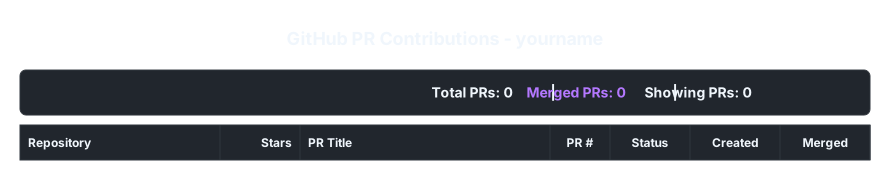
3. Customize Your Display
# Show only merged PRs from high-star projects 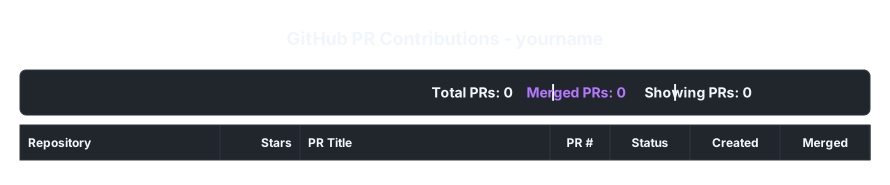 # Repository overview with merge rates 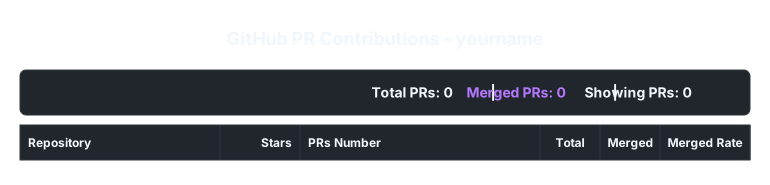
🎯 Why Choose GitHub PR Stats?
| Feature | Benefit |
|---|---|
| 🎨 Two Display Modes | PR timeline or repository overview - choose what fits your story |
| ⚡ Smart Caching | Fast loading with Redis - your visitors won't wait |
| 🎮 Visual Interface | No code needed - configure everything with our web UI |
| 🌟 Quality Focus | Filter by stars to highlight your high-impact contributions |
| 📱 Works Everywhere | SVG output works in GitHub, websites, presentations, anywhere |
| 🔒 Privacy First | Your tokens stay secure on the server |
🏆 Perfect For
- 🎓 Developers: Show your open source impact on LinkedIn, resume, or personal website
- 🏢 Companies: Quickly assess candidates' real-world contribution quality and consistency
- 📈 Project Maintainers: Visualize contributor engagement and project health metrics
- 🌟 Open Source Stars: Celebrate your contributions to major projects like Linux, React, TensorFlow
🎮 Interactive Configuration

Visit your deployed instance to use our visual parameter debugger:
- Real-time Preview: See changes instantly as you adjust parameters
- Smart Defaults: Interface adapts when you switch between PR list and repository modes
- One-Click Copy: Generate and copy the perfect URL for your use case
- Mobile Friendly: Configure on any device
📚 Documentation
- 📖 API Reference - Complete parameter guide and examples
- 🚀 Deployment Guide - Setup instructions and configuration
- 👥 User Guide - Tips, use cases, and best practices
🎨 Themes & Customization
Choose from multiple themes and customize every aspect:
- 🌙 Dark Theme - Perfect for developer portfolios
- ☀️ Light Theme - Great for professional websites
- 🎯 Custom Fields - Show exactly what matters for your audience
- 📊 Smart Stats - Highlight your contribution metrics automatically
🤝 Contributing
Pull Requests or Issues are welcome.
⭐ Star History
📄 License
MIT License - Completely free, contributions welcome
🌟 If this project helps you, please give it a Star!